General Tab
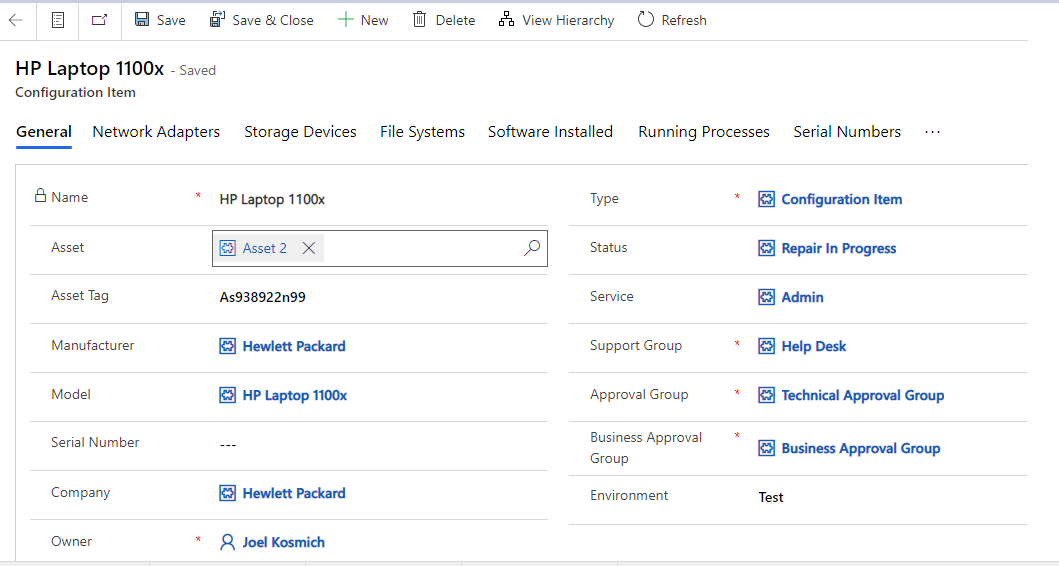
All the information related to the Configuration Item will be present in this tab. Admin can view/edit the fields and update the Configuration Item.
Fields | Description |
|---|---|
Approval Group | Group which can authorize changes |
Asset | Association to the Asset record |
Asset Tag | Unique Company Identifier |
Business Approval Group | Group that provides business authorization |
Type | Type of CI |
Company | Vendor who CI belongs to |
Environment | Where the Configuration Item operates |
Manufacturer | Company that manufactured |
Model | Associated Vendor Naming convention |
Name | Describes the Configuration Item |
Owner | User who owns the Configuration Item |
Serial Number | Unique vendor Identification |
Service | Service which is related to CI |
Status | Current Condition |
Support Group | Group that performs maintenance |
Required Fields: Name, Type, Support Group, Business Approval Group, Approval Group, Owner.
Pre-Filled Fields: Owner
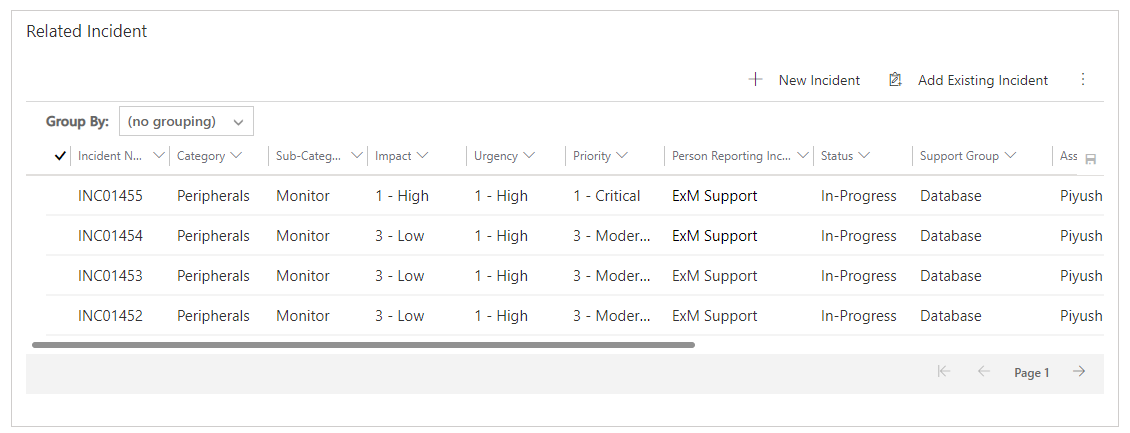
Related Incident Section
All the related incidents for the Configuration Item can be found in this section.
To add an already created incident record to the Configuration Item, click on the  button and add the record.
To add a new Incident record, click on the  button. You will be redirected to the Incident Module.
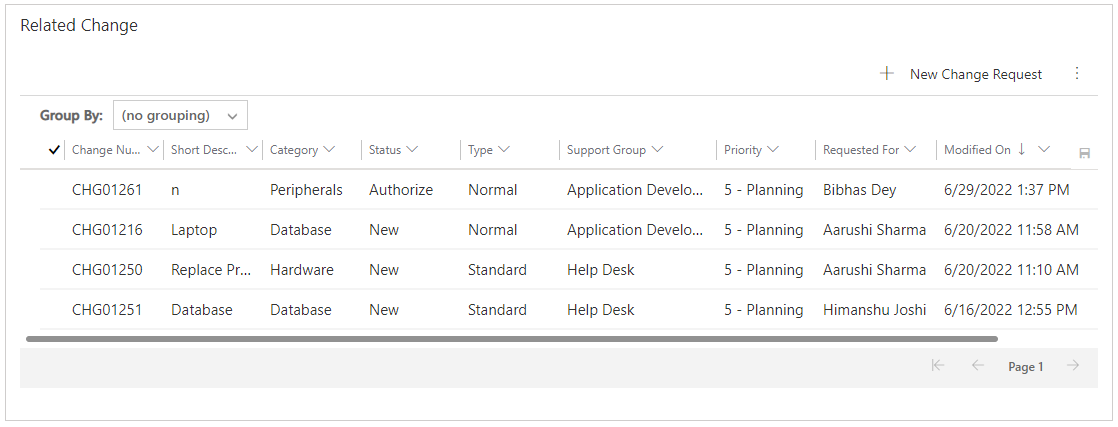
Related Change Section
All the related change for the Configuration Item can be found in this section.
To add an already created change record to the Configuration Item, click on the  button and add the record.
To add a new change record, click on the  button. You will be redirected to the Change Module.
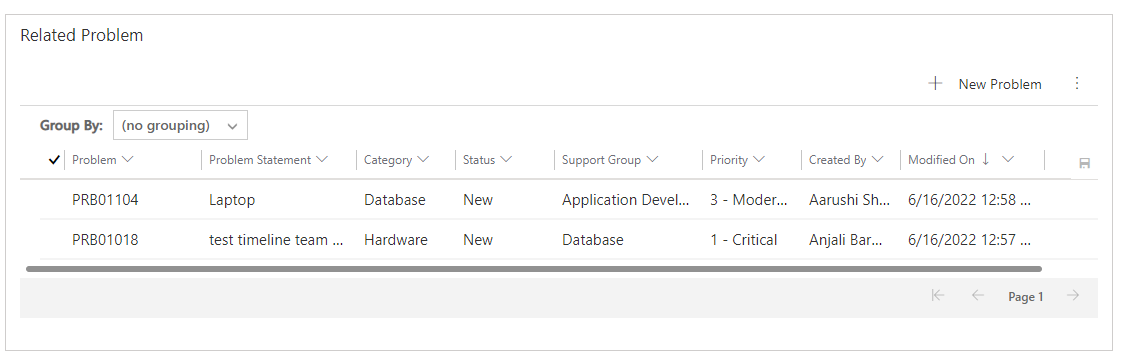
Related Problem Section
All the related problems for the Configuration Item can be found in this section.
To add an already created problem record to the Configuration Item, click on the  button and add the record.
To add a new Problem record, click on the  button. You will be redirected to the Problem Module.
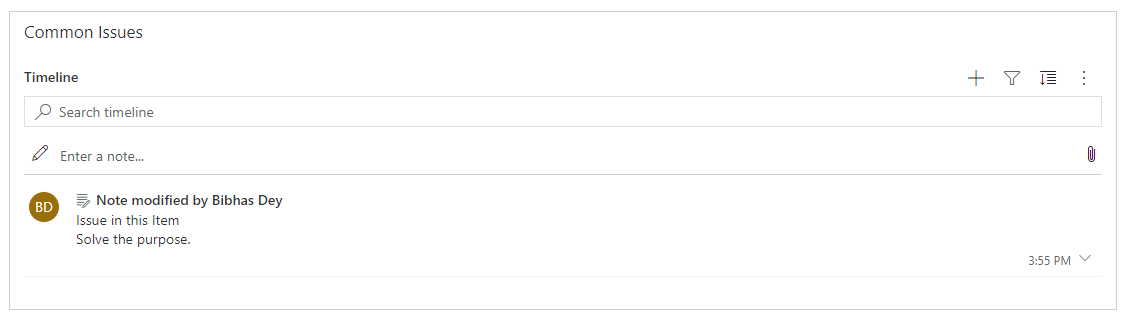
Common Issues Section
Add comments to interaction between fulfiller and CMDB Admin for the Configuration Item. Also, one can add attachments to the notes.
Audit History Tab
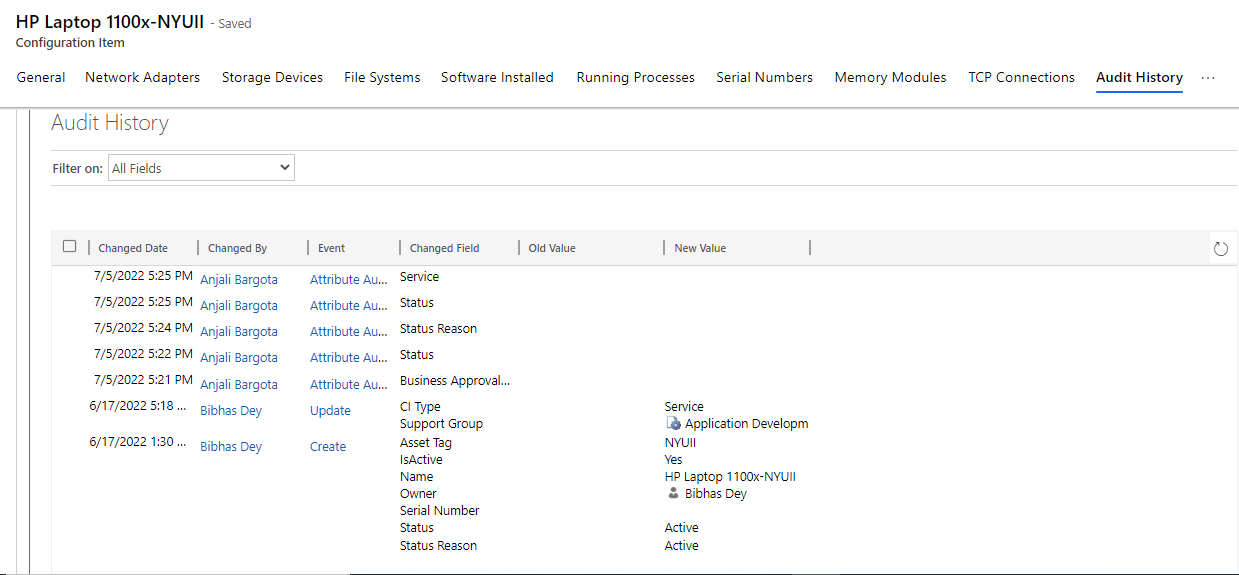
Any changes/updates made to the Configuration Item will be captured in the audit history tab. The person who made the changes will be captured along with the time and the updated fields.
Audit History is where the system stores historical information for all records. These records are intended to be kept forever so that administrators can always track the history of audited records. As the number of auditing records grows over time, it becomes more inefficient to directly query the Audit table for historical information.
Network Adapters Tab
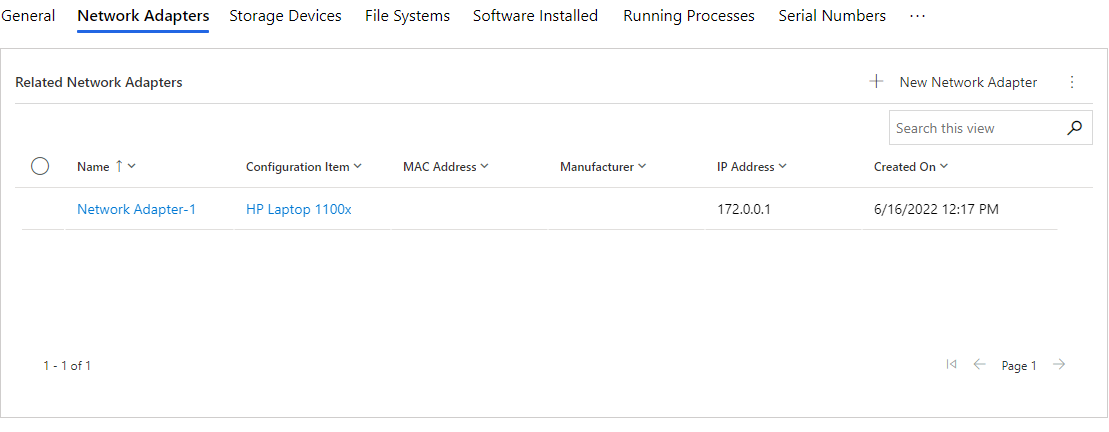
All the related Network Adapters for the Configuration Item can be found in this Tab.
To add an already created Network Adapter record to the Configuration Item, click on the  button and add the record.
To add a new Network Adapter record, click on the  button. You will be redirected to that Network Adapter record.
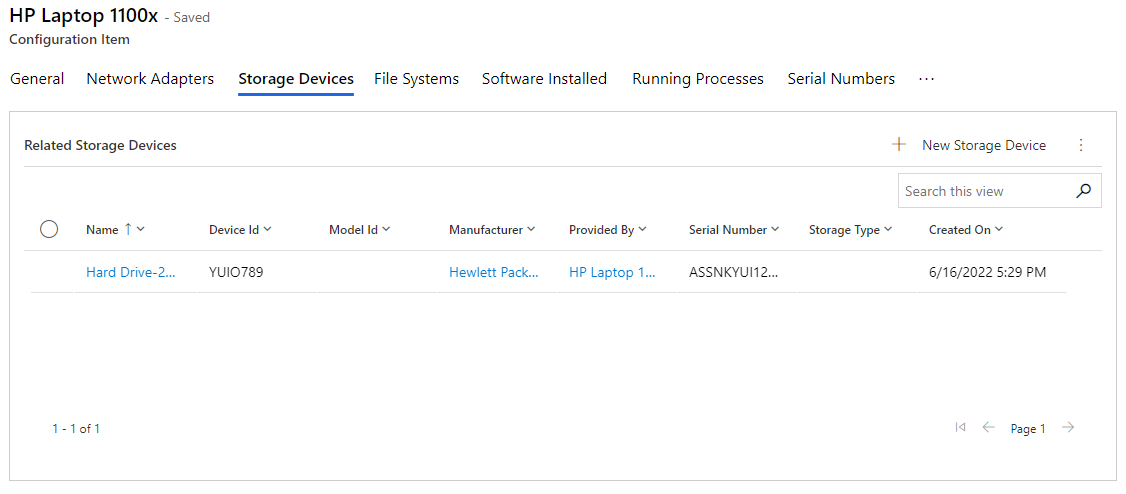
Storage Devices Tab
All the related Storage Devices for the Configuration Item can be found in this Tab.
To add an already created storage device record to the Configuration Item, click on the button  and add the record.
To add a new Storage Device record, click on the  button. You will be redirected to that Storage Device.
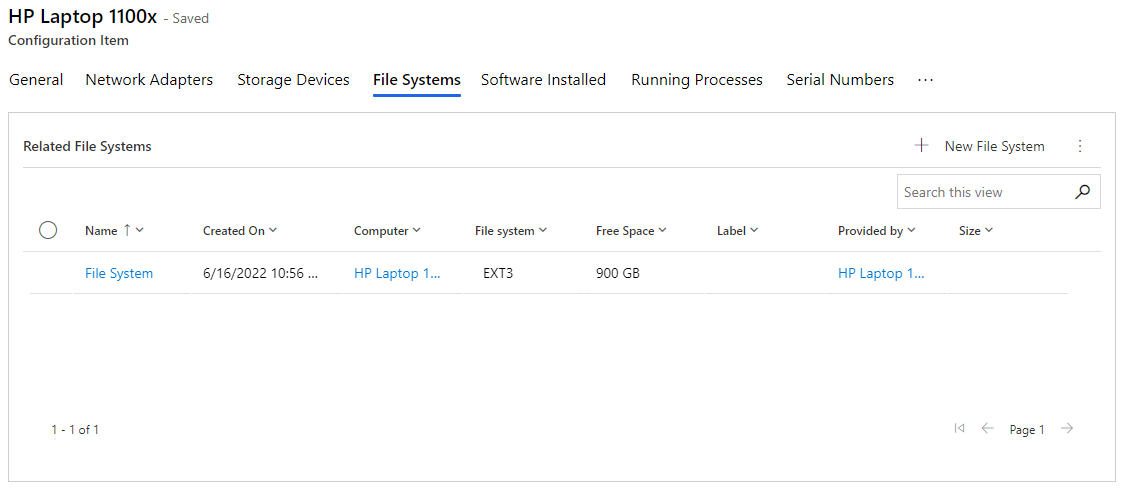
File Systems Tab
All the related File Systems for the Configuration Item can be found in this Tab.
To add an already created File Systems record to the Configuration Item, click on the button , and add the record.
To add a new File System record, click on the  button. You will be redirected to that File Systems record.
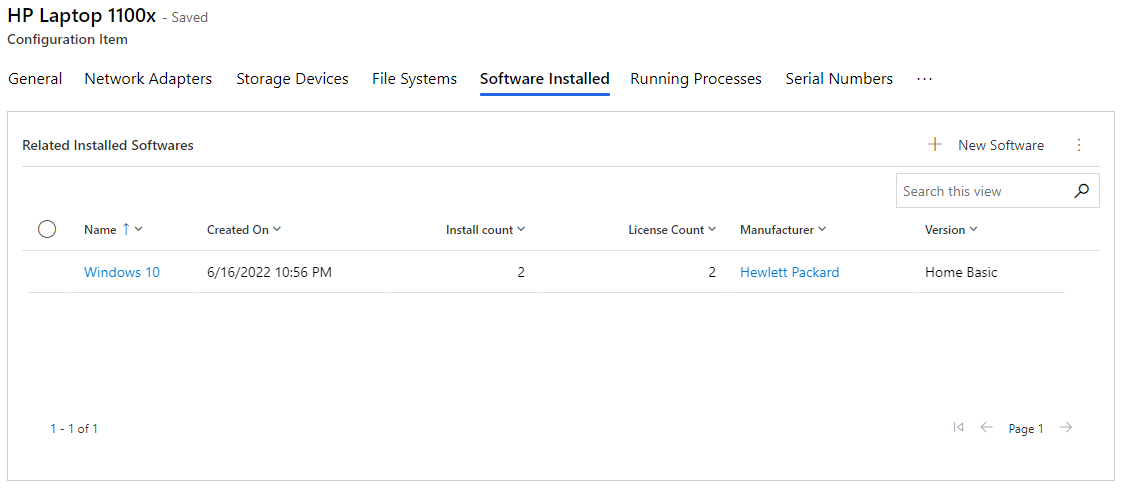
Software Installed Tab
All the related Software Installed for the Configuration Item can be found in this Tab.
To add an already created Software Installed record to the Configuration Item, click on the  button and add the record.
To add a new Software Installed record, click on the  button. You will be redirected to that Software Installed record.
Running Processes Tab
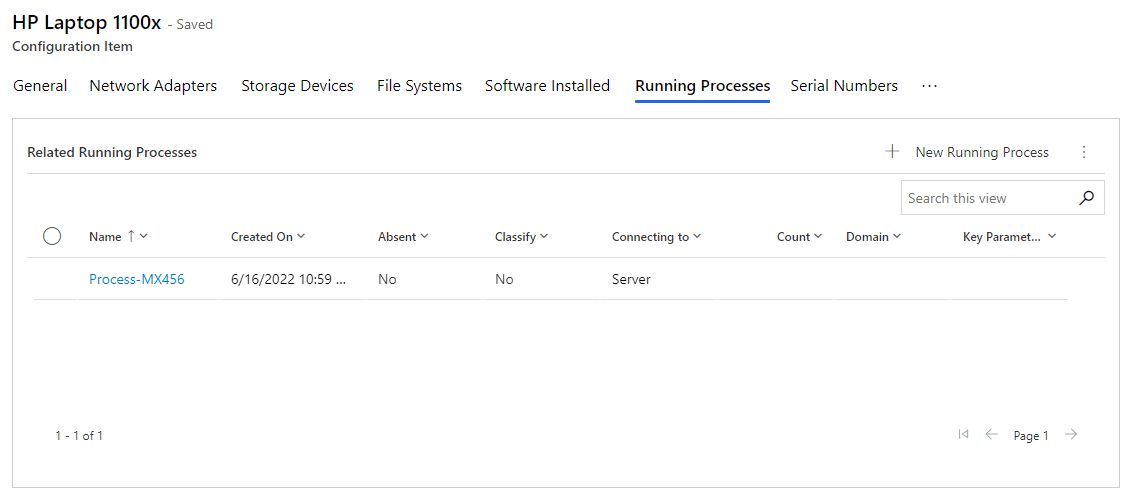
All the related Running Processes for the Configuration Item can be found in this Tab.
To add an already created Running Processes record to the Configuration Item, click on the  button and add the record.
To add a new Running Processes record, click on the  button. You will be redirected to that Running Processes record.
Serial Numbers Tab
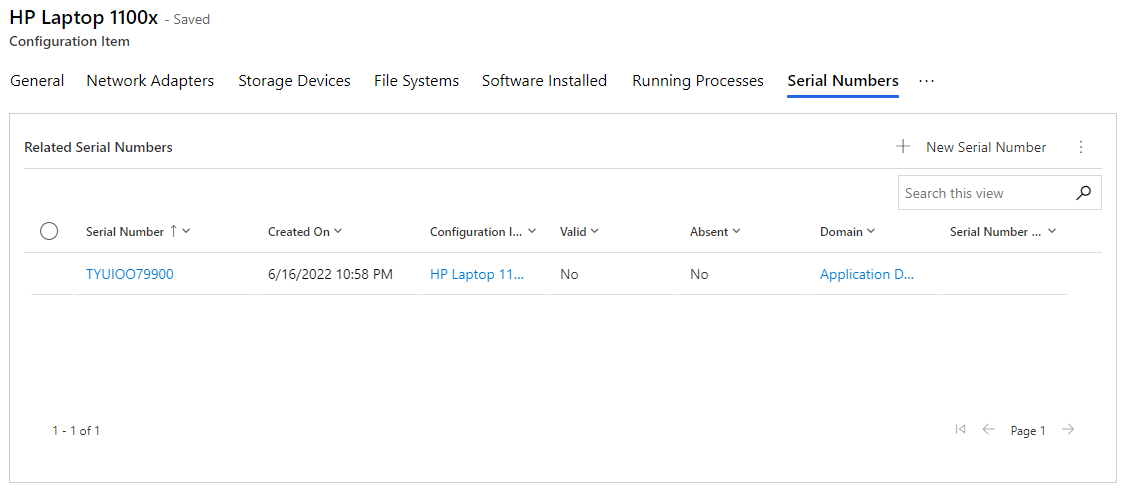
All the related Serial Numbers for the Configuration Item can be found in this Tab.
To add an already created serial numbers record to the Configuration Item, click on the  button, and add the record.
To add a new serial numbers record, click on the  button. You will be redirected to that Serial Numbers record.
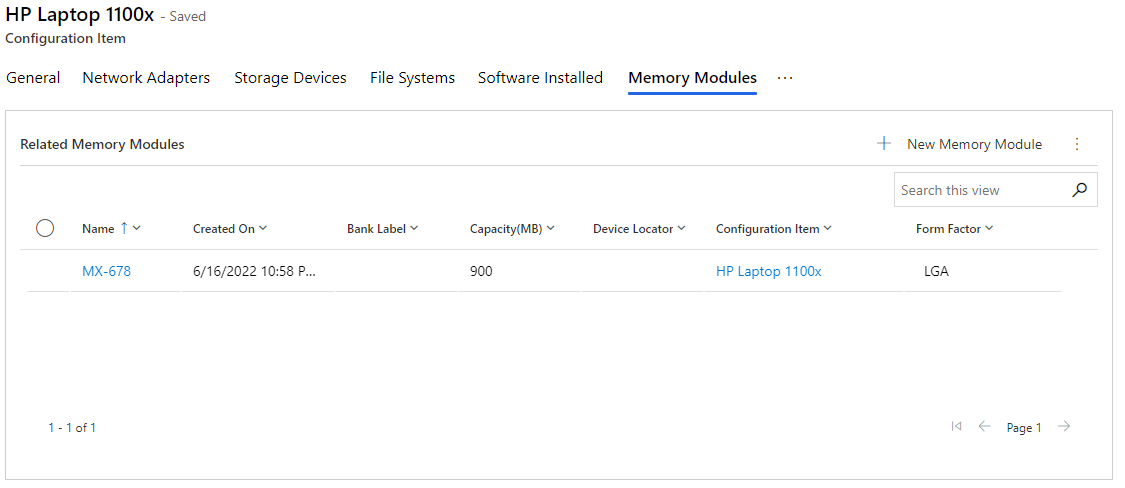
Memory Modules Tab
All the related Memory Modules for the Configuration Item can be found in this Tab.
To add an already created Memory Modules record to the Configuration Item, click on the  button, and add the record.
To add a new Memory Modules record, click on the  button. You will be redirected to that Memory Modules record.
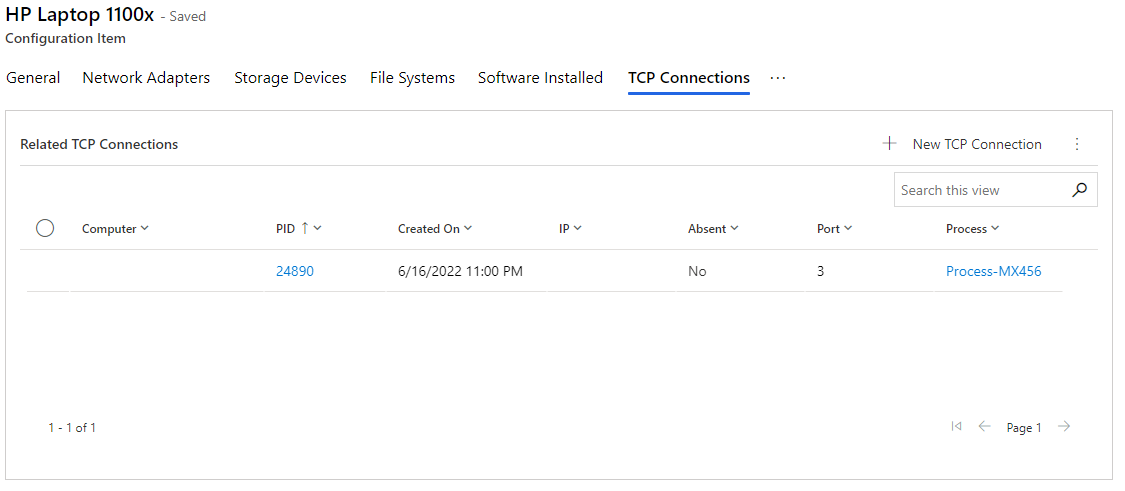
TCP Connections Tab
All the related TCP Connections for the Configuration Item can be found in this Tab.
To add an already created TCP Connections record to the Configuration Item, click on the  button and add the record.
To add a new TCP Connections record, click on  the button. You will be redirected to that TCP Connections record.
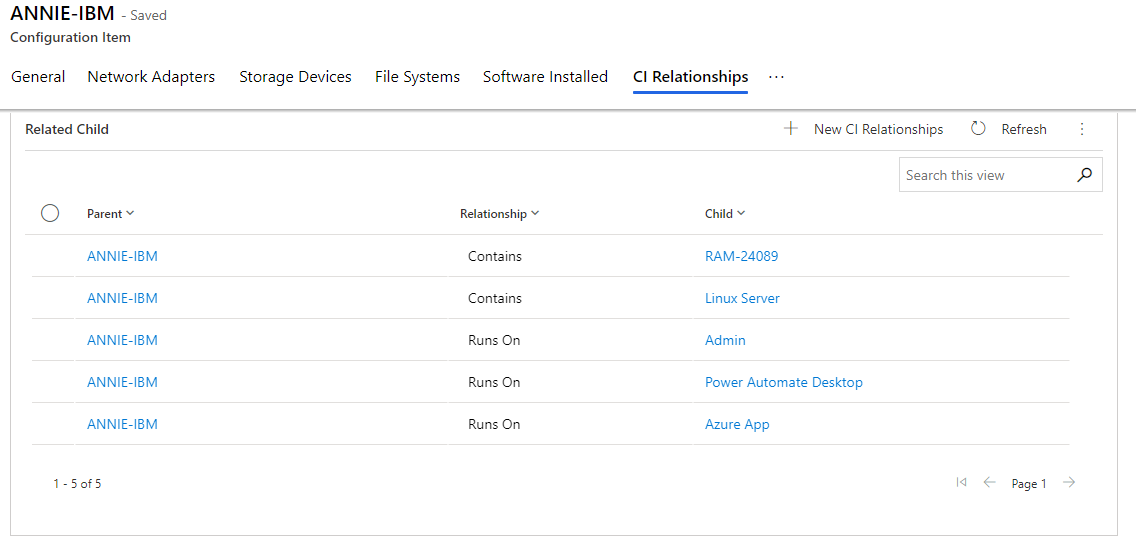
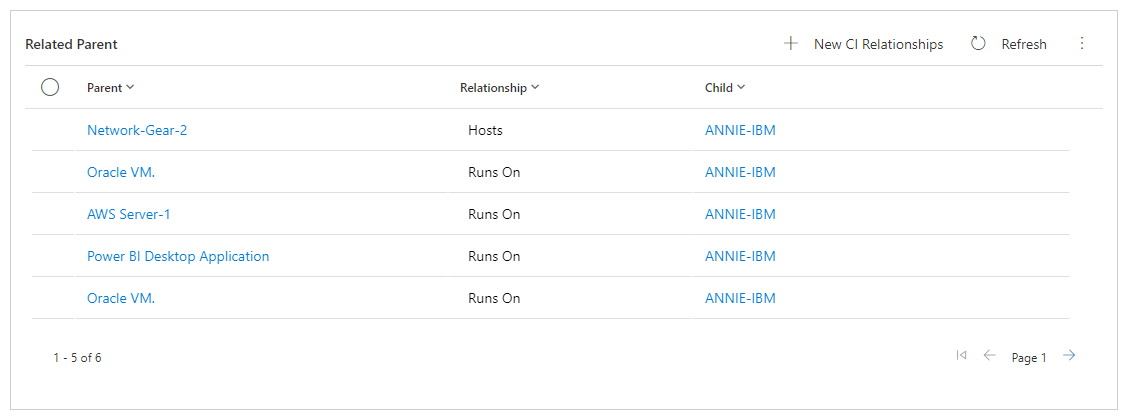
CI Relationships Tab
All the related Configuration Item Relationship for the Configuration Item can be found in this Tab.
To add an already created relationship record to the Configuration Item, click on the  button and add the record.
To add a new Configuration Item Relationship record, click on the  button. You will be redirected to that Relationship.