
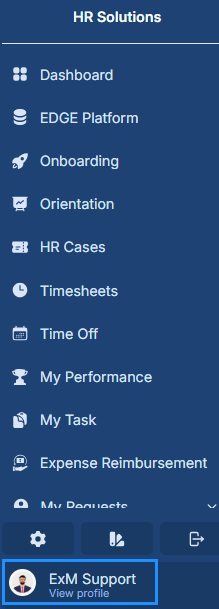
The current user can view their profile by clicking on the View Profile icon on the left Navigation.
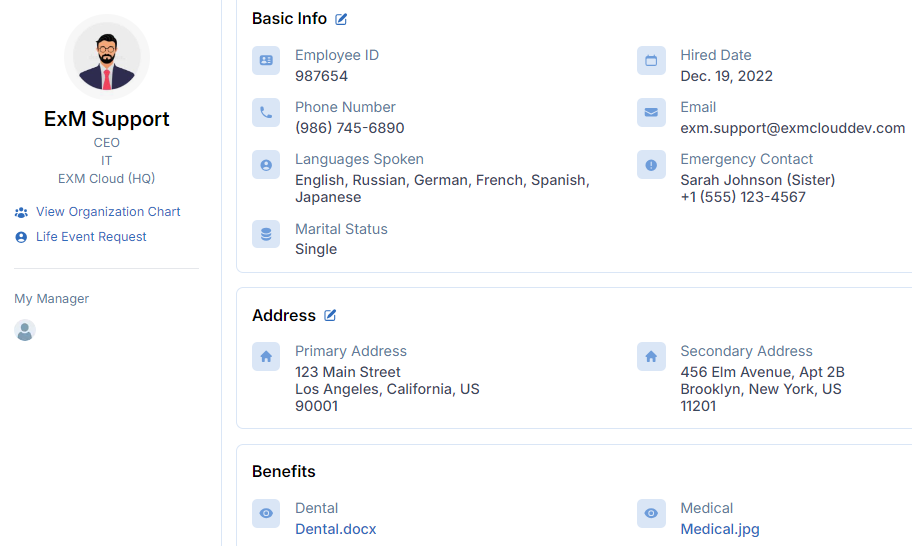
This includes the user's current picture and personal information.
View Organization Chart
The "View Organization Chart" feature in a user profile portal enables users to visualize their organization's hierarchy, displaying relationships between departments, teams, and individuals. Users navigate through various levels, observing reporting lines, supervisors, direct reports, and colleagues. This visual representation aids in understanding one's position within the company and fosters communication and collaboration across departments and teams.
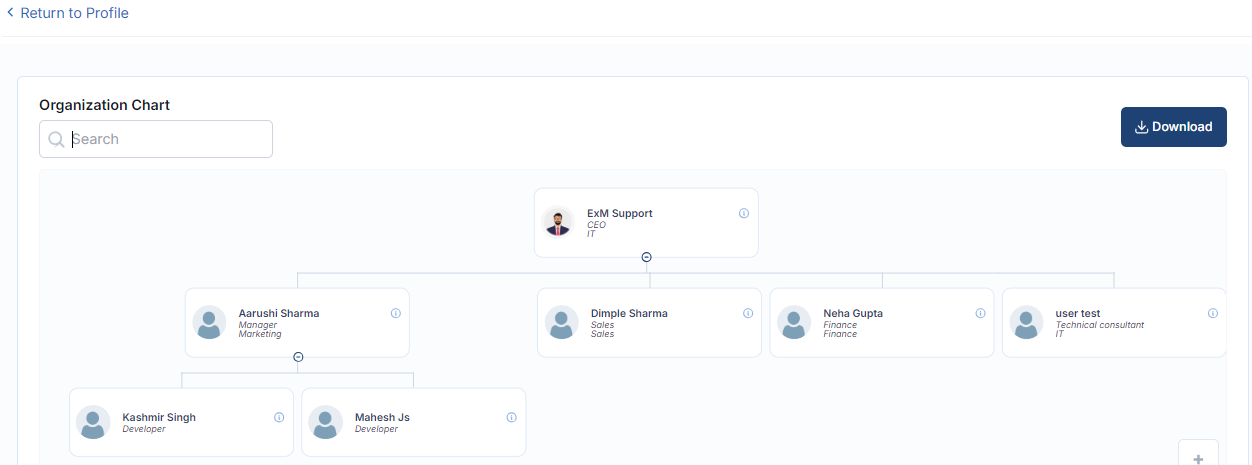
Users can also download the organizational chart by clicking on the designated  download button. This functionality enables them to access the chart offline or share it with others conveniently, enhancing flexibility and usability.
My Manager
In a user profile, "my manager" is the person overseeing the user's work, often providing their name, job title, contact info, and position in the organization. This info aids communication, reporting, and collaboration within the company.
Basic info
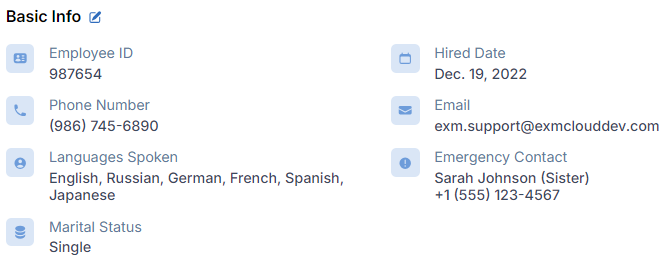
Basic info typically includes essential details like employee ID, contact information, and key identifiers, providing a foundational understanding of a person or entity.
Field | Description |
|---|---|
Employee ID | This is a unique identifier assigned to an individual within an organization. It distinguishes one employee from another and is often used for tracking purposes, accessing employee records, and for various administrative tasks. |
Hired Date | This refers to the date when the employee officially started working for the organization. |
Phone Number | This is the telephone number through which the employee can be contacted. |
This is the electronic mail address associated with the employee. | |
Language Spoken | This refers to the languages that the employee is proficient in speaking. |
Emergency Contact | This is a person designated by the employee to be contacted in case of emergencies. |
Marital Status | This indicates whether the employee is single, married, divorced, widowed, or in another marital status. |
Address
Primary Address details the user's main residence or contact address.

Click on the edit icon  to edit the Address.
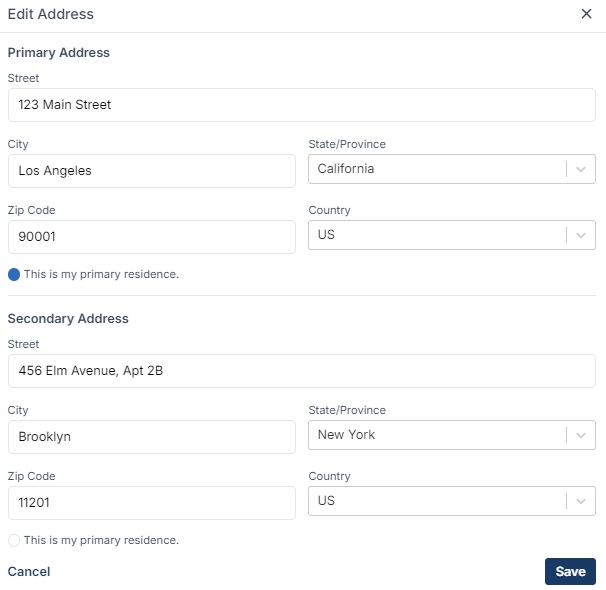
Field | Description |
|---|---|
Street | Street address, including building or apartment number. |
City | Municipality or urban area associated with the address. |
State/Province | Administrative region within the country (if applicable). |
ZIP Code | Postal code or ZIP code corresponding to the area. |
Country | Nation where the user's primary address is located. |
Benefits
A benefit typically refers to a list of benefits associated with an individual or a group within an organization. It provides a comprehensive view of the benefits that employees are enrolled in or eligible for. Each benefit entry in the list usually contains detailed information about the benefit, such as its name, description, coverage details, enrollment status, and any associated costs or contributions. Here, the user can view all the benefits that they have.

