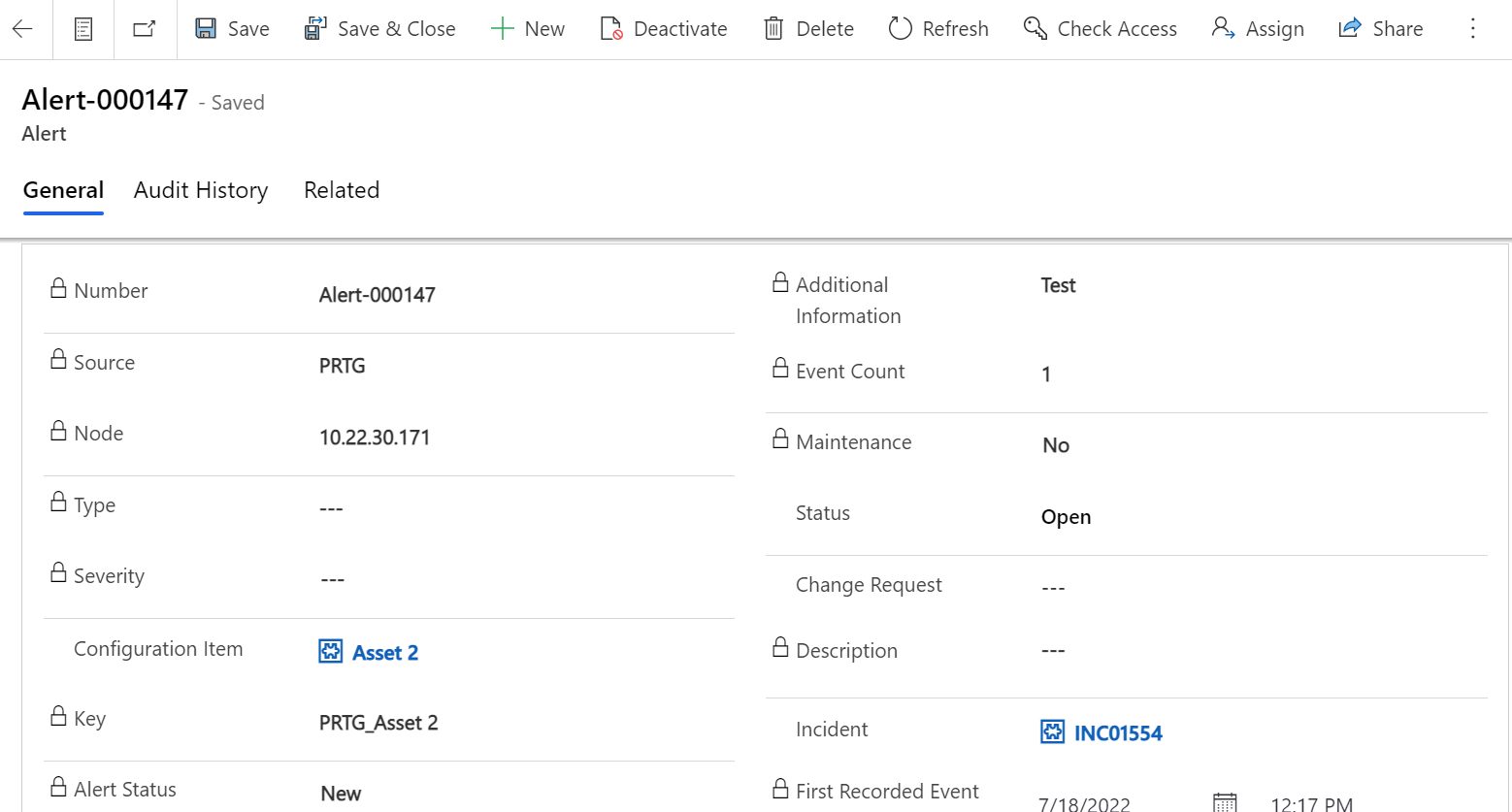
As alerts are generated, you will have the opportunity to read further information pertaining to them, recognize them, and take action to remedy them by creating incidents.
Alert Form
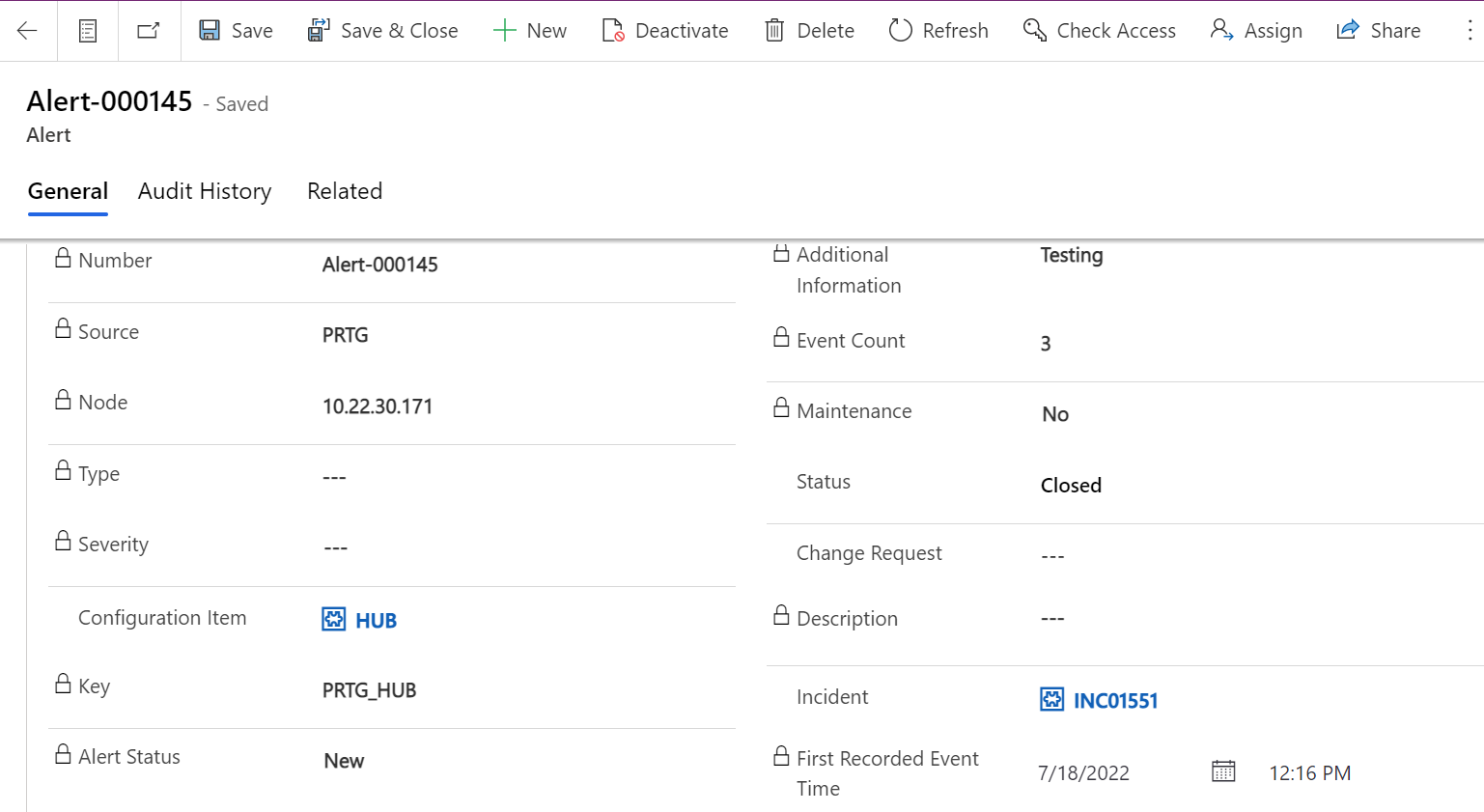
Fields | Description |
|---|---|
Source | Event monitoring software that generated the event. |
Number | if an alert was created because of the event, this field contains the unique ID that Event Management generates to identify the alert. |
Description | Reason for event generation. |
Node | Node name, fully qualified domain name (FQDN), IP address, or MAC address that is associated with the event, such as IBM-ASSET. |
Type | The metric type to which the event is related, such as Disk or CPU. |
Event Count | Describe the number of events related to that alert . |
Status | The state of the alert 1.Open: The alert requires user action. 2 Closed: The alert is closed, and no further user action is required |
Severity | The options are typically interpreted as follows:
|
Key | It is an auto populated field combination of source and Configuration item field value. |
Maintenance | A yes/no value that shows whether the resource is affected by the alert is in maintenance. |
Change Request | A valid change request is found for this Configuration Item and shows Change Request Number. |
Configuration Item | Configuration Item name. |
Incident | Display the incident number generated in corresponding to this alert. |
Notes | Display the information about all events that are related to this alert. |
First Recorded Event Time | Describe the First Event Creation Time related to this alert. |
Alert Status | Status of the alert it will be new or closing. |
Alert Rules for Creating Incident
When a new Alert is generated, we check to see if there is a legitimate change request for this CI that is now in the maintenance stage. If there is a change request, we will not generate an incident, but instead display the number of the change request and indicate that the maintenance field should be updated to yes.
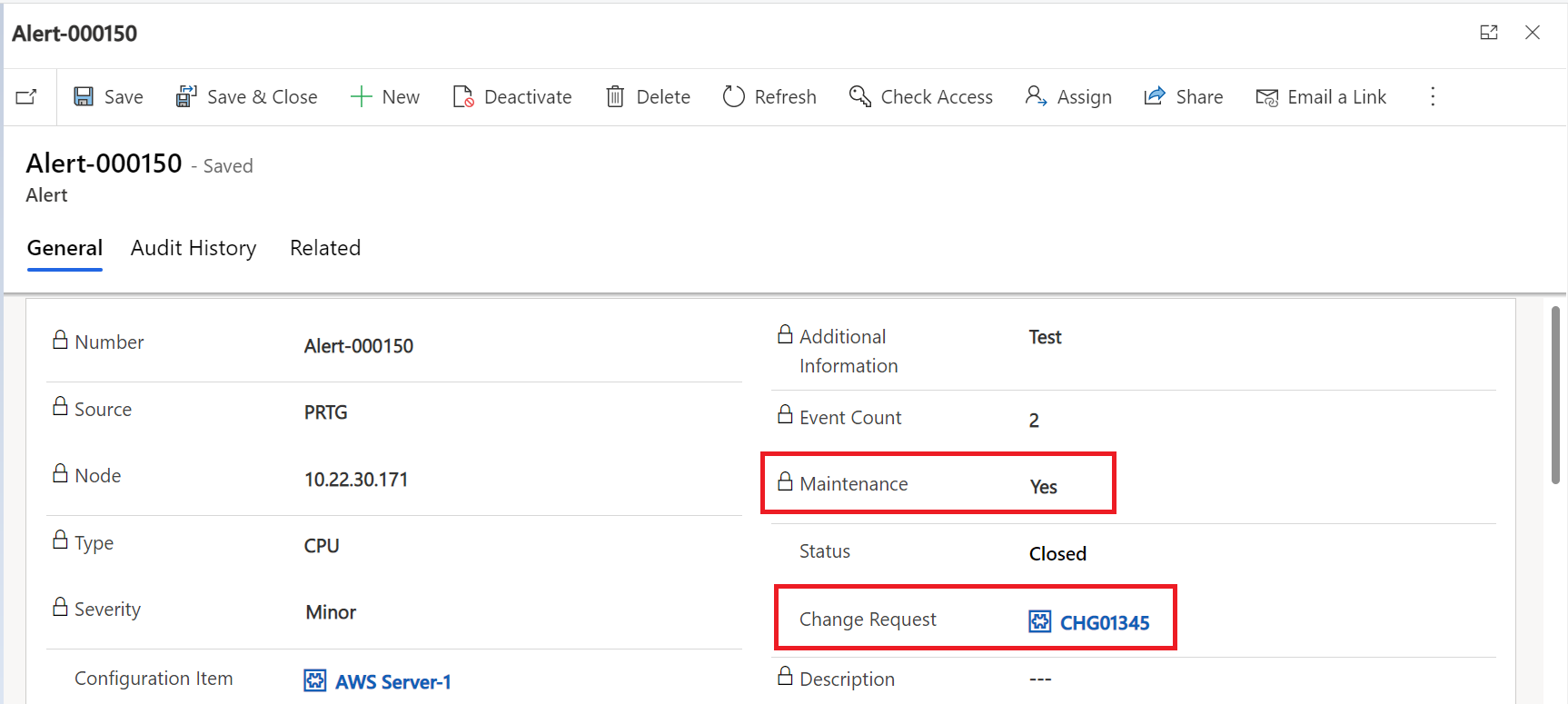
If we cannot locate any change requests, we should just report an incident.