
Regardless of how the events make their way to the instance, Event Management insists that each one be sent using the same format.
Event Form
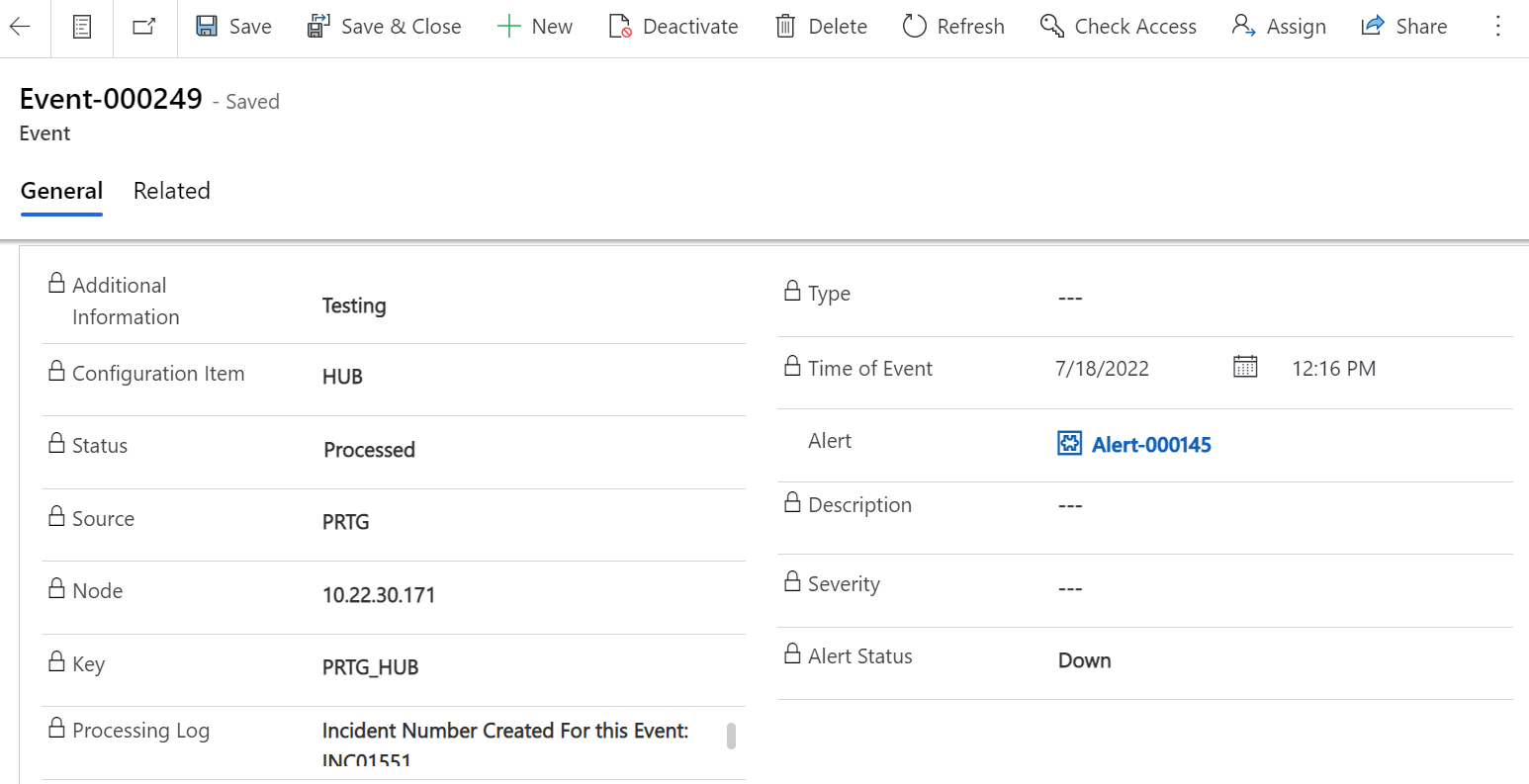
Fields | Description | Populated By |
|---|---|---|
Time Of Event | The Time that the event occurred. | Event |
Source | Event monitoring software that generated the event. | External event monitoring tool. |
Description | Reason for event generation. | External event monitoring tool. |
Node | Node name, fully qualified domain name (FQDN), IP address, or MAC address that is associated with the event, such as IBM-ASSET. | External event monitoring tool. |
Type | The metric type to which the event is related, such as Disk or CPU. | External event monitoring tool. |
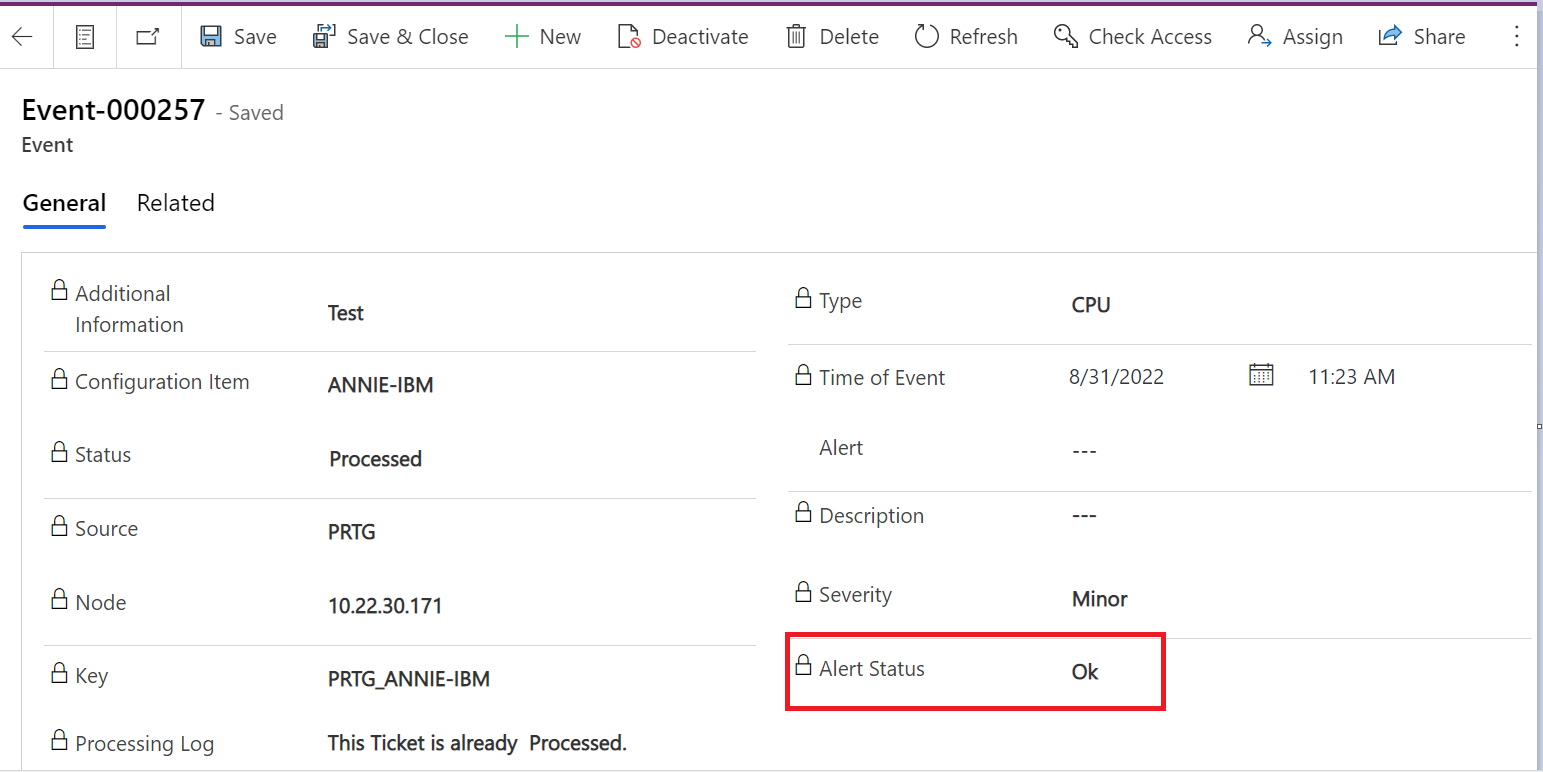
Alert Status | Status of the alert it will be Down, Down escalation repeat, or Ok. | External event monitoring tool. |
Status | Current processing state of the event: Ready: Event has been received and is waiting to be processed. Processed: Event was successfully processed. | Event. |
Severity | The options are typically interpreted as follows: Critical: Immediate action is required. The resource is either not functional or critical problems are imminent. Major: Major functionality is severely impaired, or performance has degraded. Minor: Partial, non-critical loss of functionality or performance degradation occurred. Warning: Attention is required, even though the resource is still functional. OK: An alert is created. The resource is still functional. Clear: No action is required. An alert is not created from this event. Existing alerts are closed. | External event monitoring tool. |
Key | It is an auto populated field combination of source and Configuration Item field value. | Event |
Alert | If an alert was created as a result of the event, this field contains the Unique Alert Number. | Event |
Additional Information | Any additional information for that event | External event monitoring tool |
Configuration Item | Configuration Item name. | External event monitoring tool |
Processing Log | Display of the event processing log. | Event. |
Event Rules for Creating Alert
Event Management is responsible for addressing a new event that is comparable to events that already appear on an existing alert. The information on the event is added to either the alert that is already present or to a new alert, depending on the Key, the Alert Status of the event, and the Status of the alert that is already present. Event fields provide a one-of-a-kind identifier for each event. The information from the fields is analyzed by Event Management in order to decide whether a current alert should be updated or if a new one should be created.
Each event is uniquely identified by the Key.
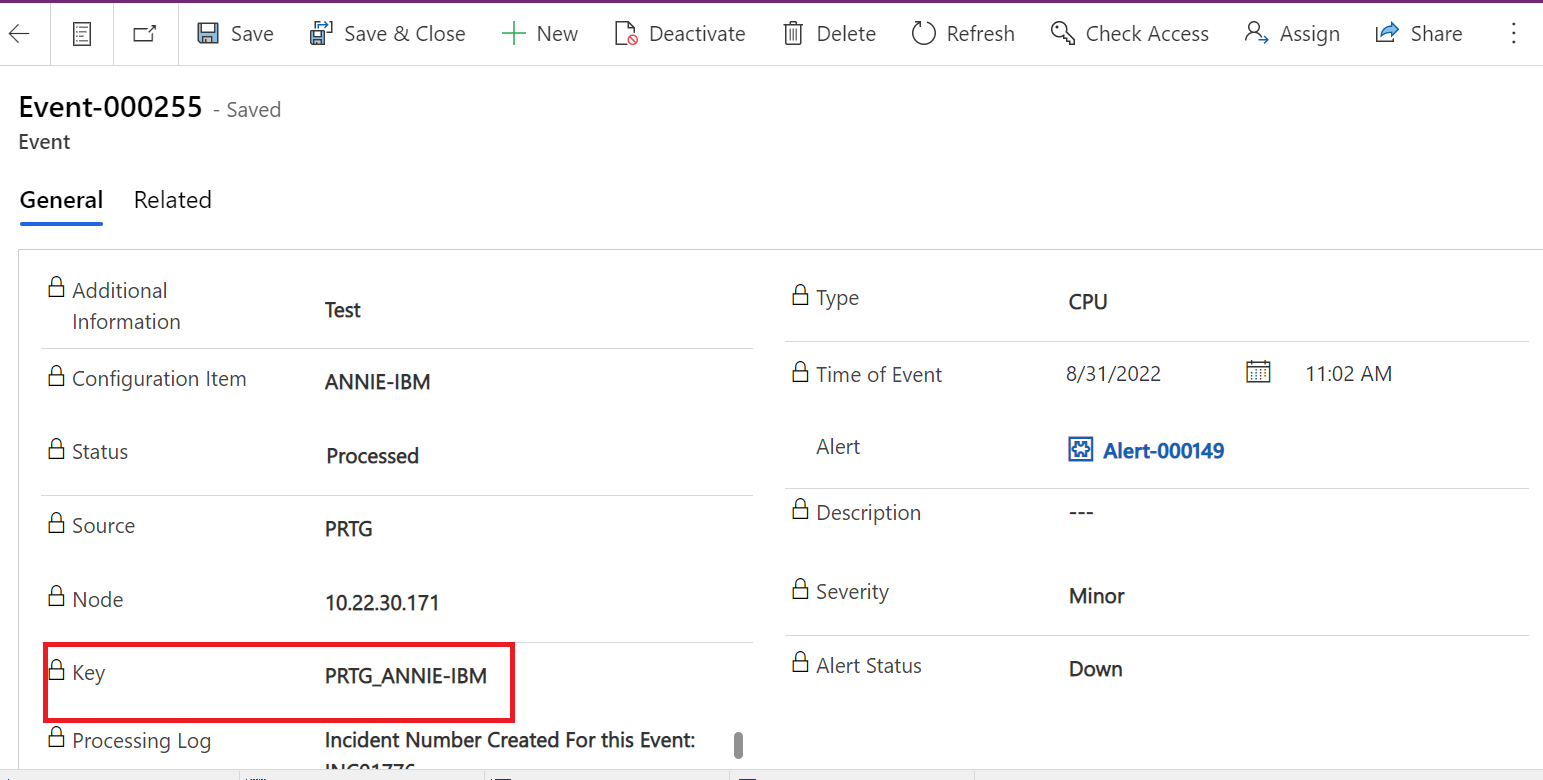
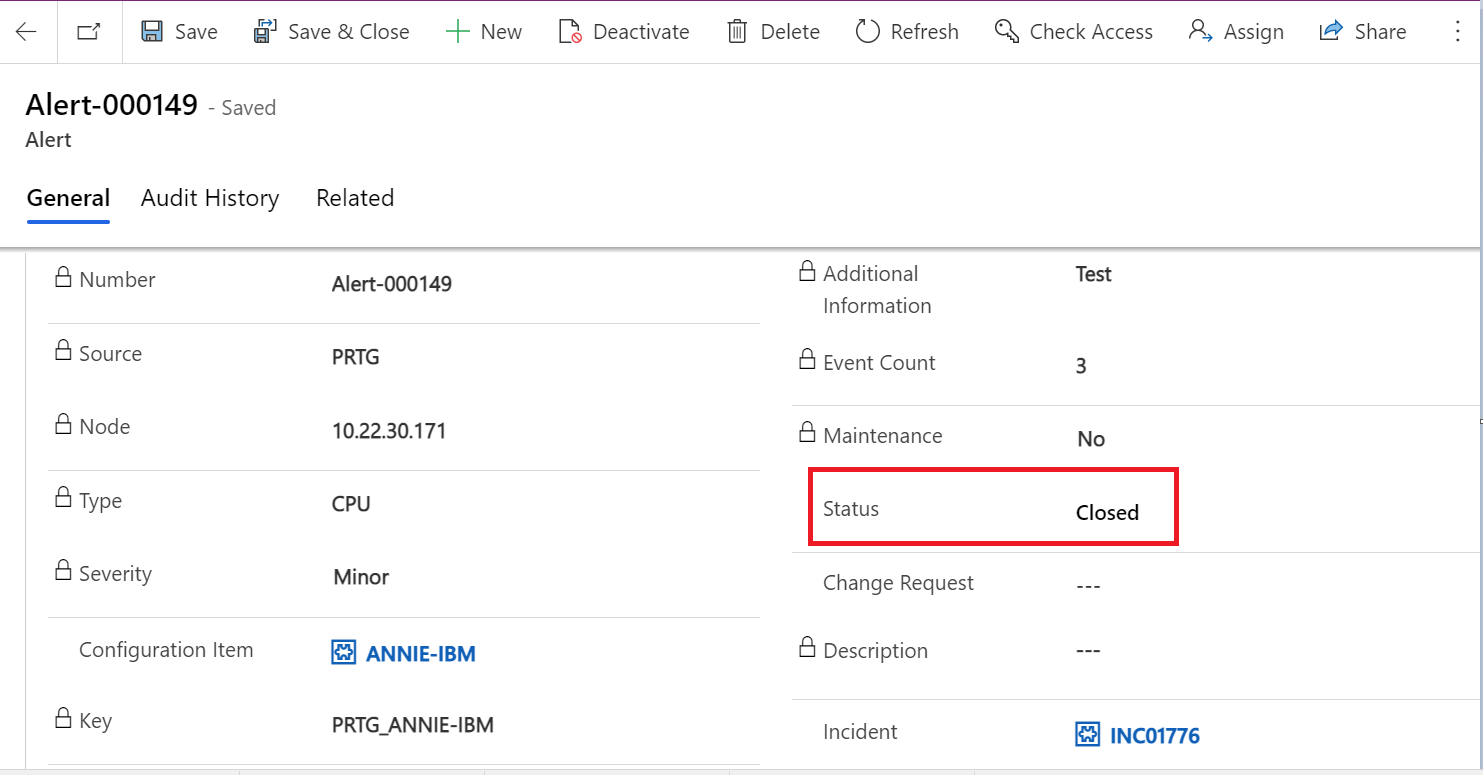
.Key is the combination of source and Configuration Item field so if there is already an alert with that key and Status of that alert is open then we update the existing alert by increasing Event count in that alert.
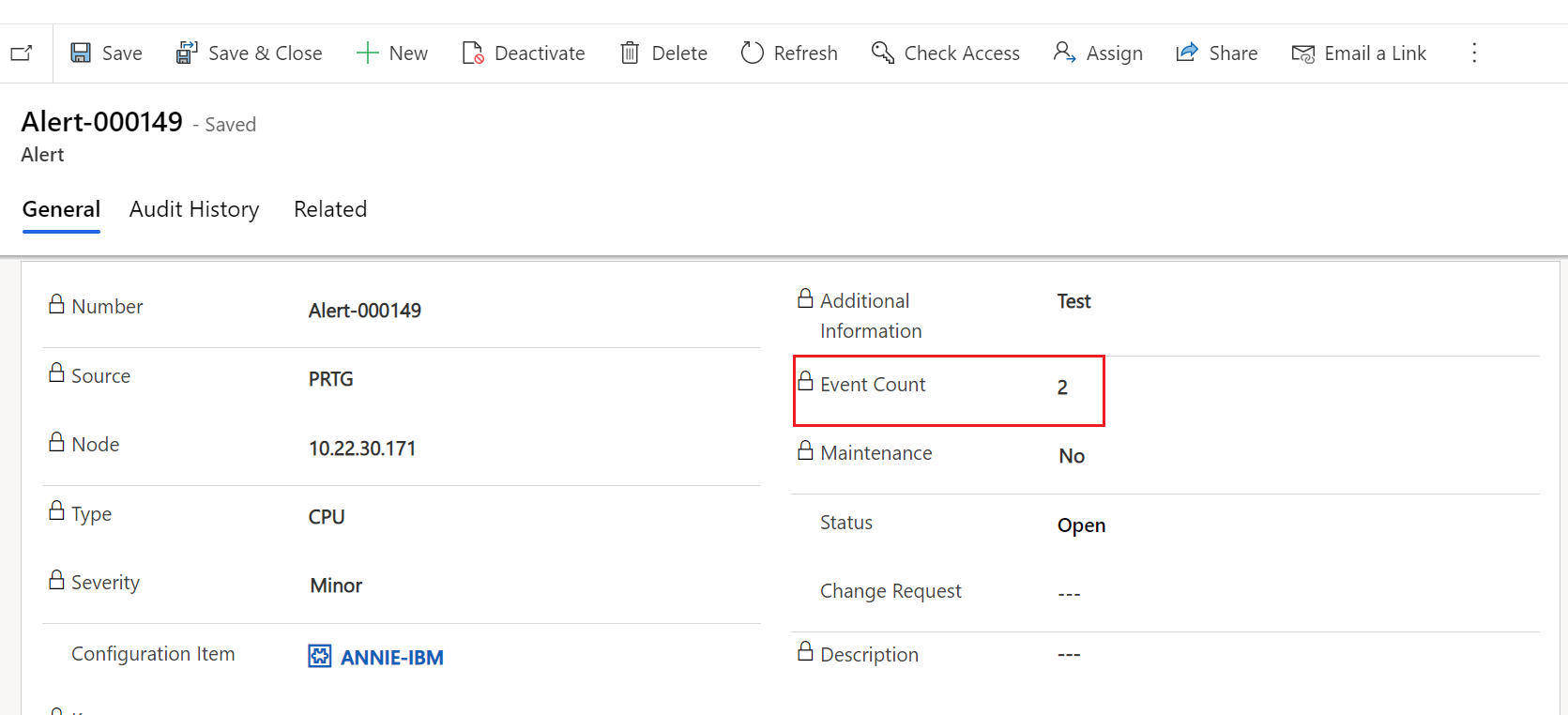
Because The key is the combination of the source and the Configuration Item field, if there is already an alert with that key and the status of that alert is open, then we will update the existing alert by increasing the Event count in that alert.
In addition to this, the specifics of any and all events that are connected to that alert are being recorded in the Notes column of the alert table.
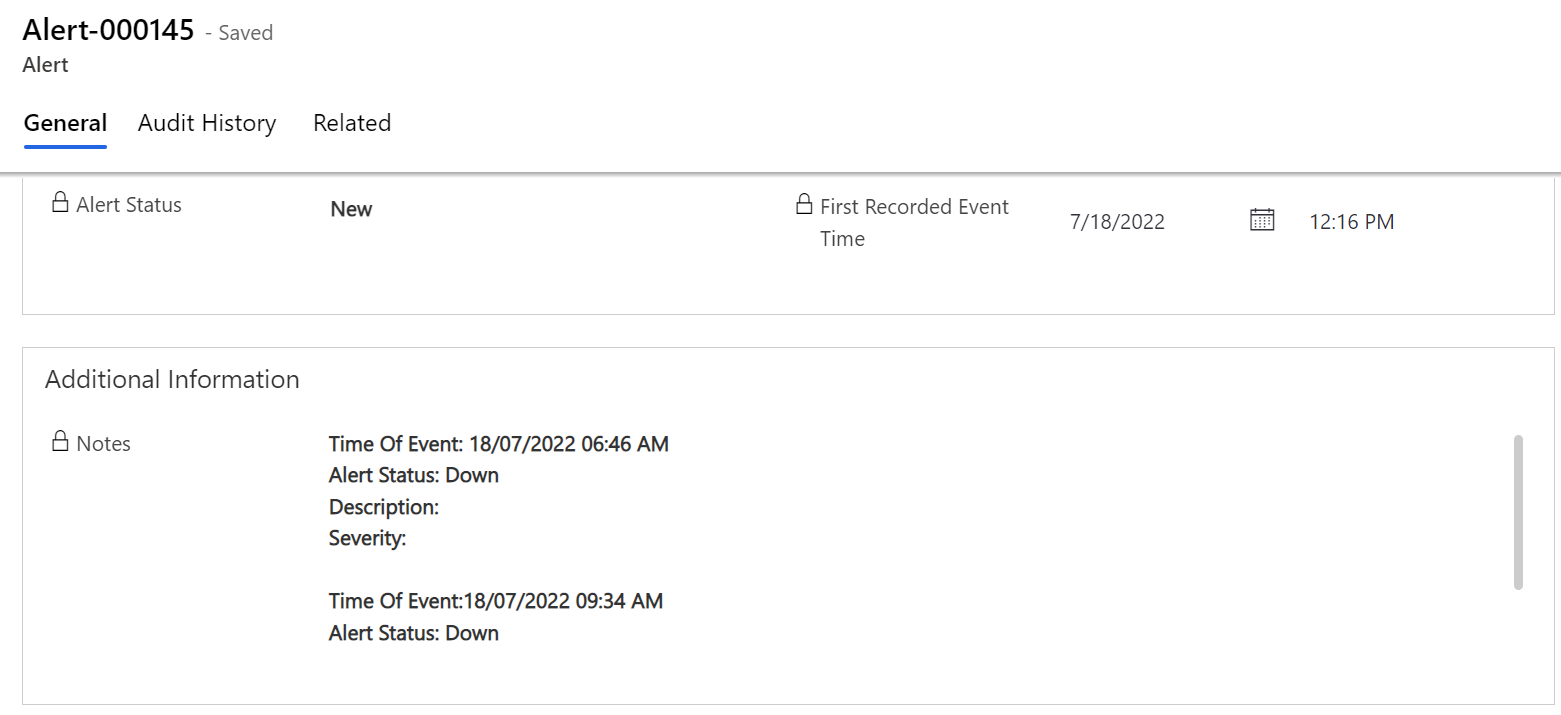
If we got an event with the Alert status is Ok, it would look something like this:
Therefore, make sure that the existing alert contains This Key and has the status "Closed" like so:
In the event that we already have an alert with that key, but the status of that alert is "Closed," then we will issue a new alert.
