
Create Incident
Navigate to ITSM > All Incidents in the left navigator.
Click on the  button on the top ribbon of the view.

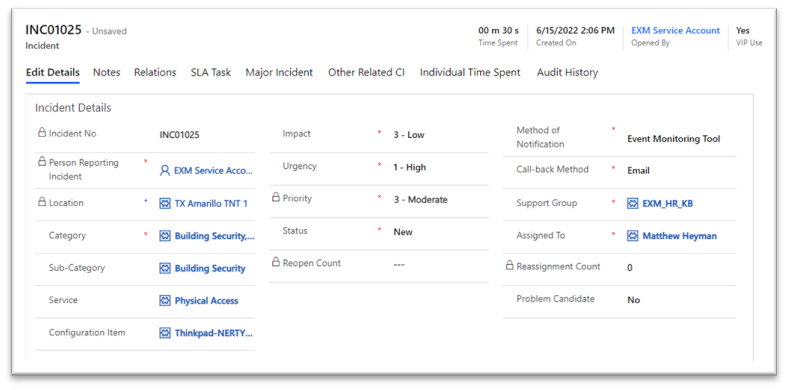
The new incident form will open.
Required Fields:
Person Reporting Incident, Category, Impact, Urgency, Priority, Method of Notification, Call-back Method, Support Group, Assigned to, and Short Description
Pre-Filled Fields:
Opened By, Person Reporting Incident, Impact, Urgency, Priority, Method of Notification, Location, and Call-back method.

Click on the  button on the top ribbon.
On successful submission, you will be redirected to the screen where your Incident Number is generated automatically, Created On date is captured along with the details of incident provided.
Was this page helpful?
