
Inventory management is at the core of FSM, as it ensures that the necessary parts, equipment, and supplies are readily available for delivering field service. By effectively tracking and maintaining your inventory, you can streamline your service processes and enhance customer satisfaction.
Accessing Inventory
To access and view your inventory, follow these simple steps:
Navigation: On the left navigation bar of our FSM system, locate and click on the "Inventory" option. This will direct you to the inventory management interface.
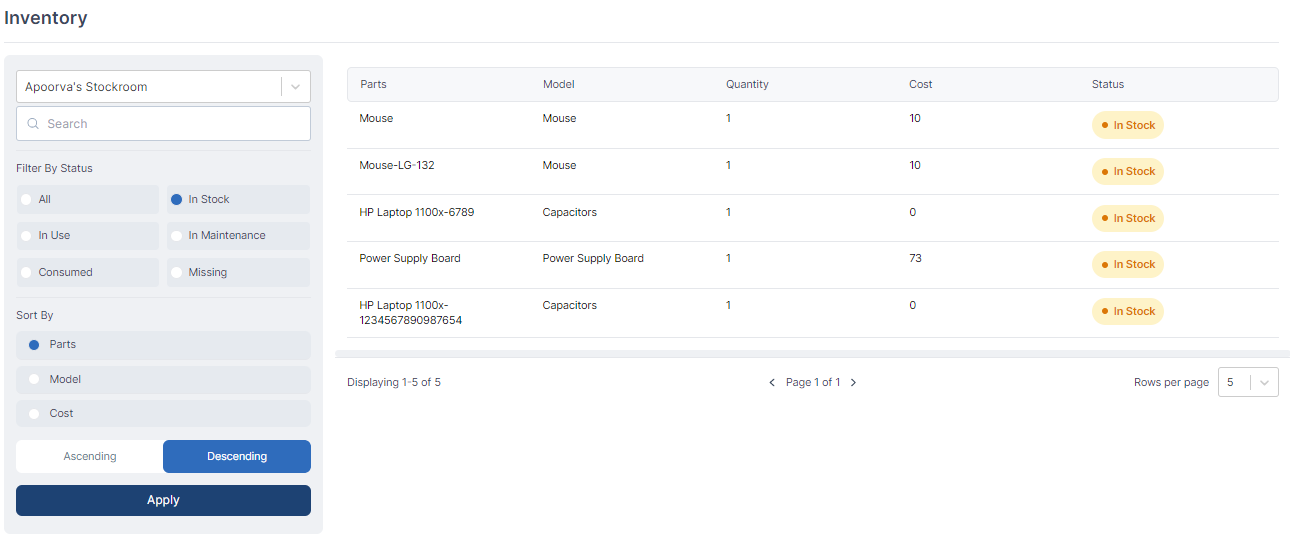
Inventory Overview: Upon reaching the inventory management section, you will find a comprehensive overview of your inventory. This includes information about the available parts, equipment, and supplies that are crucial for your field service operations.
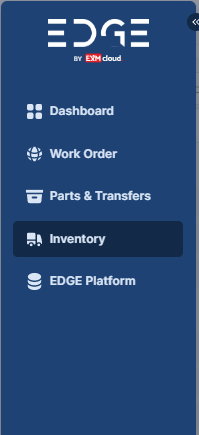
By reviewing your inventory, you can gain valuable insights into the current stock levels, identify any shortages or excesses, and effectively plan for your service tasks.
Inventory management in FSM encompasses the processes and practices involved in efficiently tracking, organizing, and maintaining your inventory of parts, equipment, and supplies. It ensures that you have the right resources available at the right time to effectively deliver your field service tasks.
Inventory lists all the parts available either in your stockroom, or in other stockrooms.
Key Benefits of Inventory Management in FSM
Improved Service Delivery: By effectively managing your inventory, you can ensure that you have the necessary parts and equipment readily available for service tasks. This minimizes delays and improves your ability to meet customer expectations promptly.
Enhanced Efficiency: Inventory management enables you to optimize your stock levels, preventing excess or shortage of items. This eliminates wastage, reduces costs, and improves overall operational efficiency.
Accurate Tracking: With inventory management, you can accurately track the movement of parts and equipment across different locations, warehouses, or service vehicles. This helps you maintain visibility and control over your inventory.
Effective Planning: By analyzing inventory data, such as usage patterns and lead times, you can make informed decisions regarding stock replenishment, forecasting, and resource allocation. This ensures that you always have the right items on hand to deliver exceptional service.
Access/View alternate Stockrooms
To access and view alternate stockrooms or inventories, follow these steps:
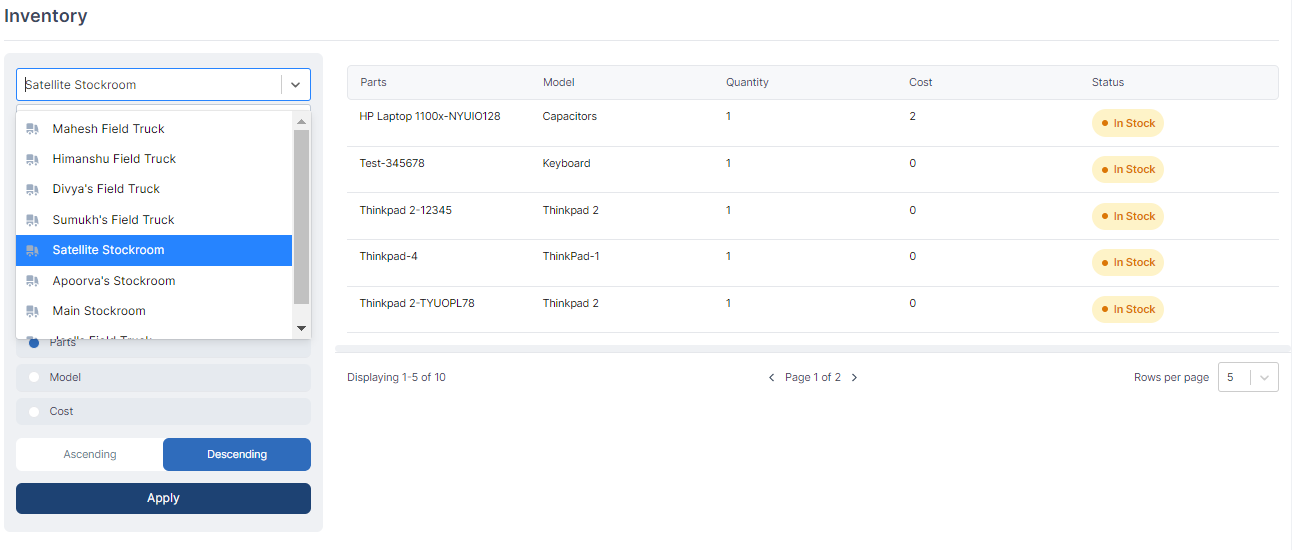
Filter Pane: Locate the filter pane within our FSM system's interface. The filter pane serves as a central hub for customizing your view and accessing various functionalities.
Change the View: Within the filter pane, you can modify your current view by selecting the option to change it. This allows you to switch between different stockrooms or inventories associated with your account.
Select Stockroom/Inventory: From the available options, choose the specific stockroom or inventory you wish to view. Upon selection, the view will update accordingly, displaying the details relevant to the chosen stockroom, such as associated items, quantities, and other pertinent information.
Filtering
In addition to changing the view, our FSM system offers various filtering options to refine your inventory display:
Stockroom Filter: You can filter the inventory based on a selected stockroom. This allows you to focus on a specific stockroom's items and associated details, streamlining your workflow.
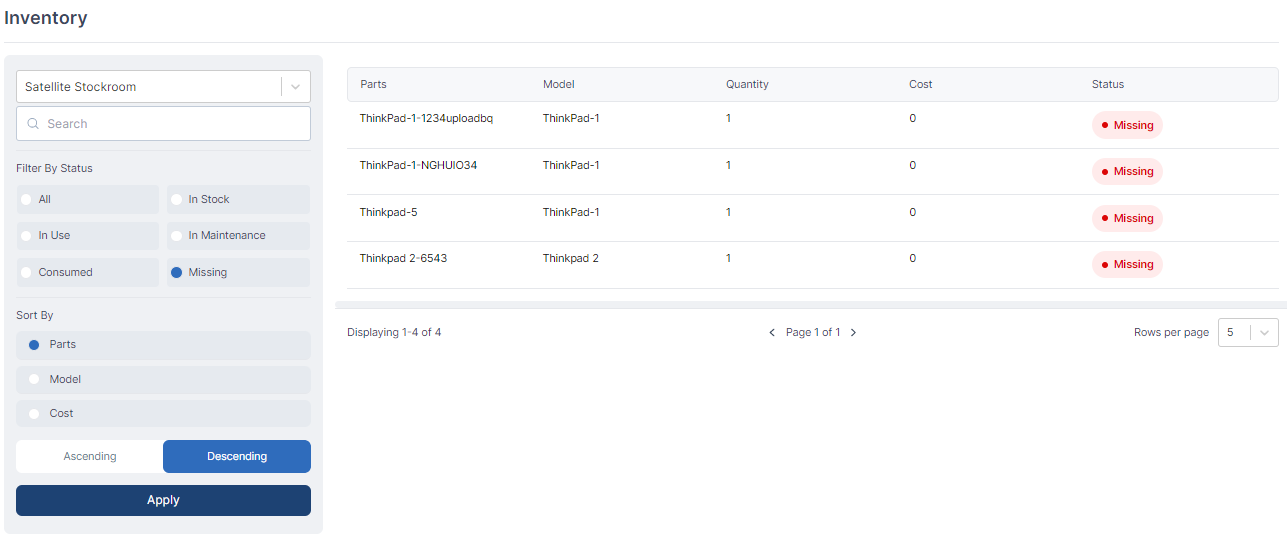
Parts' Status Filter: With the status filter, you can refine the view based on the status of the parts in the inventory. This enables you to quickly identify items that are available, reserved, out of stock, or in any other defined status.
Sorting
Furthermore, our system provides sorting capabilities to help organize your inventory:
Parts Sorting: You can sort the inventory based on specific parts. This allows you to group items with similar characteristics or names, making it easier to locate and manage them effectively.
Model Sorting: Sorting based on model enables you to arrange the inventory items according to their specific models, aiding in efficient inventory management and tracking.
Cost Sorting: By sorting the inventory based on cost, you can arrange items in ascending or descending order of their respective prices. This allows for quick identification of high-value or low-cost items within your inventory.

By maintaining a well-managed inventory, field service organizations can improve operational efficiency, reduce costs associated with stock outs or excess inventory, and provide faster and more reliable service to their customers.
