Story Assigned Notification
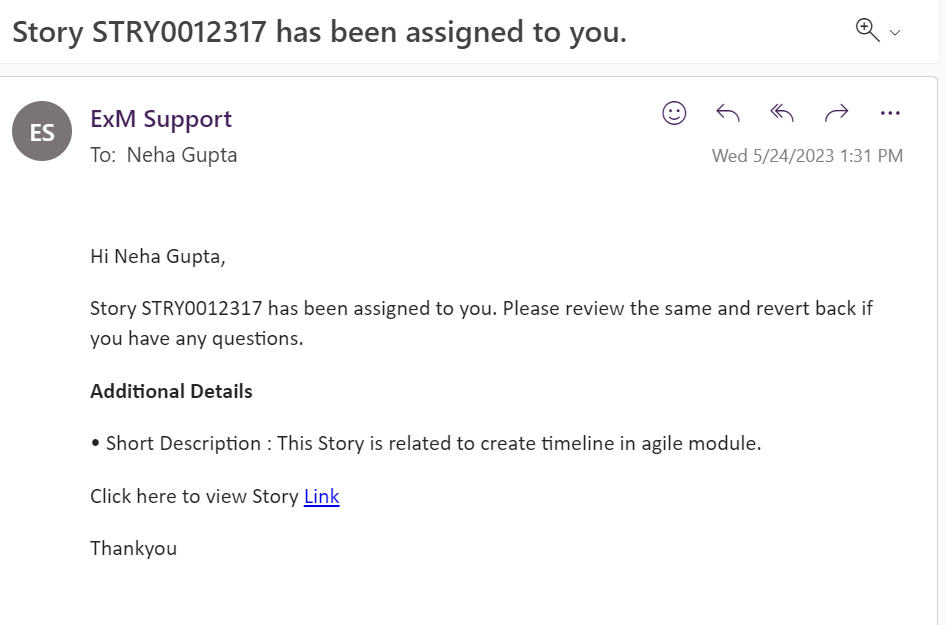
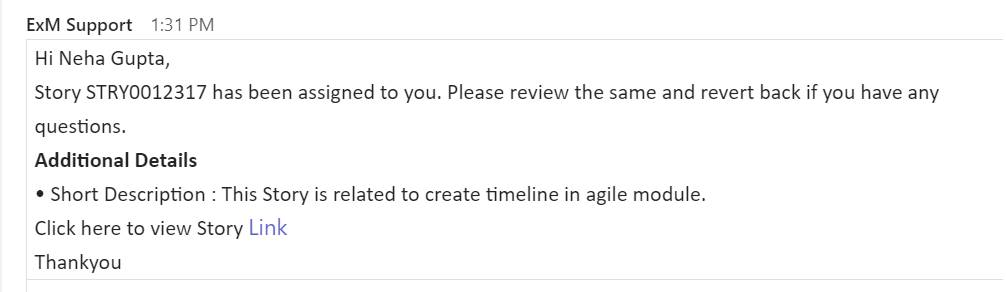
In Agile Development, when a story is assigned to a specific person, an automated notification will be sent to the assigned individual, as well as the designated Notify To recipient. This notification will contain important details about the assigned story, along with a direct link to access the corresponding record. Both email and Teams notifications are utilized to ensure effective communication. Here's what you can expect:
E-Mail Notification: The assigned person and the Notify To recipient will receive an E-Mail notification. This E-Mail will provide comprehensive information regarding the assigned story, including its key details and any additional context that might be necessary. It will also contain a direct link to access the record associated with the story.
Teams Notification: In addition to the E-Mail notification, a Teams notification will also be sent to the assigned person and the Notify To recipient. This notification will appear within the Teams application or platform that your organization utilizes. It will include the same set of details as the E-Mail notification, along with a convenient link to access the record directly.
By leveraging both E-Mail and Teams notifications, Agile Development ensures that all relevant parties are promptly informed about story assignments, fostering effective collaboration and streamlined workflow.
Here is an example of an E-Mail Notification
Here is an example of a MS-Teams Notification
To Tester Story Assigned Notification
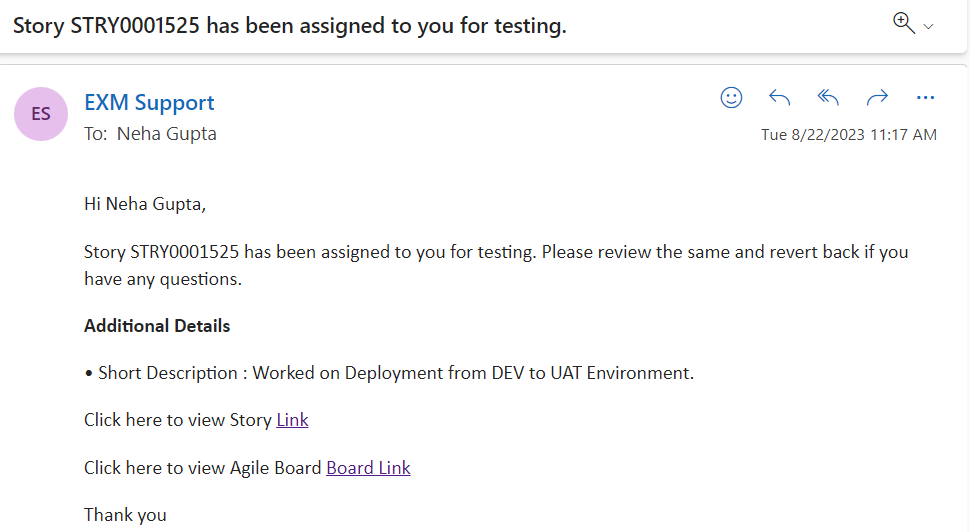
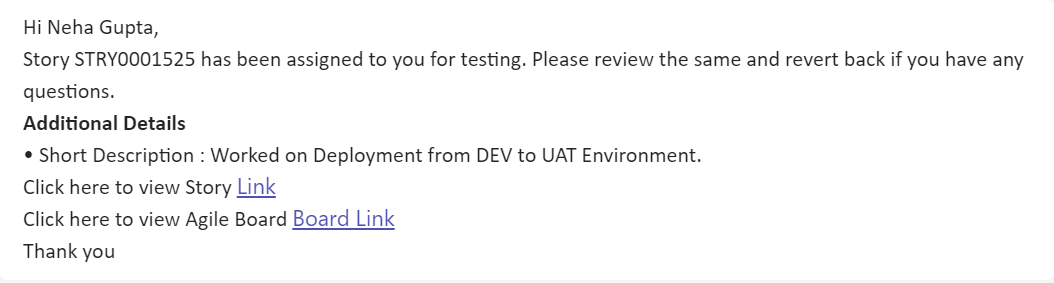
An Email and Teams Notification will be sent to the Tester person, Notify To with the details and link to the record once the story is assigned for testing.
Email Notification: When the Story is assigned to tester for testing, a email notification is automatically triggered, containing the following details:
MS Team Notification: When the Story is assigned to tester for testing, a MS teams notification is also automatically triggered, containing the following details:
Story Update Notification
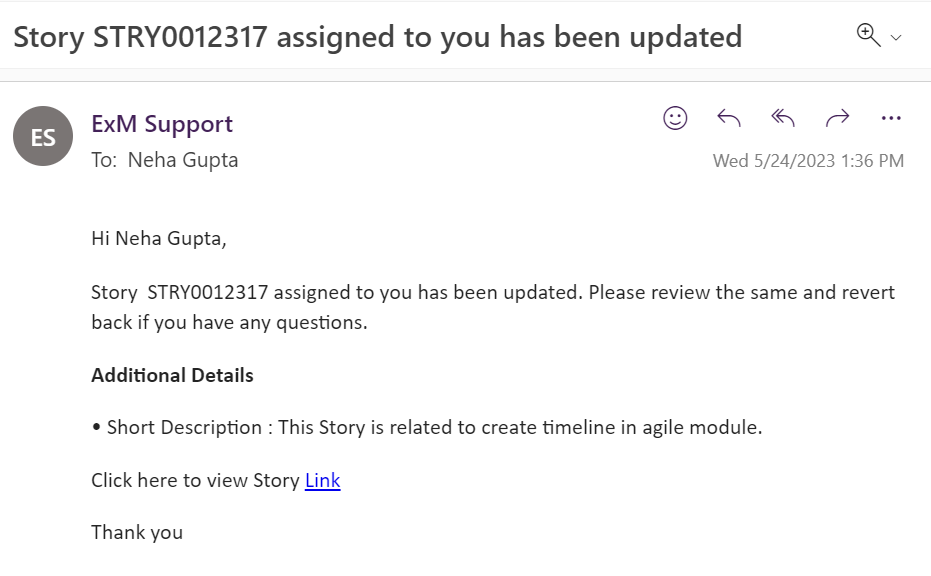
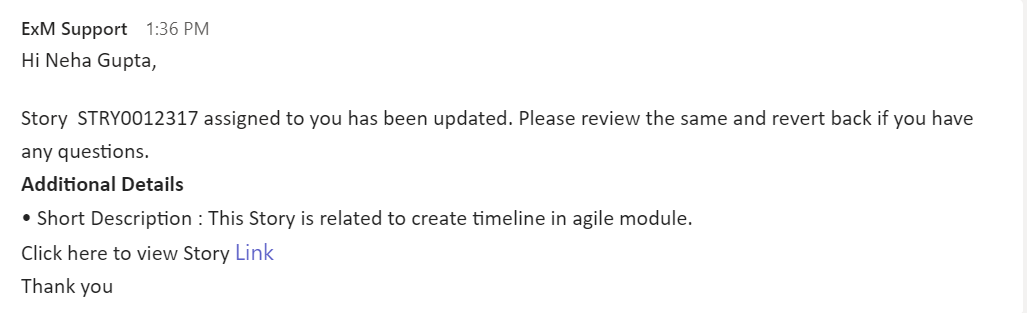
An Email and Teams Notification will be sent to the assigned person, Notify To with the details and link to the record once the story is updated.
Email Notification: When the Story is updated, a email notification is automatically triggered, containing the following details:
MS Team Notification: When the Story is updated, a MS teams notification is also automatically triggered, containing the following details:
Defect Notification To Reported By
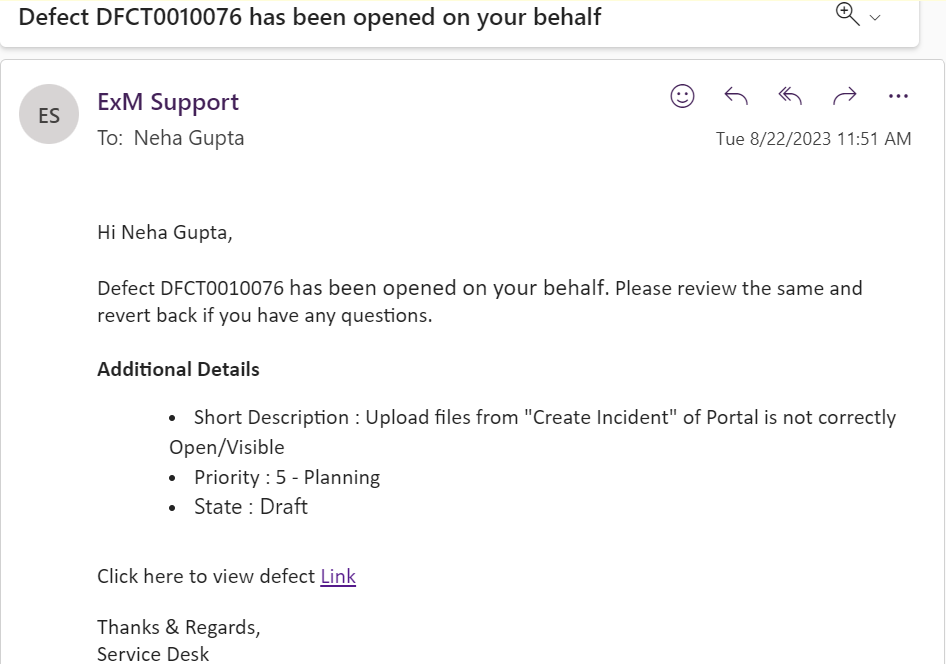
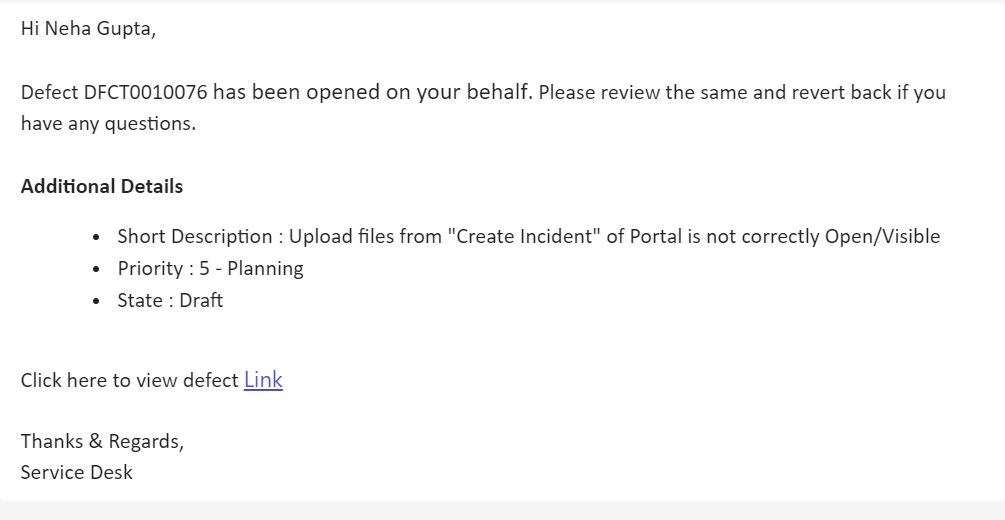
An Email and Teams Notification will be sent to the Reported by person, Notify To with the details and link to the record once the defect is open.
Email Notification: When the defect is open reported by person get an email notification with details as shown below:
MS Teams Notification: When the defect is open reported by person gets a MS teams notification is also automatically triggered, containing the following details:
Defect Assigned Notification
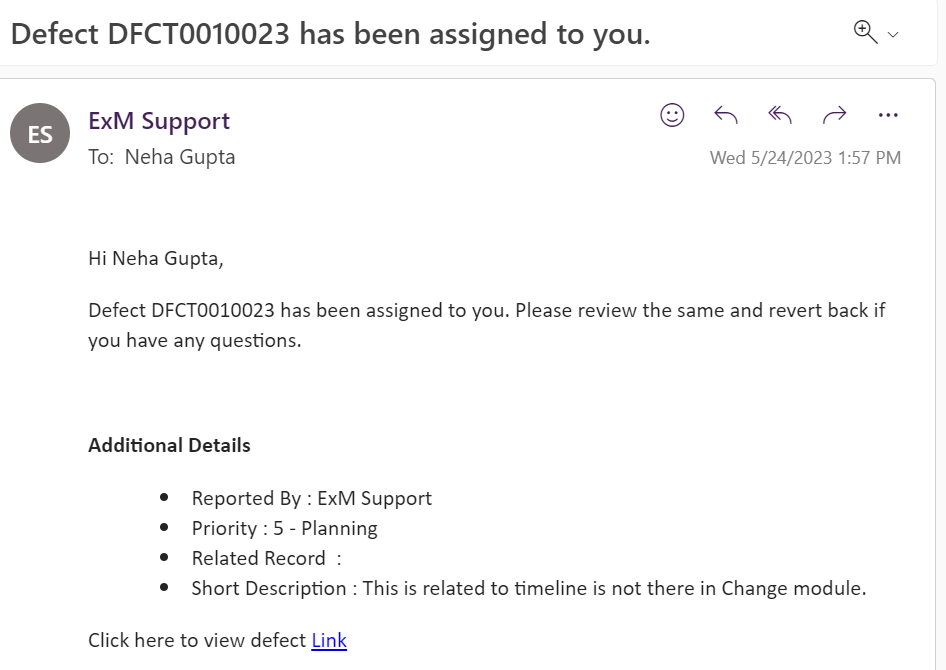
An Email and Teams Notification will be sent to the Assigned person, Notify To with the details and link to the record once the defect is assigned.
Email Notification: When the defect is assigned to someone. assigned person get an email notification with details as shown below:
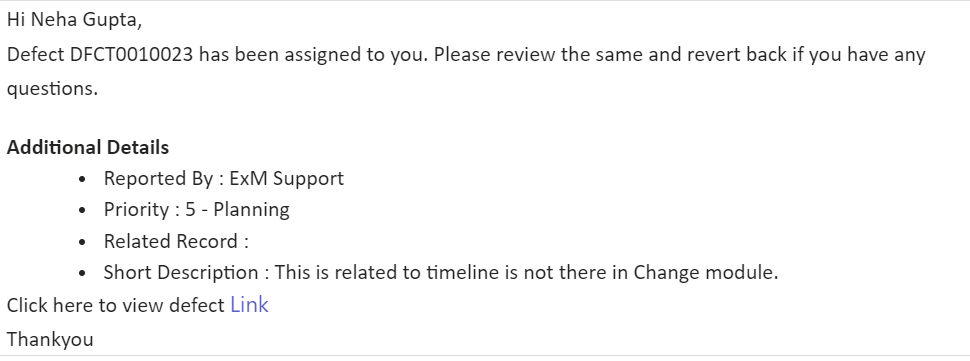
MS Teams Notification: When the defect is assigned, a MS teams notification is also automatically triggered, containing the following details:
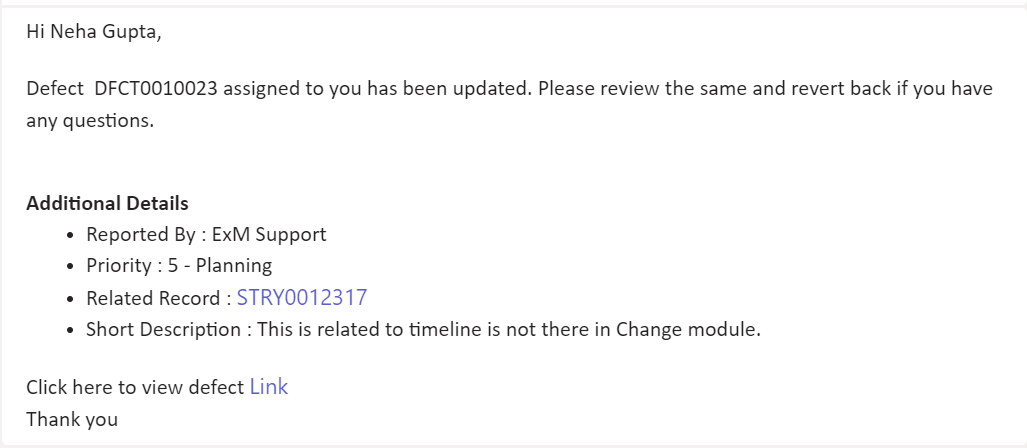
Defect Updation Notification To Assigned Person
An Email and Teams Notification will be sent to the assigned person, Notify To with the details and link to the record once the defect is updated.
Email Notification: When the Defect is updated, a email notification is automatically triggered, containing the following details:
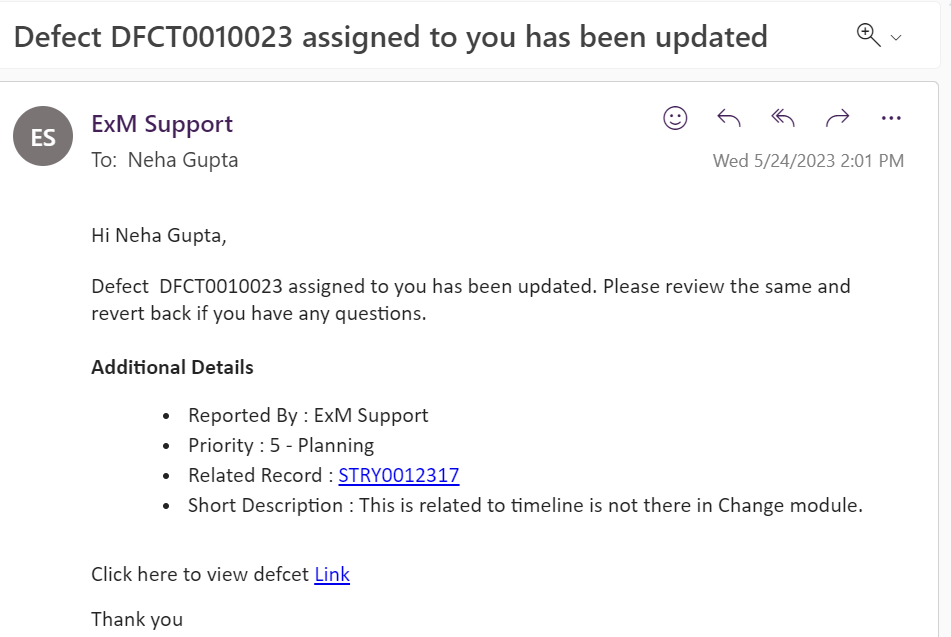
MS Team Notification: When the Defect is updated, a MS teams notification is also automatically triggered, containing the following details:
Defect Updation Notification To Reported By Person
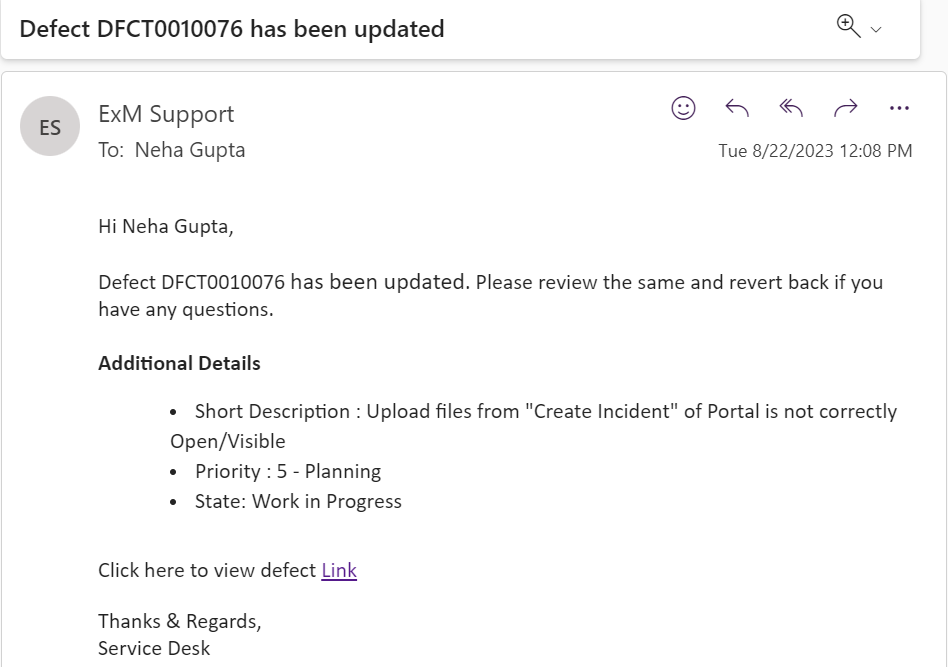
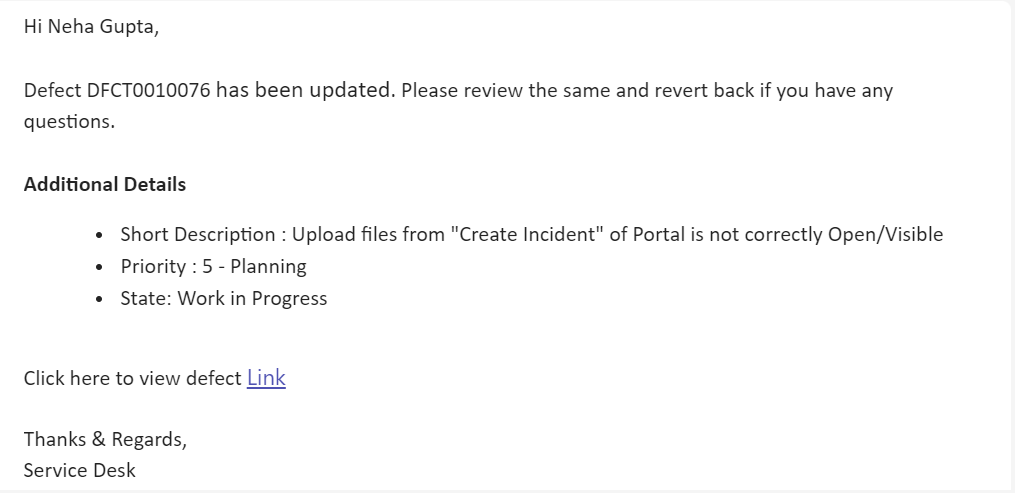
An Email and Teams Notification will be sent to the reported by person, Notify To with the details and link to the record once the defect is updated.
Email Notification: When the Defect is updated, a email notification is automatically triggered, containing the following details:
MS Team Notification: When the Defect is updated, a MS teams notification is also automatically triggered, containing the following details:
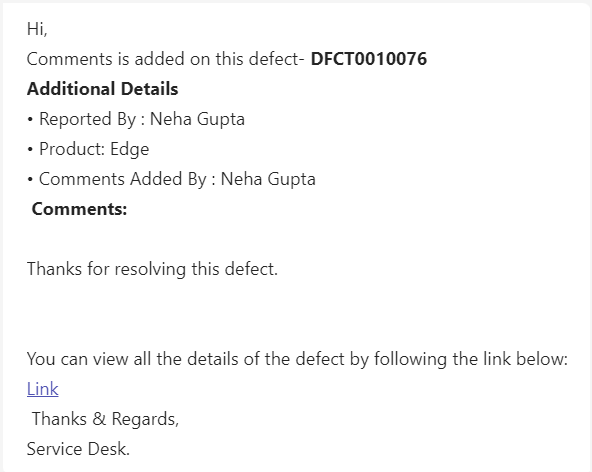
Defect Notification for Comments added To Reported by and Assigned To person.
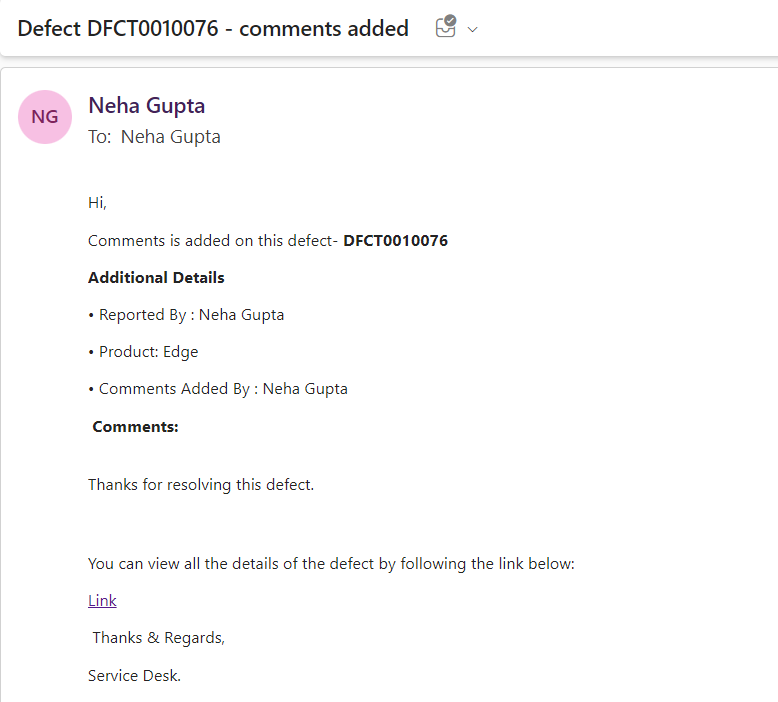
An Email and Teams Notification will be sent to the reported by person and assigned to person, Notify To with the details and link to the record once the defect is updated.
Email Notification: When the comments is added, a email notification is automatically triggered, containing the following details:
MS Team Notification: When the comments is added, a MS teams notification is also automatically triggered, containing the following details: