Teams can organize and monitor their work using a Kanban board, a visual project management tool. The workflow is represented visually, making it simple for team members to communicate and track the progress of activities.
On the board, the tasks are shown as cards, and their status are indicated as lanes.
Navigate to Agile Management > Stories in the left navigator. then Stories kanban board view will appear as shown below:
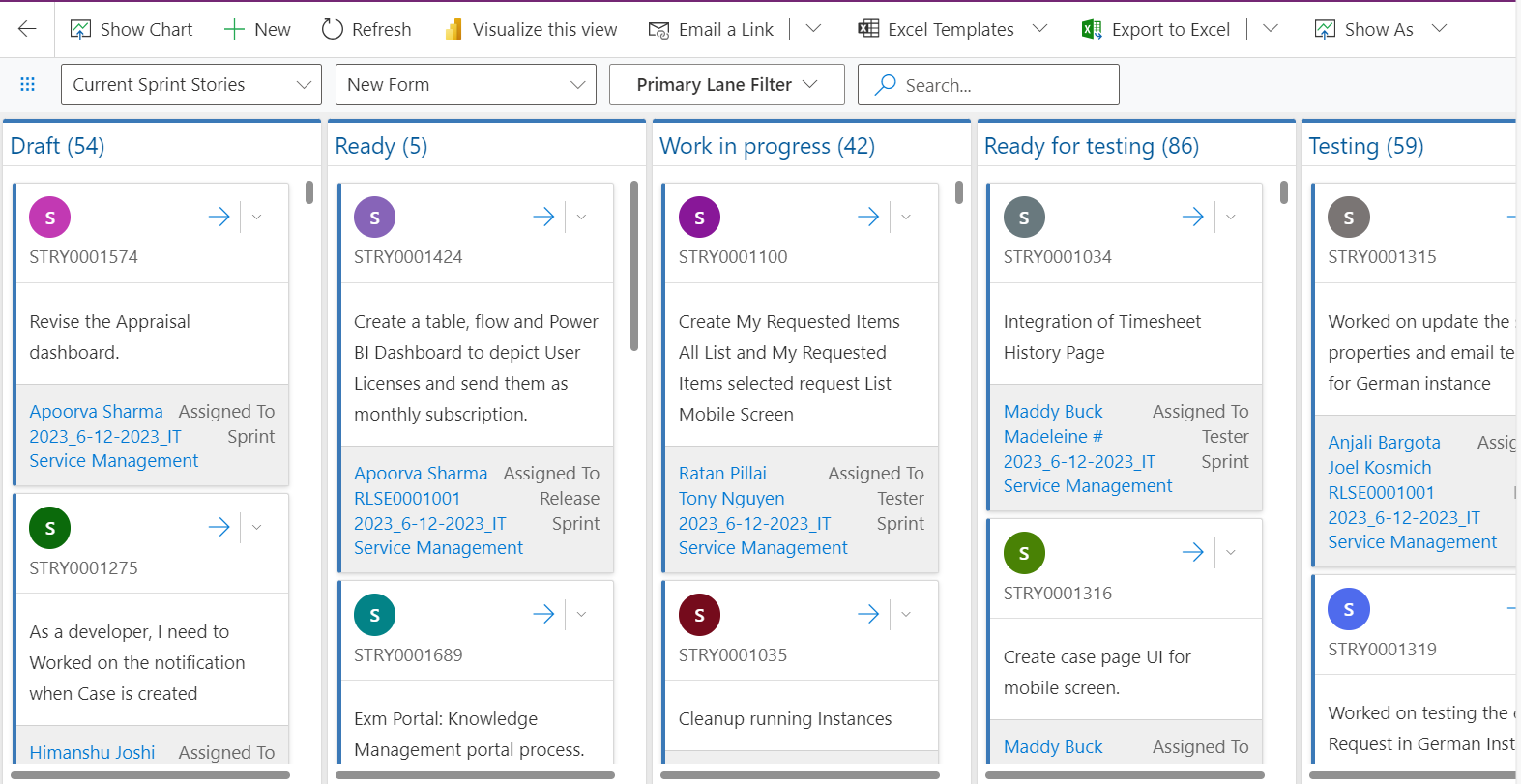
Kanban Board Features:
Stories can be dragged from one lane to another:
Search feature allows users to quickly find relevant items within the board.

Stories can be opened in different view:

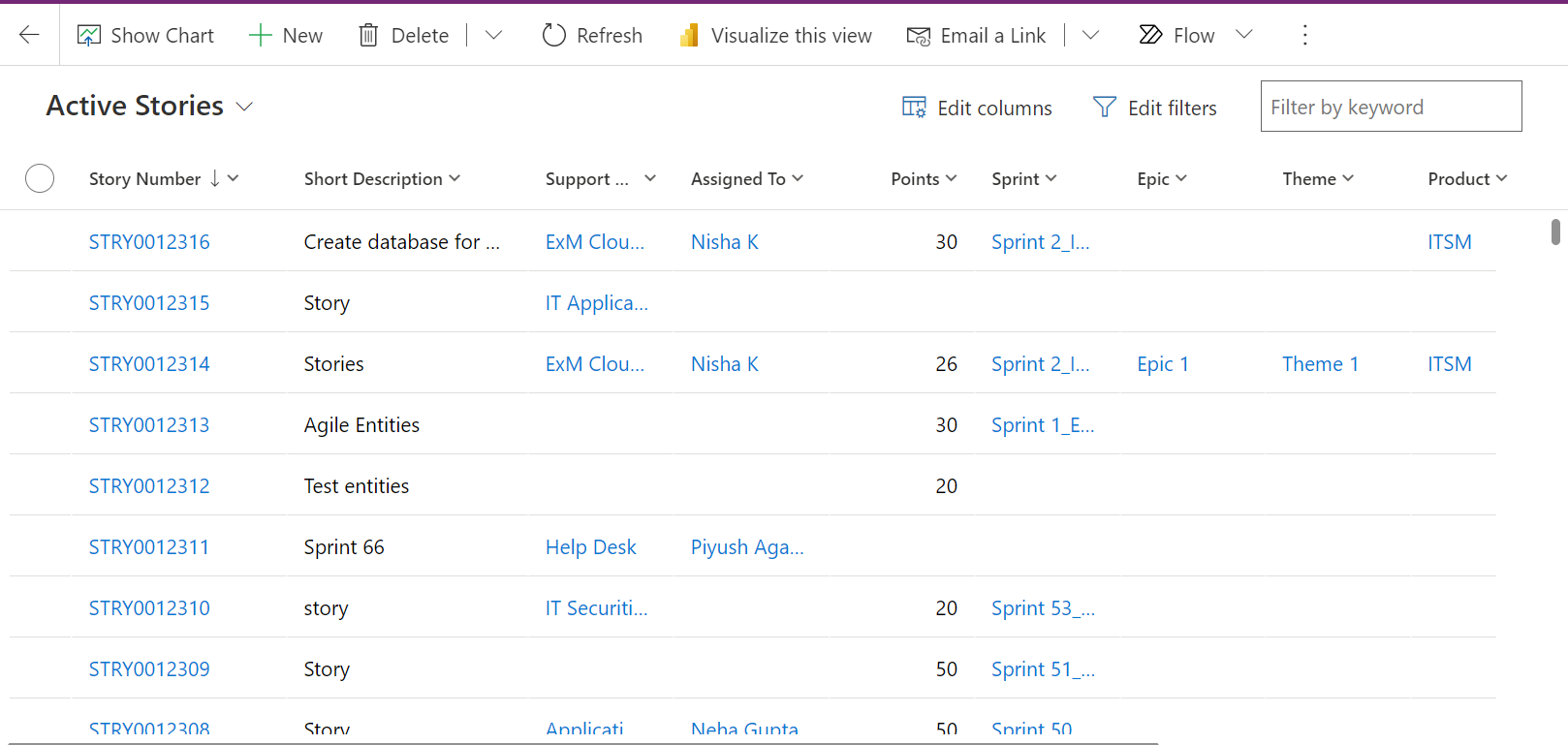
All the created Stories can also be seen in the list view. Click on the dots in the top ribbon of stories Kanban board view > Show As > Read Only Grid

All the created Stories can be seen in this view. Click on any Story to view the details.