The invoice feature is an essential part of the system in Field Service Management. It enables agents to produce invoices for completed work orders or services.
Create Invoice
When a work order status is Completed, the agent can create invoice by clicking on  button.
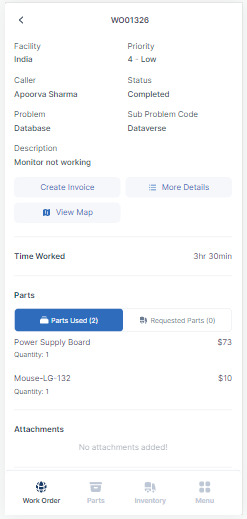
The field values will be auto captured from the work order. After the invoice is created, it can be viewed/edited by clicking on  button.
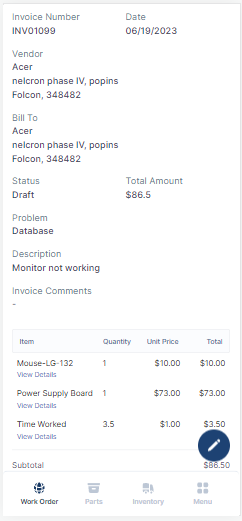
Field | Description |
|---|---|
Work Order Number | This field indicates for which work order it is created. |
Invoice Number | Unique auto-generated invoice number. |
Date | Created date of the invoice. |
Vendor | Vendor working on the work order. |
Bill To | The contact details and address of the party issuing the invoice. |
Status | States of Invoice.
Note: The initial status of the invoice is Draft. After it is requested for approval, the status changes to Open. |
Total Amount | The final total payable amount, including all line items, taxes, discounts, and additional charges. |
Problem | The Problem Code of work order. |
Description | The description of the work order. |
All the fields will be auto captured from Work Order and cannot be edited.
Invoice Cost Details
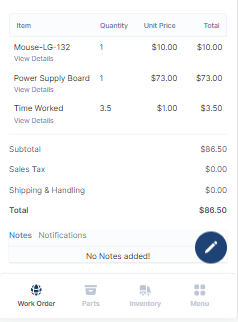
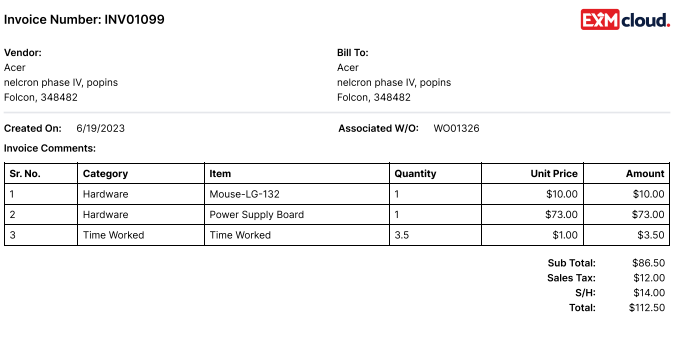
The invoice details also include the time spent and billing for parts used to complete the work order.
Edit Invoice Cost Details
To edit the invoice cost details, click on  >>
>>  from the menu bar.
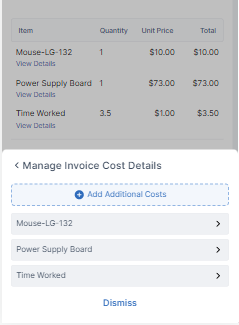
The items can be edited or deleted from this page.
Add Additional Costs
To add Additional Costs, click on the  button.
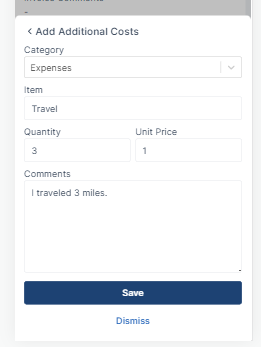
Click on Save to submit.
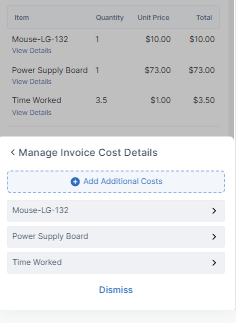
Request for Approval
After editing the Invoice and Invoice costs, the invoice can be sent for approval process for further reimbursements.
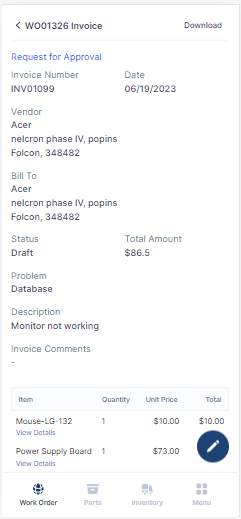
Click on Request for Approval button to initiate the approvals.
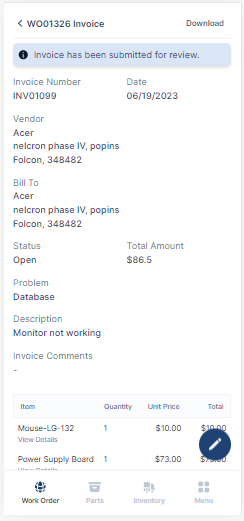
The invoice is now submitted for reviewing.
Download Invoice
To download the invoice, click on Download button in the top left corner to download the generated invoice.
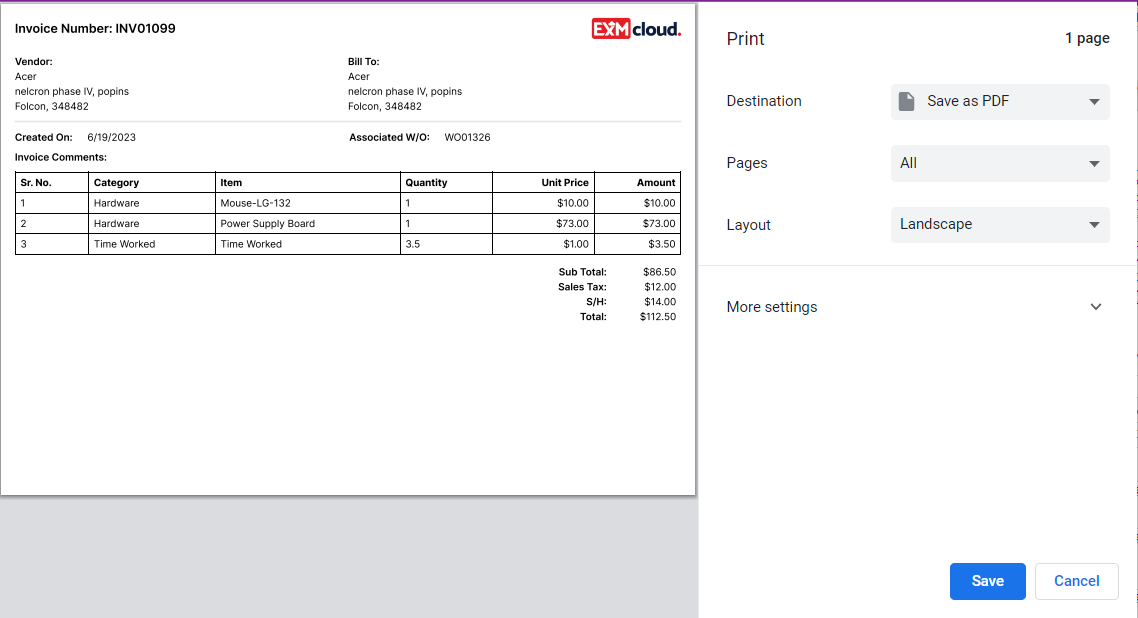
Click on Save and the invoice will be downloaded to your local system.
Notes
The FSM system enables users to contact with the individuals in charge of completing the work order or to provide any additional information. The designated Notes section is where they can enter notes.
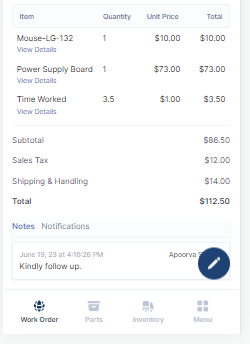
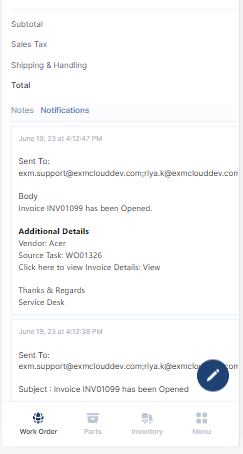
Users can quickly access all the emails that the system has sent out by visiting the Notification section of the Work Order.