
All the Offboarding Requests can be tracked in the application side of the platform
Offboarding Request Form
Navigate to Offboarding > Offboarding Request from the left navigation.
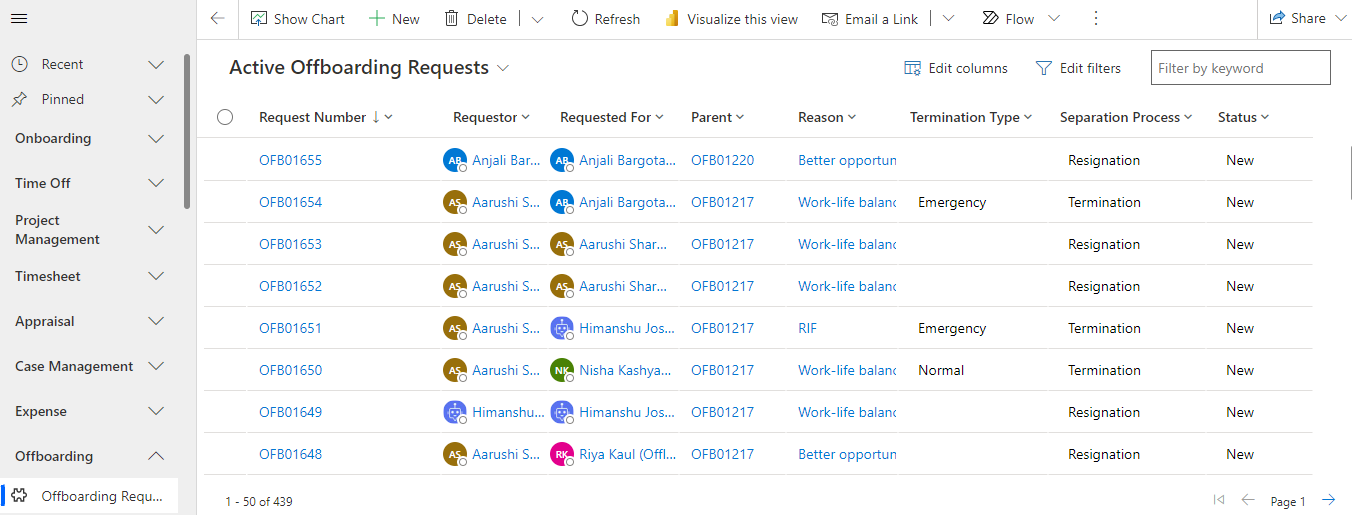
The list view page for the Offboarding Requests created would be visible. Click on a record to open the details page.
General Tab
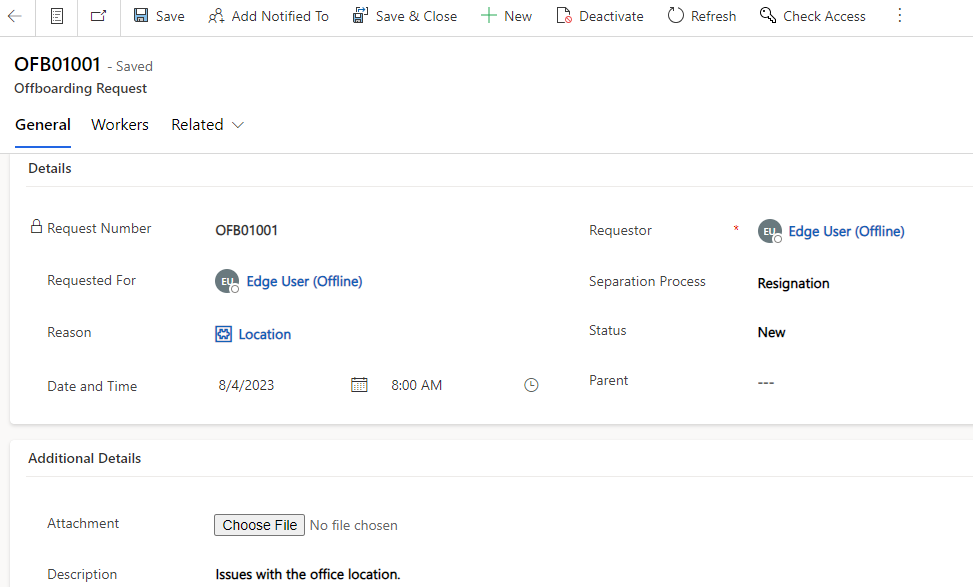
Details Section
Fields | Description |
|---|---|
Request Number | The auto number for the offboarding request. |
Requestor | User who has created the offboarding request. |
Requested For | User for whom the offboarding request is created. |
Reason | Reason for resignation/termination. |
Date and Time | Date and Time of offboarding the user. |
Separation Process | Type of offboarding(Resignation/Termination). |
Status | Status of offboarding request. |
Parent | Parent offboarding request from which the child offboarding request got created for each employee in parent offboarding request. |
Additional Details Section
Fields | Description |
|---|---|
Attachment | Attachment while creating the request would be visible here. |
Description | Further explanation for offboarding. |
Workers Tab
All the employees to be offboarded in the particular offboarding request would be present in this section.
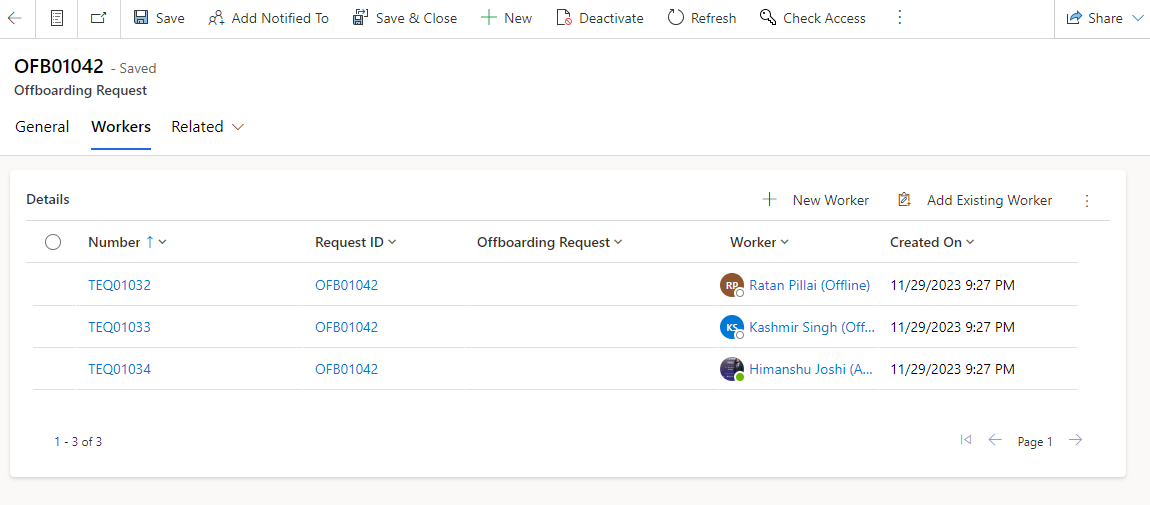
Workers Form
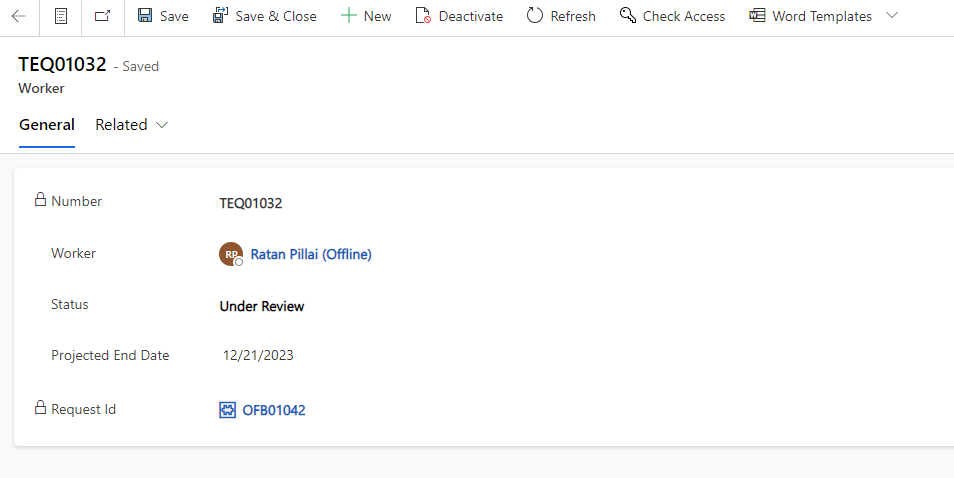
Fields | Description |
|---|---|
Number | Auto Number. |
Worker | Employee to be offboarded. |
Status | Status of the employee offboarding request. |
Projected End Date | Projected last working day for the employee. |
Request Id | The Offboarding Request Id. |
Related Task
The Task tab is specifically designated to record details pertaining to tasks associated with the Offboarding process.
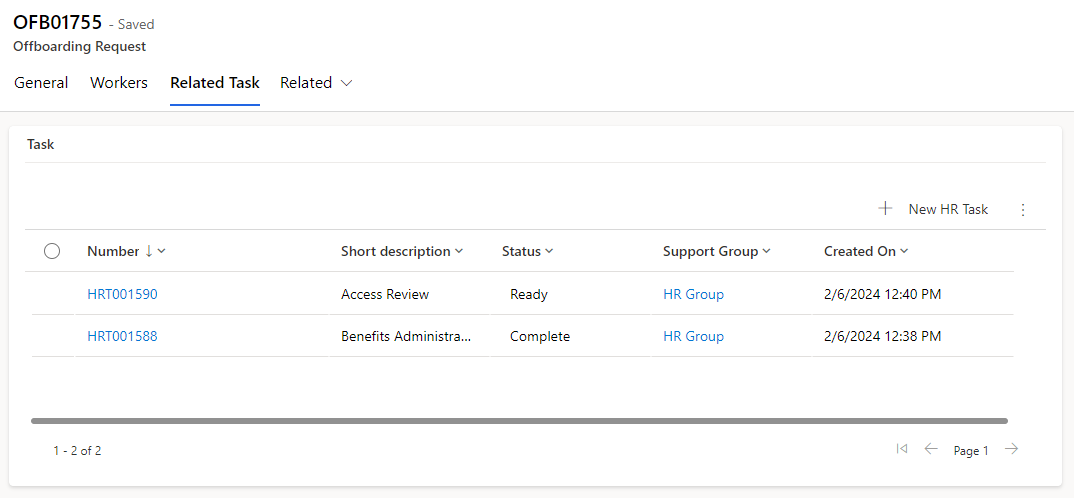
Fields | Description |
|---|---|
Number | A unique identifier or reference number assigned to each task. |
Support Group | A support group that will be working on the task. |
Status | Describes the current state of the task |
Short Description | A concise and brief description of the task. |
Created On | Indicates the date and time when the task was created. |
The Task will be attached based on the workflow configuration.
Workflow Configuration
A "workflow configuration" table is a database table within an application that stores information outlining the specific details and steps of a workflow or process. This table serves as a centralized repository for configuring and customizing the execution of various activities or tasks associated with different processes.
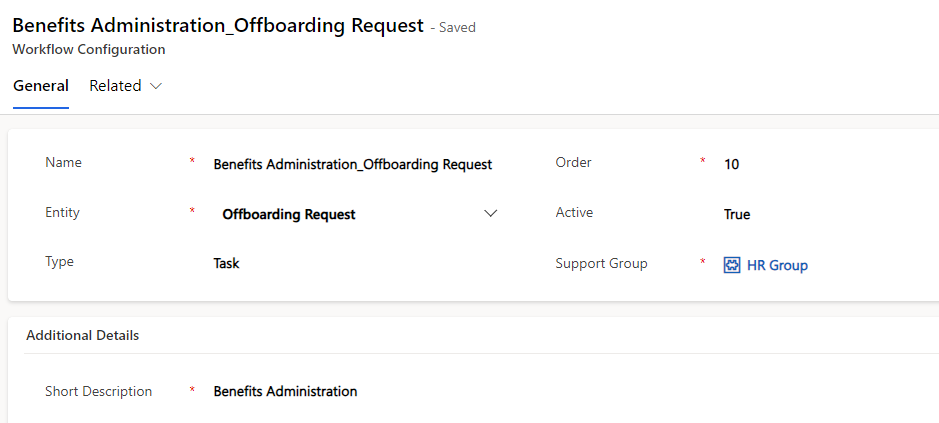
If two or more tasks within the workflow share the same order number, it implies that these tasks are intended to be executed simultaneously or in parallel.
Fields | Description |
|---|---|
Name | A unique identifier or label for the workflow, often concatenated with the "entity" field, providing clarity on the purpose of the configuration. |
Entity | Specifies the type of life event or process associated with the workflow (e.g., name change, update dependent, change marital status). |
Type | Categorizes the task as either a regular task or an approval process. |
Approval Type | Identifies who needs to approve the task or process, whether it's an individual, an HR Manager, or a designated group. |
Order | Defines the sequence or order of steps to be executed within the workflow, ensuring a structured and organized flow of activities. |
Active | Specifies whether the process is active or inactive. |
Support Group | Indicates the group that should be notified and involved when the workflow involves a task. |
Short Description | Provides an explanation and nature of the workflow. |
Description | Provides a more detailed description of the workflow, offering additional context or information for better understanding. |
