
A test case is a thorough explanation of a particular test scenario or condition that needs to be carried out in order to validate the functionality of a system. To confirm that the system behaves as planned, it defines the inputs, actions, and anticipated consequences.
Test cases typically consist of the following elements:
Test Case ID: A unique identifier for each test case.
Test Case Title/Description: A concise summary of the purpose of the test case.
Pre-conditions: The specific conditions or setup required before executing the test case.
Test Steps: The sequence of actions to be performed to execute the test case.
Test Data: The specific data or inputs to be used during the test case execution.
Pass/Fail Status: The determination of whether the test case passed or failed based on the comparison of actual and expected results.
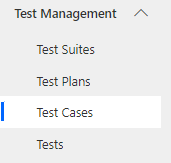
Navigate to Test Management > Test Cases in the left navigator.
Kanban Board
Teams can organize and monitor their work using a Kanban board, a visual project management tool. The workflow is represented visually, making it simple for team members to communicate and track the progress of activities.
Navigate to Test Management > Test Cases in the left navigator. then Test Case kanban board view will appear as shown below:
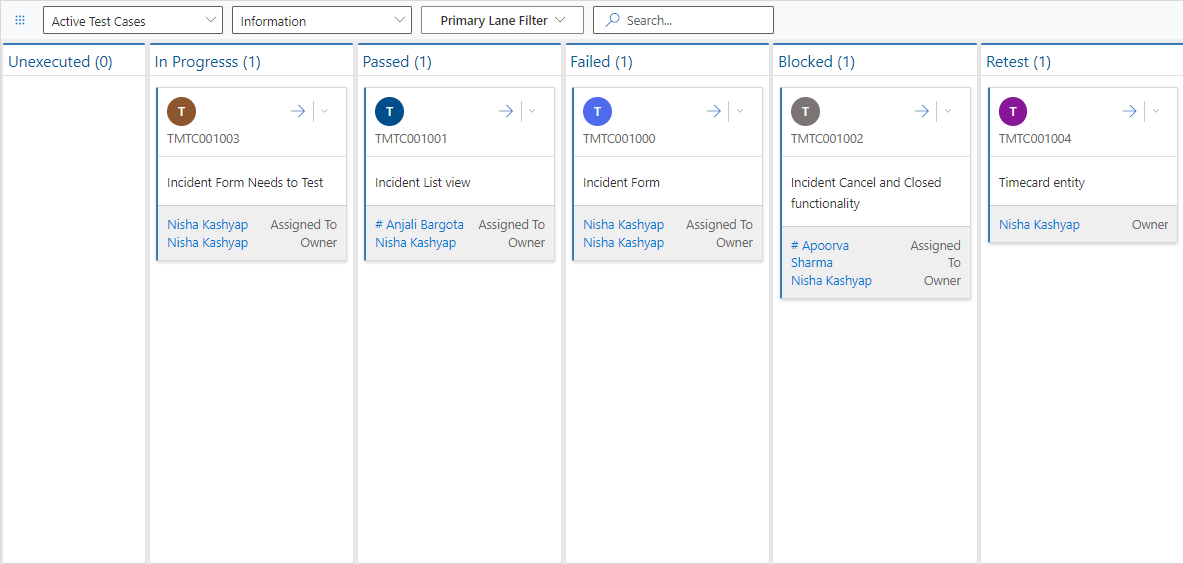
Test Cases Kanban Board Features:
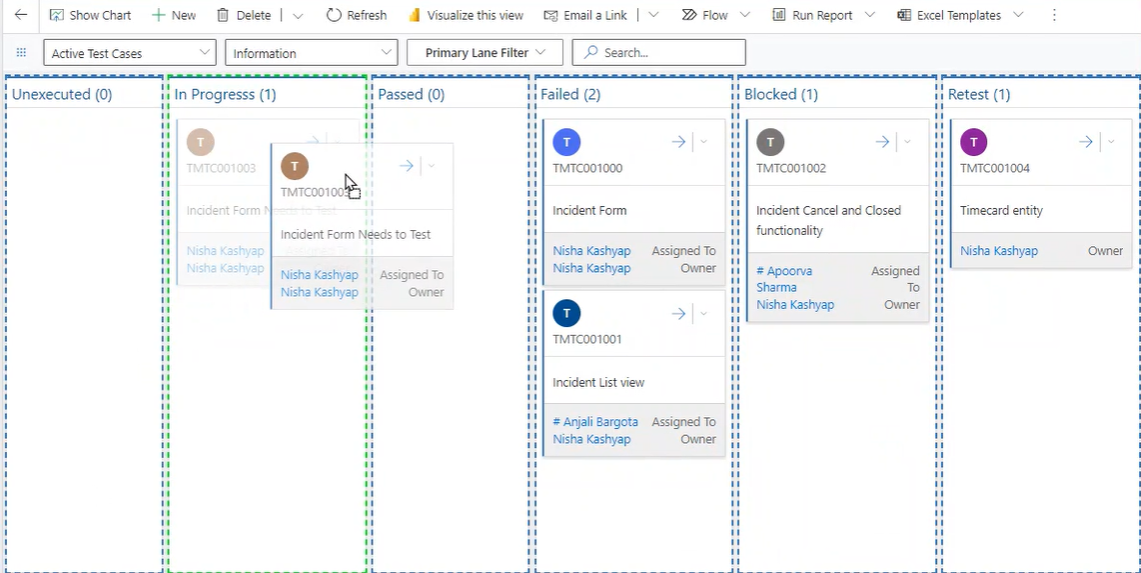
Test Cases can be dragged from one state to another:
Search feature allows users to quickly find relevant items within the board.

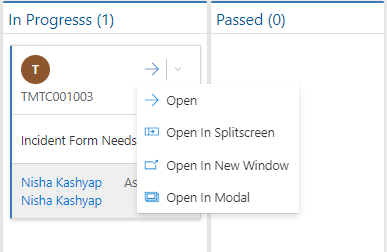
Test Case can be opened in different view:
All the created Test Cases can also be seen in the list view. Click on the  dots in the top of Test Cases Kanban board view > Show As > Read Only Grid
The Test Case Overview provides a centralized view of all the created test cases. By accessing this view, you can conveniently review and manage your test cases.
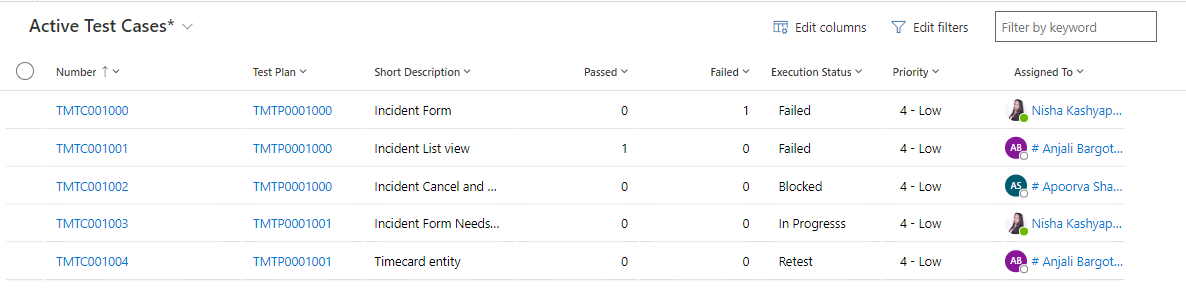
To create a new 'Test Case' click on the button on the top ribbon of the view. A form will now appear, fill in the required details and save the form.
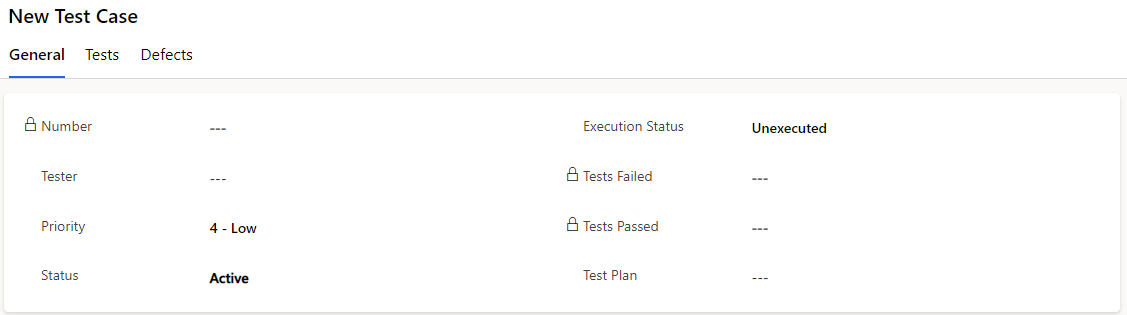
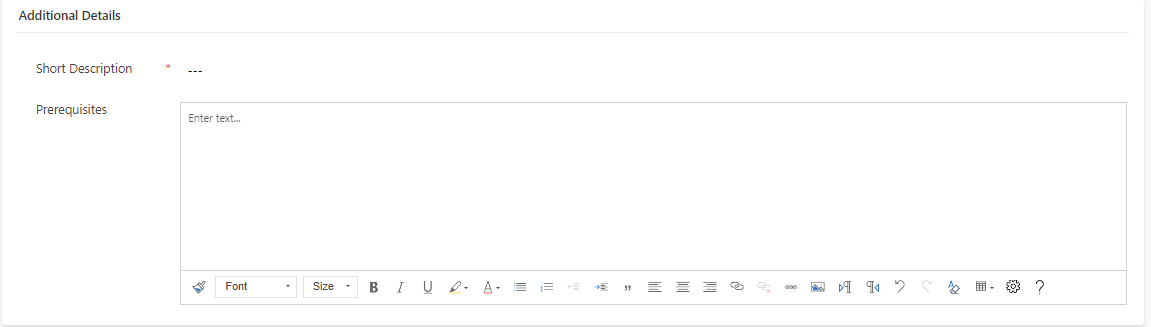
Process of Test Case:
If testing has not yet started, the test case will remain unexecuted. The test case will auto pass when all related tests pass.
When all related tests associated with a test case pass, the test case will automatically be marked as passed.
If any of the related tests associated with a test case fail, the test case will automatically be marked as failed.
Fields | Description |
|---|---|
Number | Auto generated unique number |
Tester | Specify the Tester of Test Case |
Priority | Specify the Priority |
State | Specify the state |
Execution Status | Specify the execution status |
Tests Failed | Auto calculated the total Failed Tests |
Test Passed | Auto calculated the total Passed Tests |
Test Plan | Specify the Test Plan |
Short Description | Brief about the Test Case |
Prerequisites | Define the prerequisites of the Test Case |
