
View the KB Categories on this section of the Knowledge management.
Navigate to Knowledge Management > KB Categories in the left navigator.
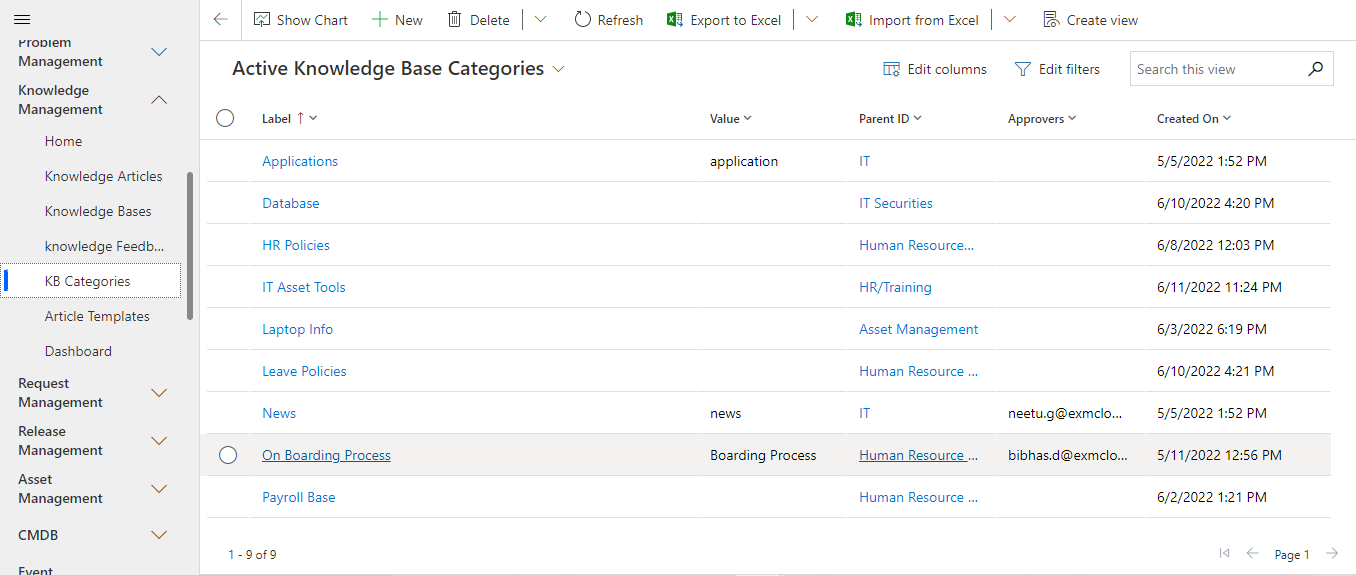
Creating New KB Category
To create a new KB Category, click on  button.
KB Category Form
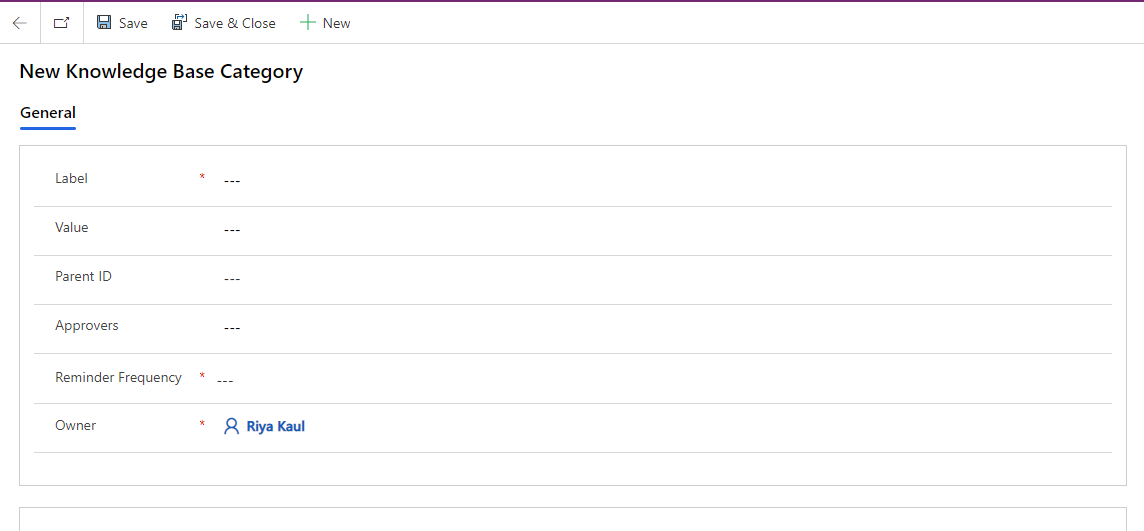
General Section
Fields | Description |
|---|---|
Label | Unique label of the KB Category. |
Value | Value of the KB Category. |
Parent ID | Indicates the Knowledge Base for the KB Category |
Approvers | Indicates the approvers email for the knowledge article. (Emails are separated by semicolon.) |
Reminder Frequency | The time intervals at which the reminder notifications are sent when the knowledge article is about to expire. |
Owner | The owner of the KB category. |
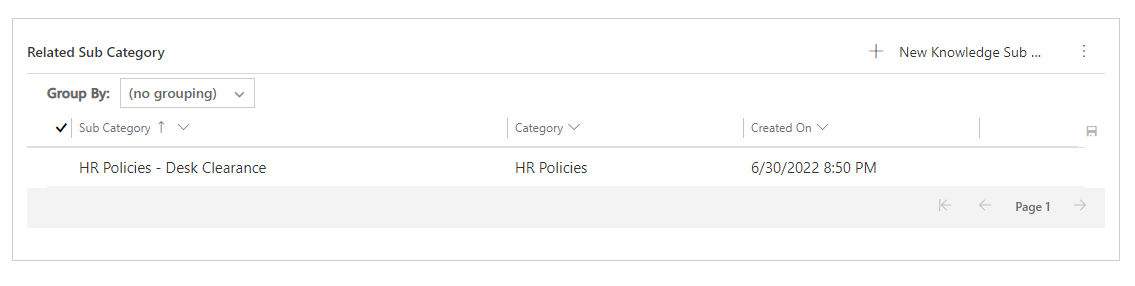
Related Subcategory Section
Add sub- categories to a category by adding them into the related subcategory section.
Was this page helpful?
