
By routing calls to the right group of people, subcategorization helps resolve issues quickly and get services back up and running. The ticket's subcategories are the second level of classification. Adding subheadings also improves the clarity and accuracy of the information presented in the report.
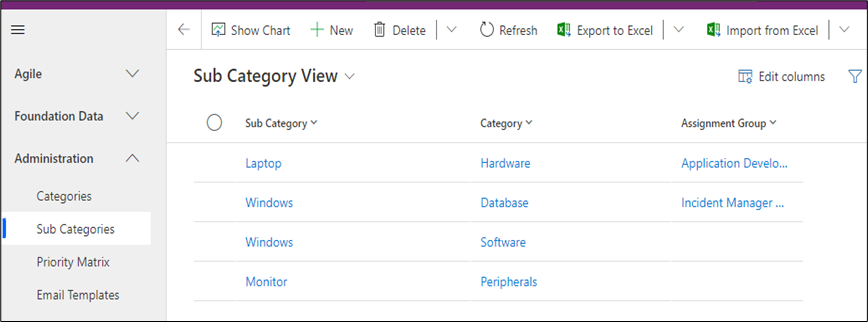
This table shows all the sub-categories. The category and subcategory fields for the cascade hierarchy can be filled.
1.To create the Sub Category, navigate to “Sub Categories” and Click New Button**.**
The Sub Category form is displayed. On the form, fill in the Sub Category & Category field then click on save.
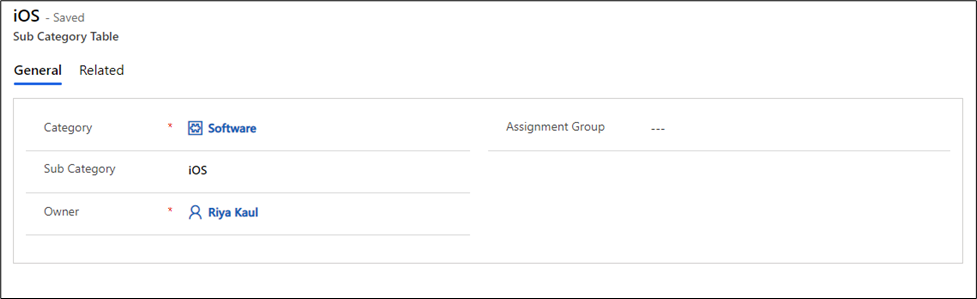
Fields | Description |
|---|---|
Category | Specify the Category from the lookup field |
Sub Category | Enter the new Subcategory under that Particular category |
Assignment Group | Specify the Assignment Group |
Owner | The name of the person will appear who create the Record |
