
Individuals' opinions can be acquired through either closed-ended or open-ended survey questions. You can also use them to get feedback from people like customers, employees, and prospective buyers.
Unlike closed-ended questions, which only allow for a limited number of possible answers, open-ended questions encourage the respondent to provide an answer that best fits the situation.
This table will show all the survey questions used for the feedback.
Navigate to SLA Configurations Table from the left Menu.
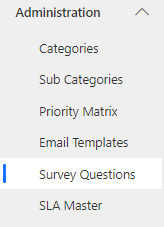
Click
 New Button. The SLA Configurations form is displayed.
On the Form, fill in the fields.
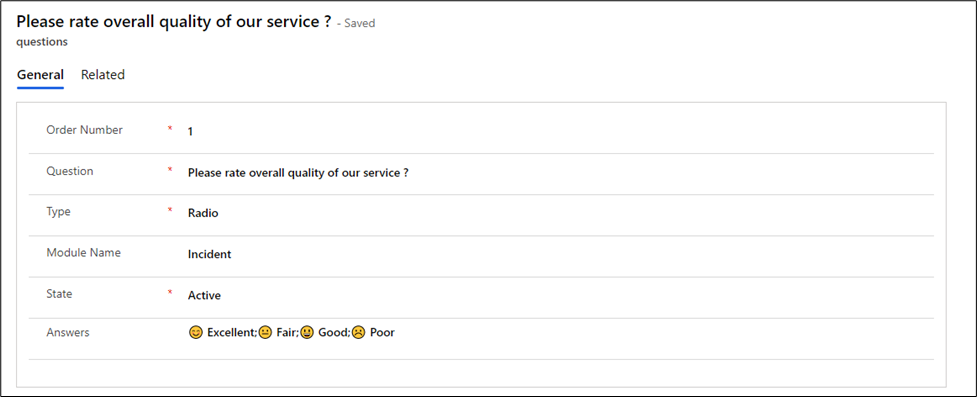
Fields | Description |
|---|---|
Order Number | Order Number arranging the questions in sequence number |
Question | Specify the question in this field |
Type | Pick the type Survey question as follows: Radio, Text, Drop-Down, Date, Text Area and Multi-Select |
Module Name | Select the name of the table for which this question will be visible |
State | Select whether to show this question or not.. |
Answers | Enter the Answers of the question based on the type of question.... Example: 1.If the type of question are of Radio, Drop-Down and Multi-Select then format of Answer like a;b;c |
