
Create Problem
Navigate to ITSM > Problem Management in the left navigator.
Click on the  button on the top ribbon of the view.
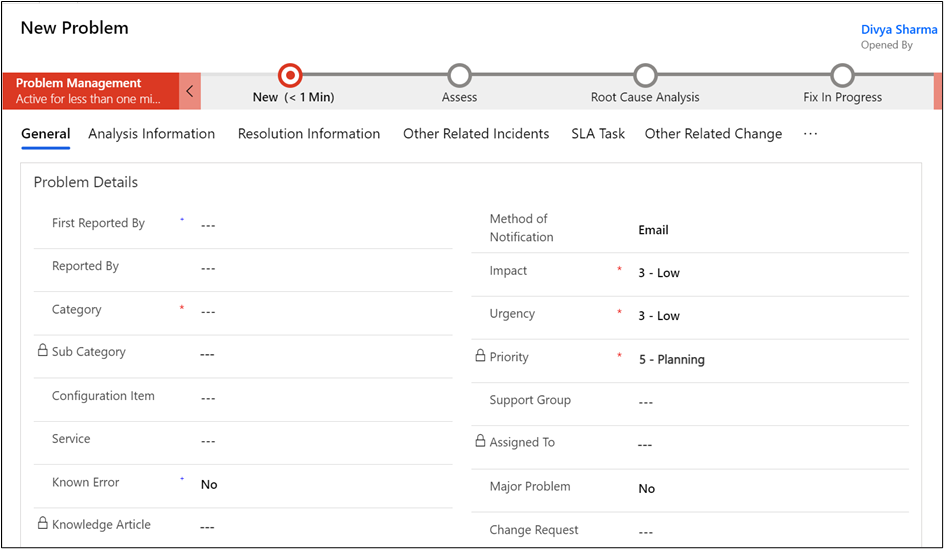
The new problem form will open.
Required Fields:
Category, Impact, Urgency, Problem Statement, Description.
Pre-Filled Fields:
Opened By, Impact, Urgency, Priority.
Click on the  button on the top ribbon.
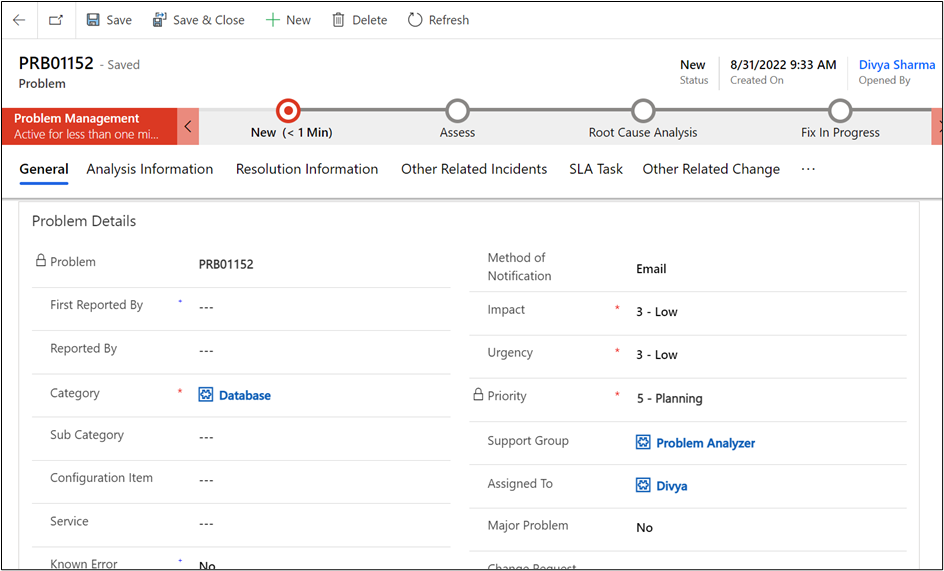
On successful submission, you will be redirected to the screen where your Problem Number is generated automatically, the "Created On" date is recorded, and the provided Problem details are displayed.
Was this page helpful?
Human Resource Service Delivery (HRSD)
FIELD SERVICE MANAGEMENT (FSM)
Customer Service Management (CSM)
Powered by
