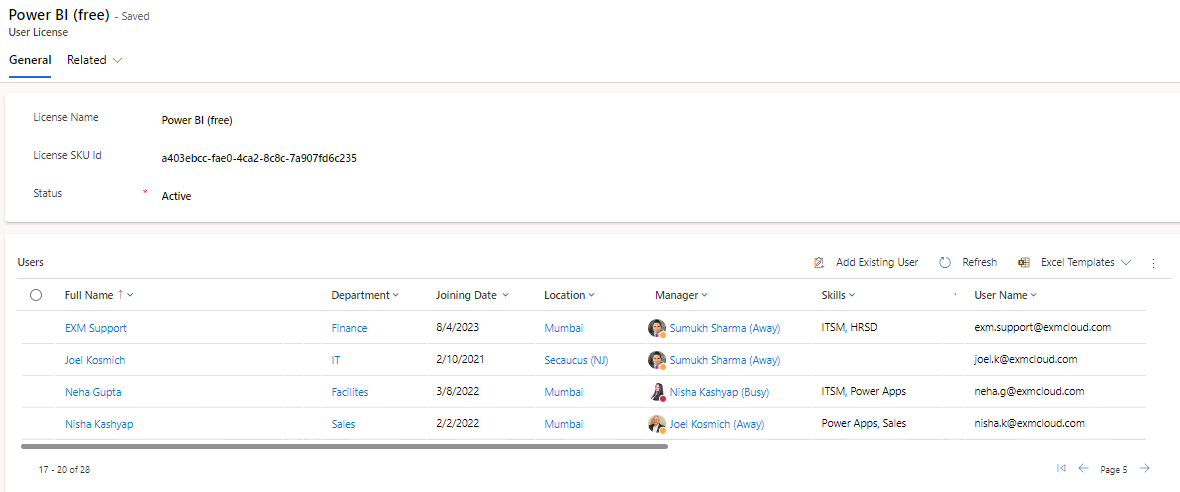
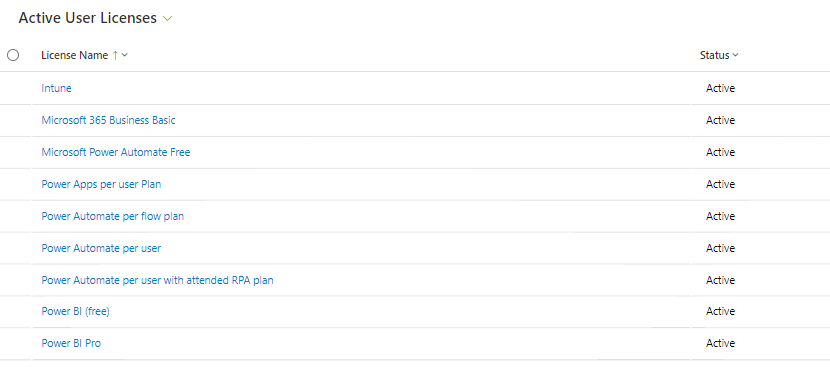
User Licenses is a critical section where all licenses, including their SKU IDs, are listed for your instance. This entity allows you to manage and monitor licenses effectively. Similar to the Roles section, you can distinguish between active and inactive licenses, simplifying the management of licenses not currently in use.
If you delve into the details of any license, you'll find a subgrid that provides a comprehensive list of all users associated with that specific license. This feature is a valuable tool for tracking license consumption and ensuring that licenses are optimally allocated throughout the organization.
By providing this detailed information in the following pages, our aim is to empower end users like you with the knowledge and tools needed to efficiently manage roles and licenses within our ITSM application. Whether you're an administrator responsible for maintaining security roles or a manager overseeing license allocation, this documentation will be your go-to resource for reference and decision-making.
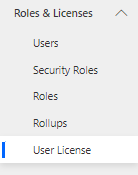
To navigate to Roles section, Roles and Licenses > User Licenses.
In every License record, a sub-grid shows all the users associated with that role.