
An element in a classification structure, such as a class or division. Any form of division or class is what is meant by a category. By adding a category, you may more quickly assign tasks to the appropriate team, reduce time spent troubleshooting issues, and restore service to normal.
This table shows all the category records
To create the Category, Navigate to Administration > Categories and Click
 button.
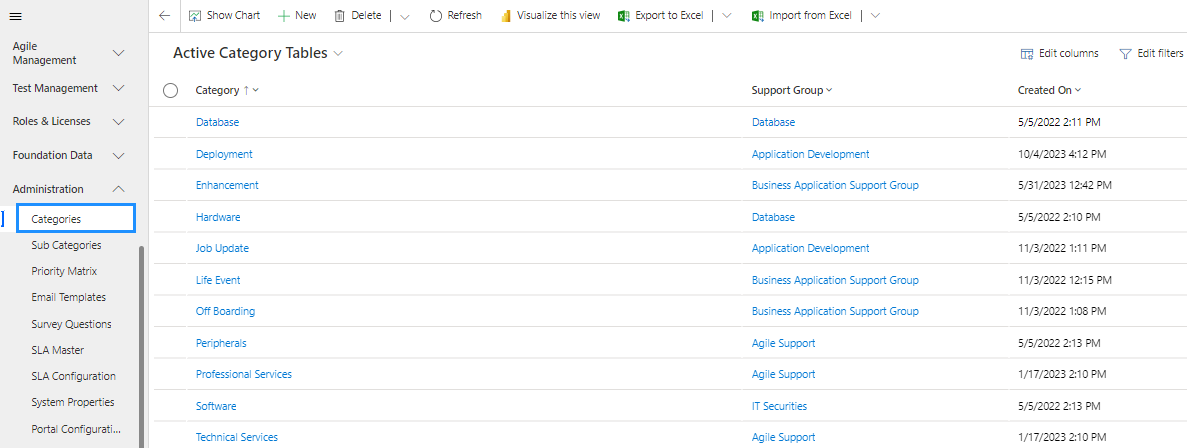
The Category form is displayed. On the form, fill in the category field then click on Save.
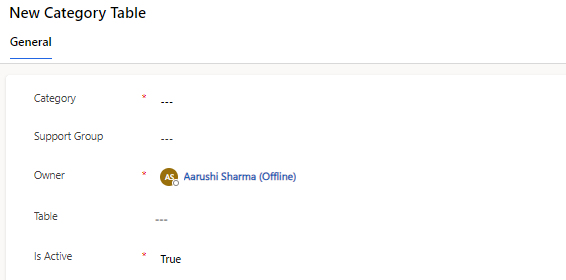
Field | Description |
|---|---|
Category | Define the name of the Category. |
Support Group | Its specify the Group who will works for specific category. |
Table | Its Specify table name where category should be belong to. |
Is Active | Its define whether to show the Category in the lookup of not. |
Owner | Its shows the name of that person who create the Category Record. |
