
Individuals' opinions can be acquired through either closed-ended or open-ended survey questions. You can also use them to get feedback from people like customers, employees, and prospective buyers.
Unlike closed-ended questions, which only allow for a limited number of possible answers, open-ended questions encourage the respondent to provide an answer that best fits the situation.
This table will show all the survey questions used for the feedback.
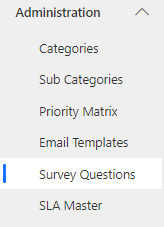
Navigate to Administration > Survey Questions from the left Menu.
Click
 Button. The Survey Questions form is displayed.
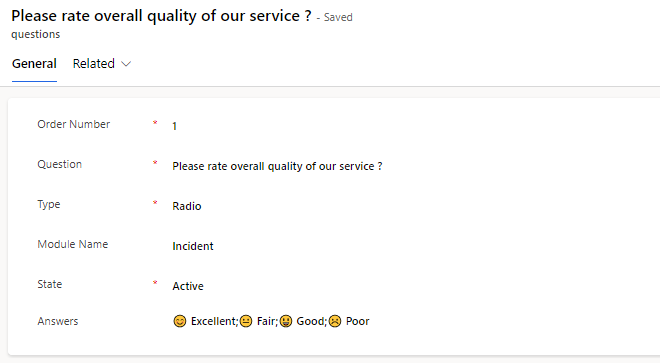
On the Form, fill in the fields.
Field | Description |
|---|---|
Order Number | Order Number arranging the questions in sequence number. |
Question | Specify the question in this field. |
Type | Pick the type Survey question as follows: Radio, Text, Drop-Down, Date, Text Area and Multi-Select. |
Module Name | Select the name of the table for which this question will be visible. |
State | Select whether to show this question or not. |
Answers | Enter the Answers of the question based on the type of question. Example: If the type of question are of Radio, Drop-Down and Multi-Select then format of Answer like a;b;c |
