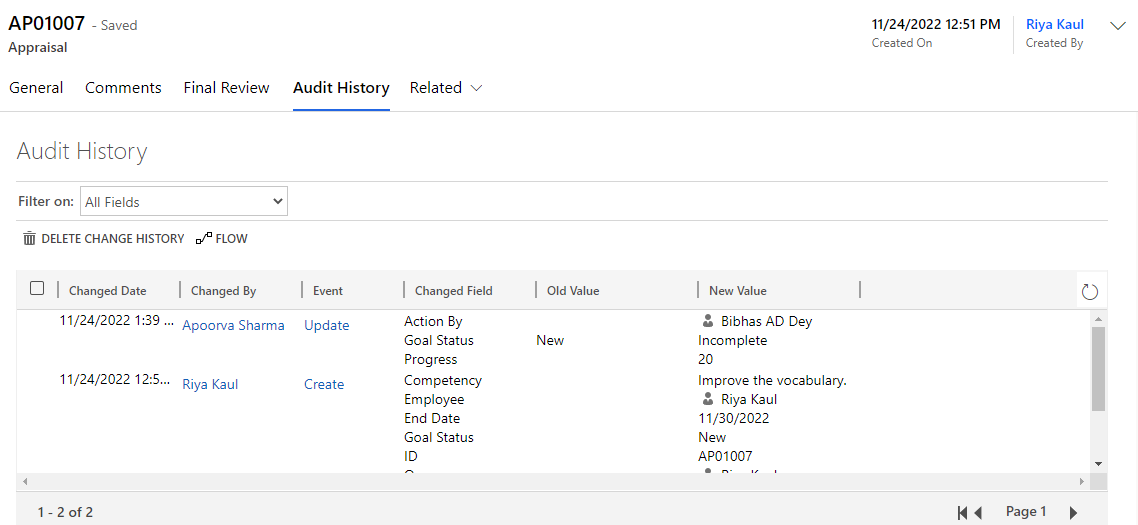
Create and view the Appraisal Tasks to be accomplished by the employee.
Create Appraisal
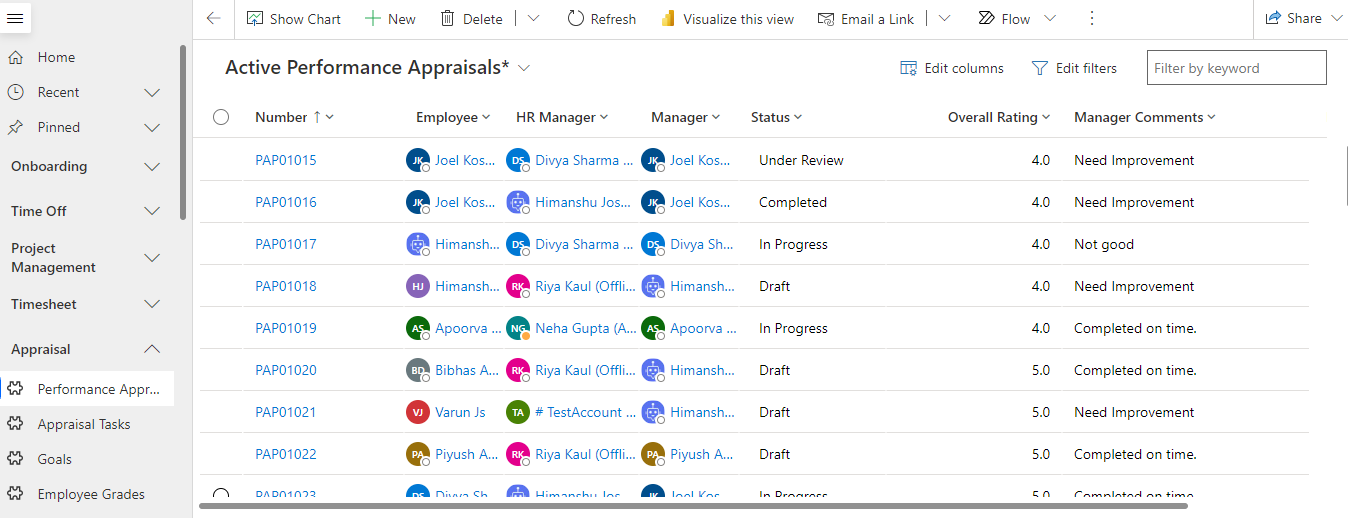
Navigate to Appraisal > Performance Appraisals from the left navigator.
Open the employee record for which the appraisal tasks need to be attached. Navigate to the Appraisal Tasks tab on the form.
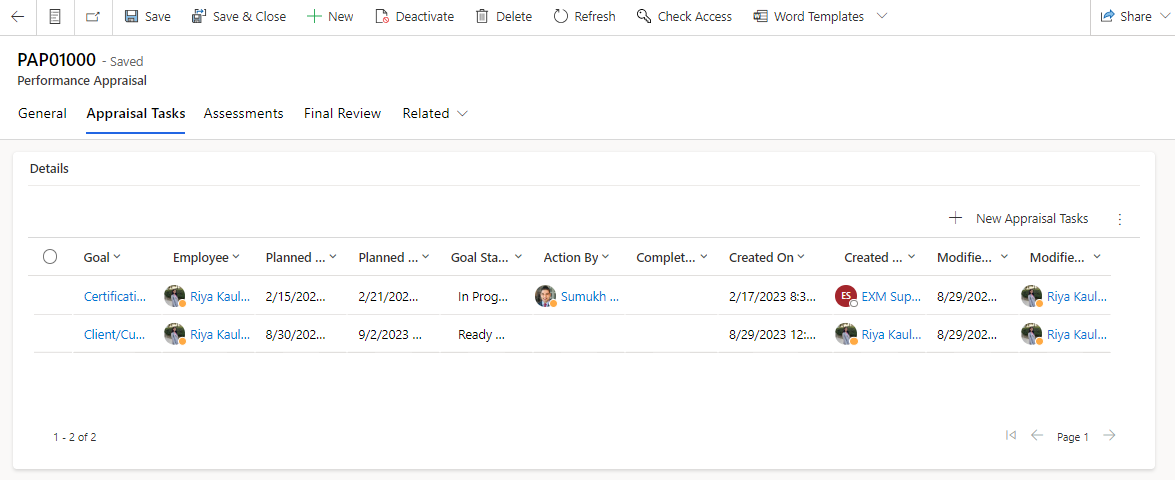
Click on the button. The appraisal tasks form will open.
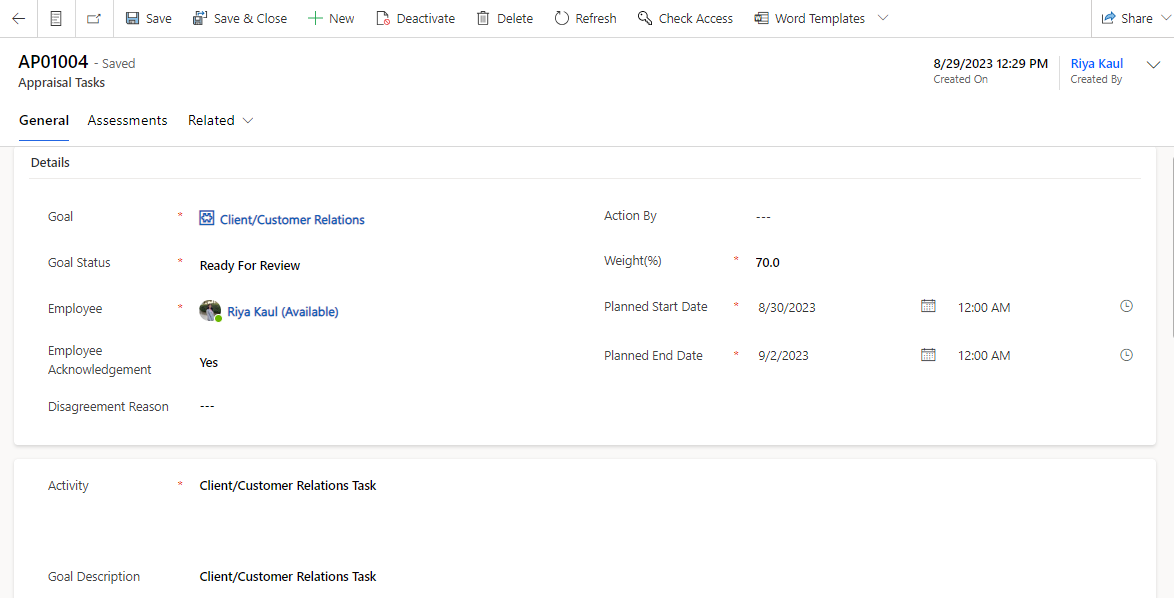
Click on the  button on the top ribbon.
Appraisal Form
General Tab
All the information related to the Appraisal will be present in this tab.
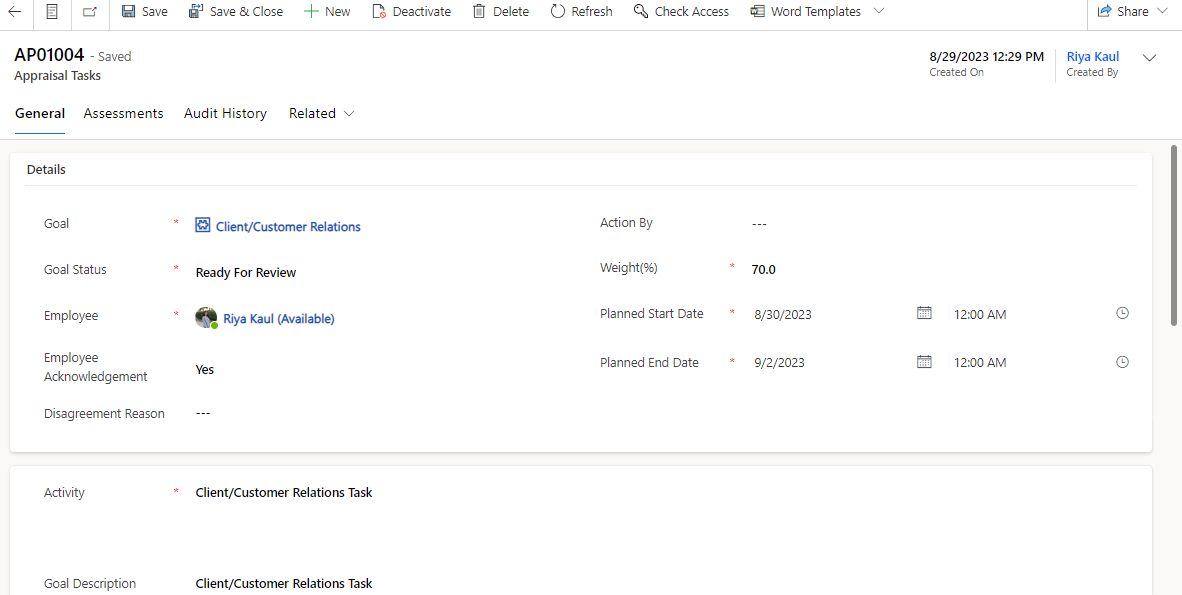
Fields | Description |
|---|---|
Goal | The category of the appraisal task to be assigned to the employee. |
Goal Status | Status of the appraisal task. |
Employee | The employee for whom the appraisal record is created. |
Employee Acknowledgement | Captures whether the employee agrees to the appraisal task assigned. |
Disagreement Reason | Captures the employee disagreement reason on the appraisal task assigned. |
Manager | Manager of employee. |
Weight | Weightage of the particular appraisal task in the overall evaluation of the employee (Percentage). |
Planned Start Date | Indicates the date when the goal task need to be started. |
Planned End Date | Indicates the date by which the goal task need to be completed. |
Activity | The task under the particular goal to be completed by the employee. |
Goal Description | Description for the goal activity. |
Actual Start Date | Indicates the date when the employee starts the goal task. |
Completion Date | Indicates the date when the employee completes the goal task. |
Extension Reason | Indicates the reason if the employee completes the task beyond the set. end date. |
Assessments Tab
The assessments by the manager and employee for the appraisal will be recorded in this section.
Fields | Description |
|---|---|
Manager Assessment | Captures the Manager comments for the assessment of the Appraisal tasks. |
Manager Rating | Captures the Manager rating for the assessment of the Appraisal tasks. |
Manager Assessment Date | Captures the date when manager submitted the evaluation of the Appraisal task. |
Employee Assessment | Captures the Employee self evaluation comments for the Appraisal tasks. |
Employee Rating | Captures the Employee self evaluation rating for the Appraisal tasks |
Employee Assessment Date | Captures the date when employee submitted the self evaluation of the Appraisal task. |
Audit History Tab
Any changes/updates made to the record will be captured in the audit history tab. The person who made the changes will be captured along with the time and the updated fields.
Audit History is where the system stores historical information for all records. These records are intended to be kept forever so that administrators can always track the history of audited records. As the number of auditing records grows over time, it becomes more inefficient to directly query the Audit table for historical information.