
Time Off Request Form
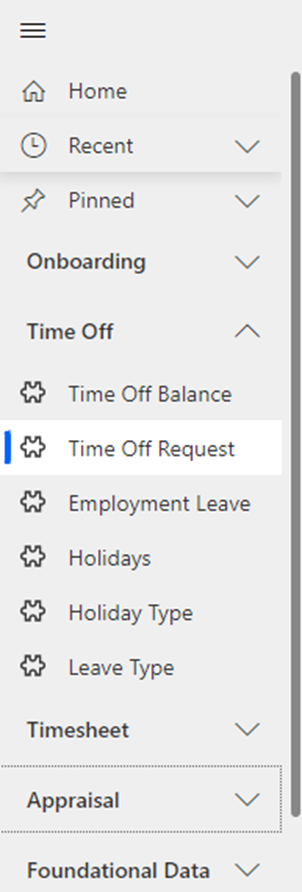
Navigate to Time Off > Time Off Request in the left navigator.
General Tab
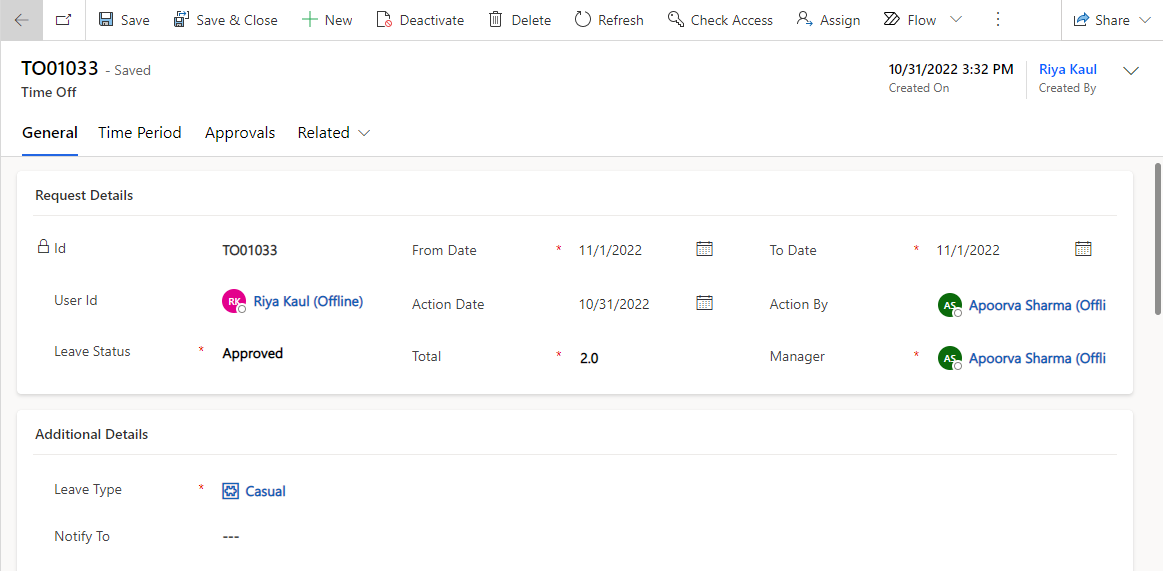
All the information related to the leave request will be present in this tab.
Header
Fields | Description |
|---|---|
Created On | Indicates the date and time when the time off record was created. |
Created By | User who has created the record. It is a prepopulated and non-editable field. |
Request Details
Fields | Description |
|---|---|
Id | Unique Identifier for the record. |
User Id | User who created the leave request. |
Leave Status | Status of the Leave Request. |
From Date | Start Date for the Requested Leave. |
To Date | End Date for the Requested Leave. |
Action Date | Captures the date for Approvers' response. |
Action By | Captures the Approver who responded to the Leave Request. |
Total | Total Hours requested for the leave. |
Manager | Manager of the Requestor. |
Leave Type | Type of Leave Requested. |
Notify To | Captures the additional persons to be notified of the Leave Request. |
Reason For Leave | Reason for the Requested Leave. |
Comments | Captures the Approver's comments while responding to the Leave Request. |
Cancellation Reason | Reason for the withdrawal of the Leave Request. |
Time Period Tab
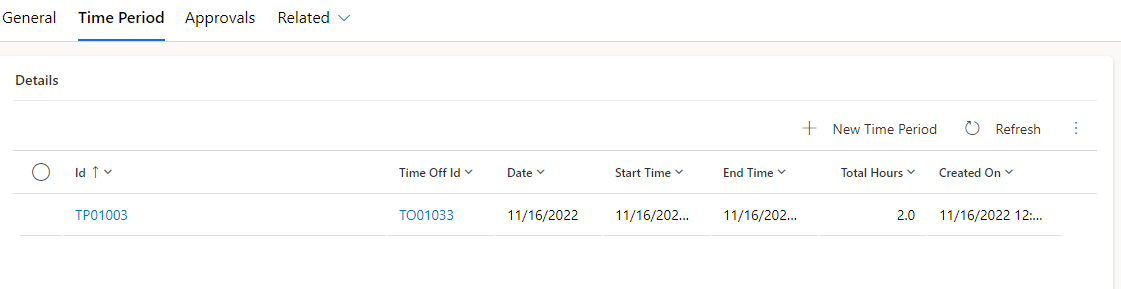
Captures the hours requested for leave on the particular dates from the leave From Date and leave To Date.
Fields | Description |
|---|---|
Id | Unique Identifier for the Time Period record. |
Time Off Id | Indicates the Time Off Request for which the Time Period record exists. |
Date | Indicates the date for which the hours requested for leave will be specified. |
Start Time | Indicates the start time of the leave for the specified date. |
End Time | Indicates the end time of the leave for the specified date. |
Total Hours | Indicates the total hours requested for leave for the specified date. |
Approvals Tab
View details regarding the approvals for the leave request.
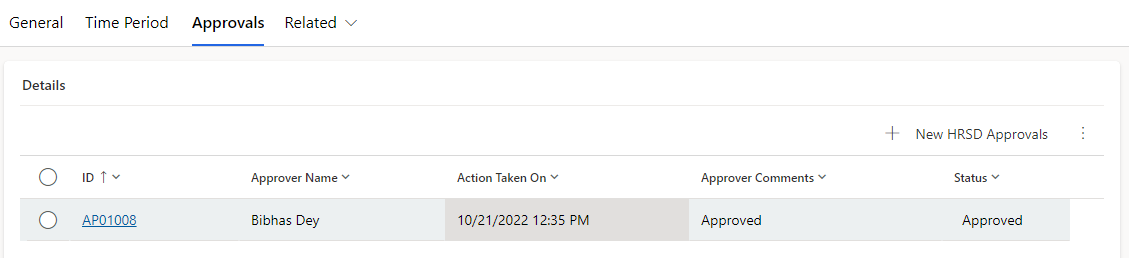
The following details are captured:
Approver Name: The name of the user who received the approval request.
Approver Email: The email of the user who received the approval request.
Module: Captures the record for which the approval requests and responses are captures.
Approver Comments: Captures the approvers’ comments while responding to the request.
Action Date: Capture the date of the approvers’ response.
Status: Captures whether the approver rejected or approved the request.
Audit History Tab
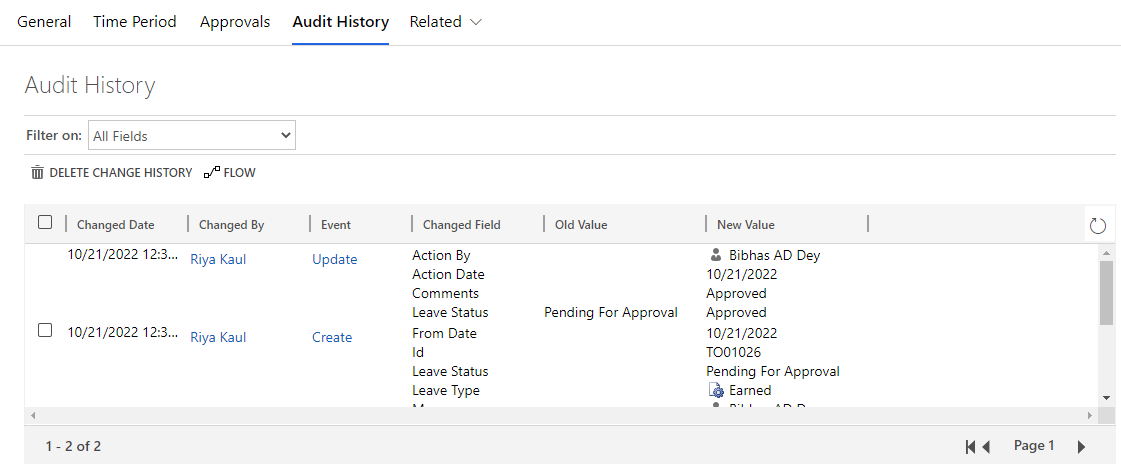
Any changes/updates made to the request will be captured in the audit history tab. The person who made the changes will be captured along with the time and the updated fields.
Audit History is where the system stores historical information for all records. These records are intended to be kept forever so that administrators can always track the history of audited records. As the number of auditing records grows over time, it becomes more inefficient to directly query the Audit table for historical information.
Navigate to Related -> Audit History from the Leave Request form.
Time Off Approval Process
Time Off Management follows a process which requires approval from the Requestor's Manager.
Once the the Leave Request is submitted, the Manager receives email and teams approval notification.
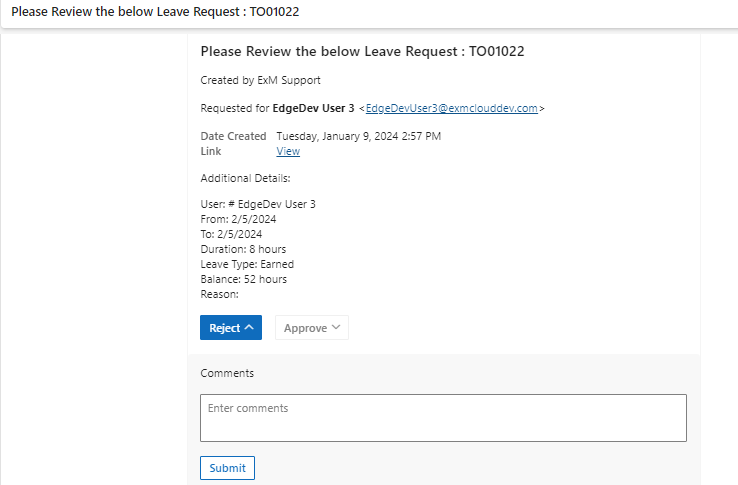
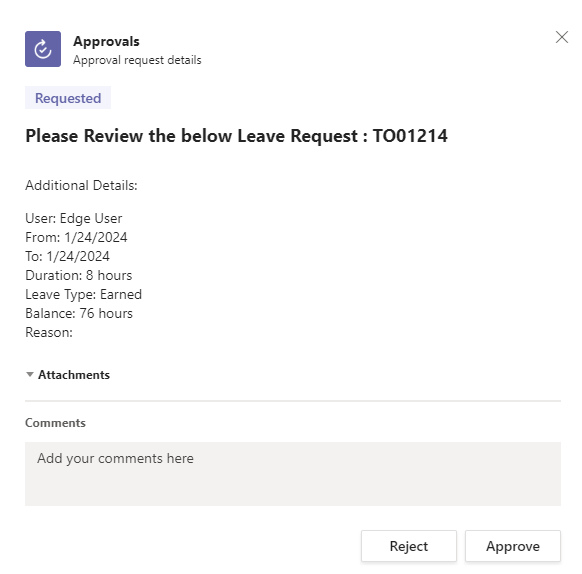
Once Approved, the Requestor's leave balance is deducted based on the leave type.
Once the Approvers responds, Approval/Rejection Notification is sent to the Requestor and the Notify To users if specified.
Time Off Notify Group
In case there are certain users that should always be notified in the Time Off Notifications, those users can be added to the group defined in the 'Support Group Mapping' section.
Navigate to Support Group Mapping under the Administration section from left navigation.
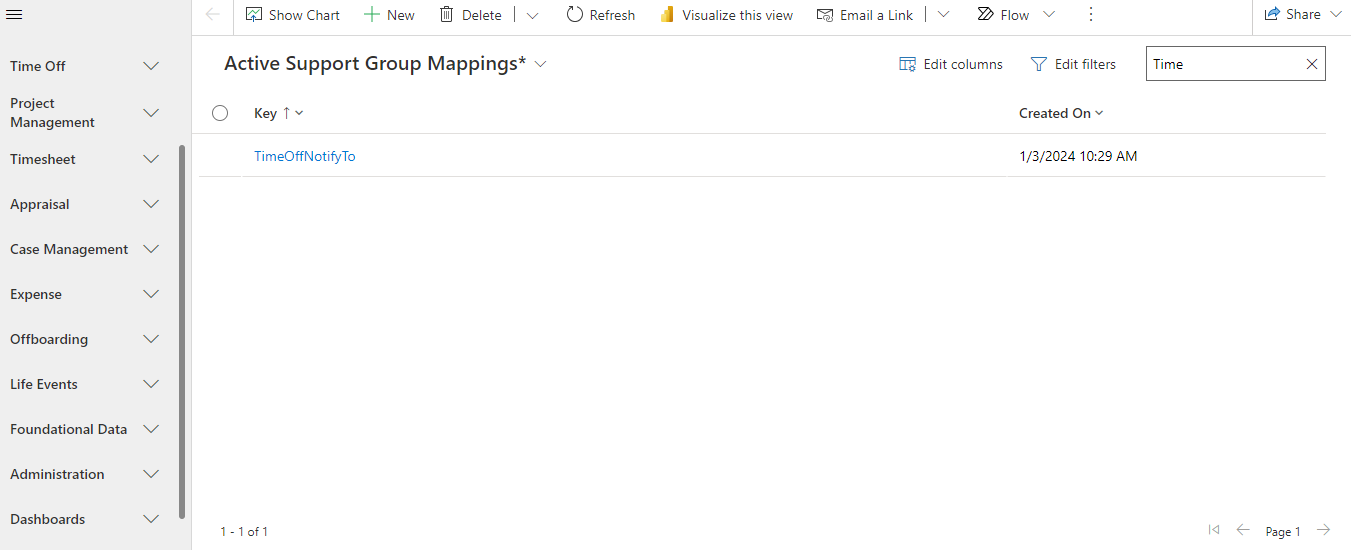
Open the TimeOffNotifyTo record. The group to be notified can be updated or new members can be added by clicking on the group and adding members by clicking on New Assignment Group Member button.
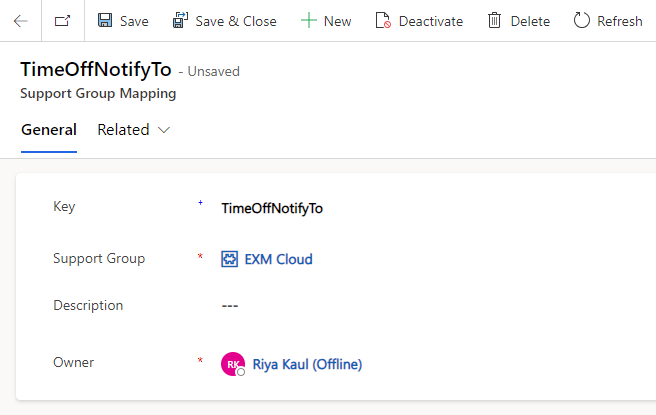
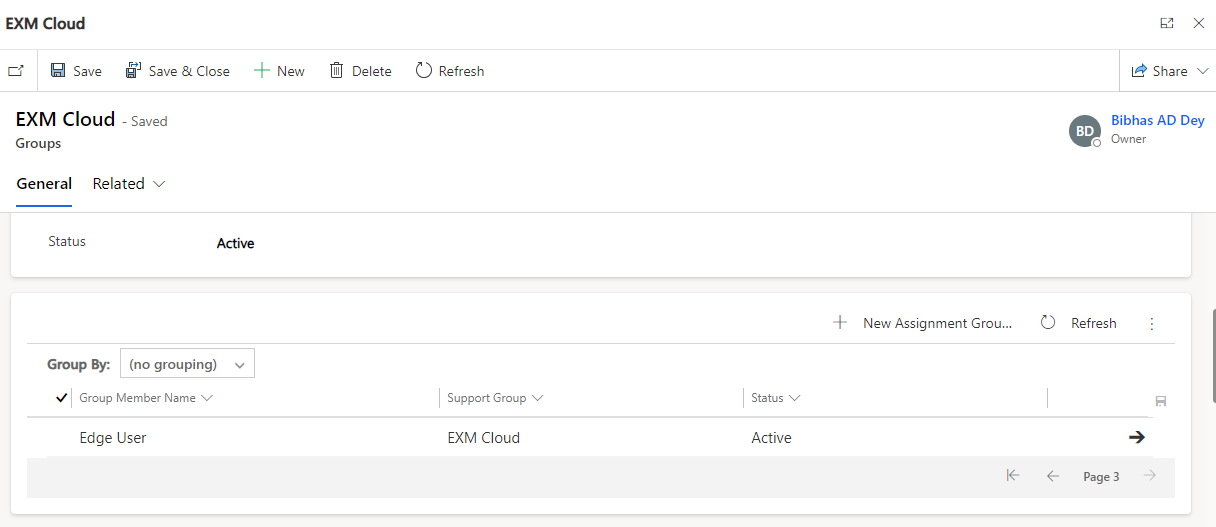
The group members will be notified for Time Off Creation Notifications, Time Off Approved/Rejected Notifications, Time Off Cancelled Notifications.
