Stock rules are established criteria that specify that when the quantity of an item in one stockroom reaches a certain threshold, the stockroom manager should be notified so that the manager can either transfer a certain number of parts from another stockroom or purchase them from a vendor.
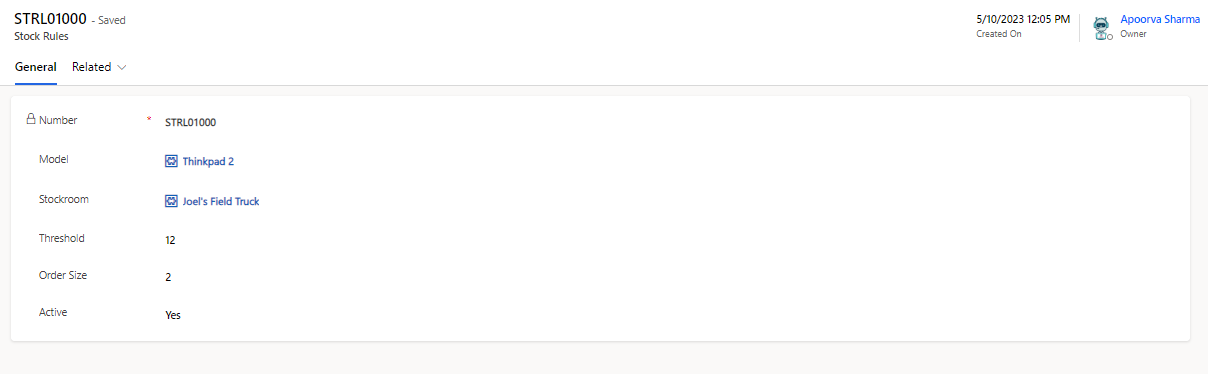
Field | Description |
|---|---|
Active | Is the rule active or not. |
Created By | User who created the stock rule. |
Created On | Captures the date and time of stock rule creation. |
Model | Model of the product to which the rule is applicable. |
Number | Unique auto-generated stock rule number. |
Order Size | Order size of the stock rule. |
Stockroom | The part's current physical location. |
Threshold | Quantity that the stock must reach to trigger the notification. Note: The stockroom manager receives a notification if a stock rule created for a model exceeds the threshold limit. |
Example
When a certain kind of computer keyboard achieves an inventory level of 10 in a particular stockroom, a stock rule in place causes an automatic notification to the manager of the stockroom so that he can make a transfer order request to transfer 50 from another stockroom.
Notifications
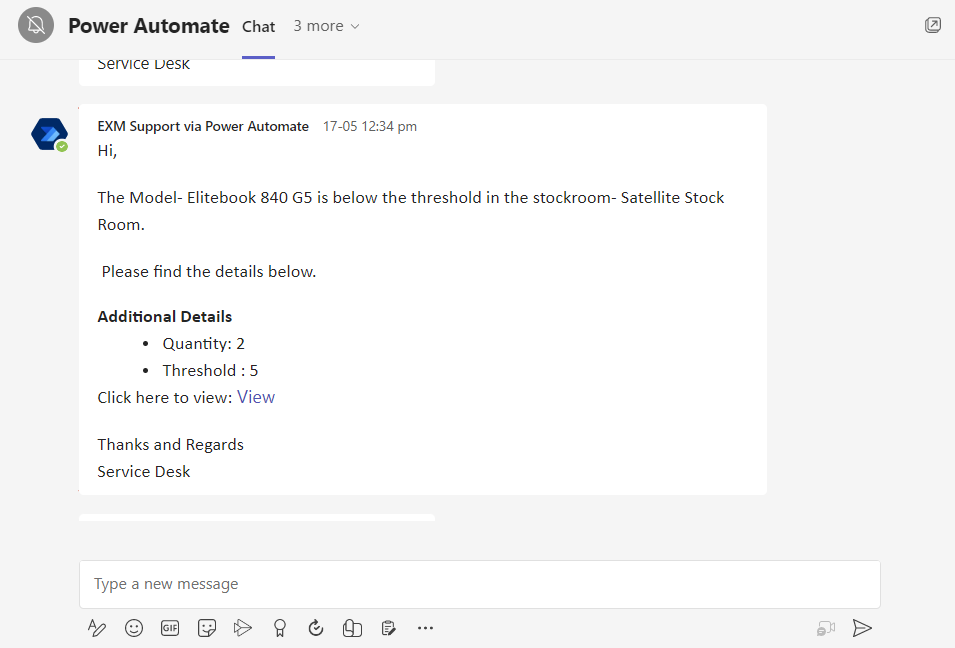
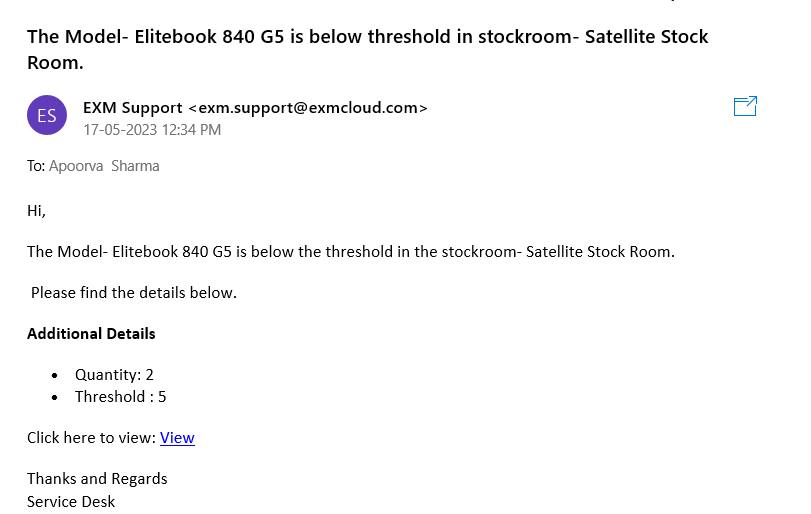
When the threshold for a particular model is below certain quantity (configurable from Stock Rule) in a stockroom, a notification to Stockroom Manager is sent out with a link to directly view the stockroom.
Email Notification
Teams Notification