A Business Opportunity Module typically refers to a component or feature within a Customer Relationship Management (CRM) system or sales management software. This module is designed to help businesses identify, manage, and track potential sales opportunities and leads. Here are some key aspects of a Business Opportunity Module:
Lead Management: It allows businesses to capture and organize leads, which are potential customers or contacts who have expressed interest in a product or service. Leads can be generated through various channels like website inquiries, trade shows, or marketing campaigns.
Pipeline Management: The module helps in visualizing the sales pipeline, which is a step-by-step representation of the sales process from lead generation to closing deals. It tracks where each lead or opportunity stands in the sales cycle.
Opportunity Tracking: Businesses can create and manage opportunities, associating them with specific leads or contacts. Opportunities represent potential sales deals or transactions. The module typically includes fields for details like deal size, probability of closing, expected close date, and more.
Task and Activity Management: Users can schedule tasks and activities related to each opportunity, ensuring that follow-ups, meetings, and other actions are taken at the right time.
Automation: Some Business Opportunity Modules offer automation features, such as automated lead scoring, which helps prioritize leads based on their likelihood to convert into customers.
Create New Opportunity
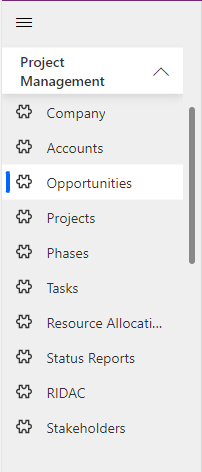
Navigate to Project Management > Opportunity in the left navigator.
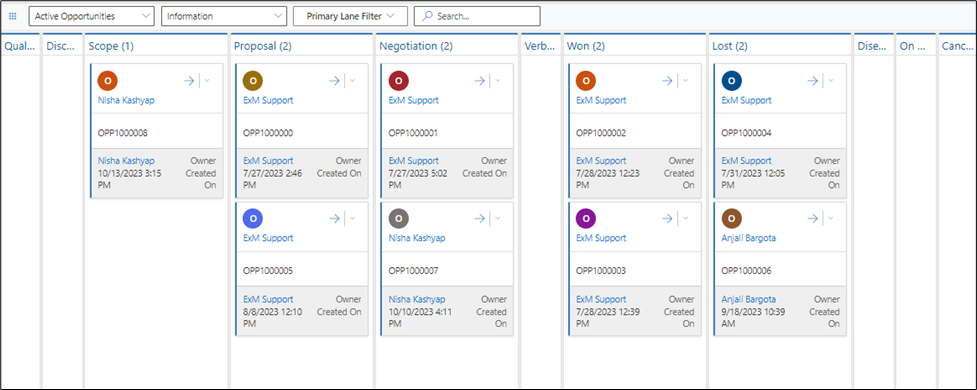
You can view all the created opportunities on the Kanban board.
Click on the button on the top ribbon of the view. A form will appear, fill the required details and save the form.
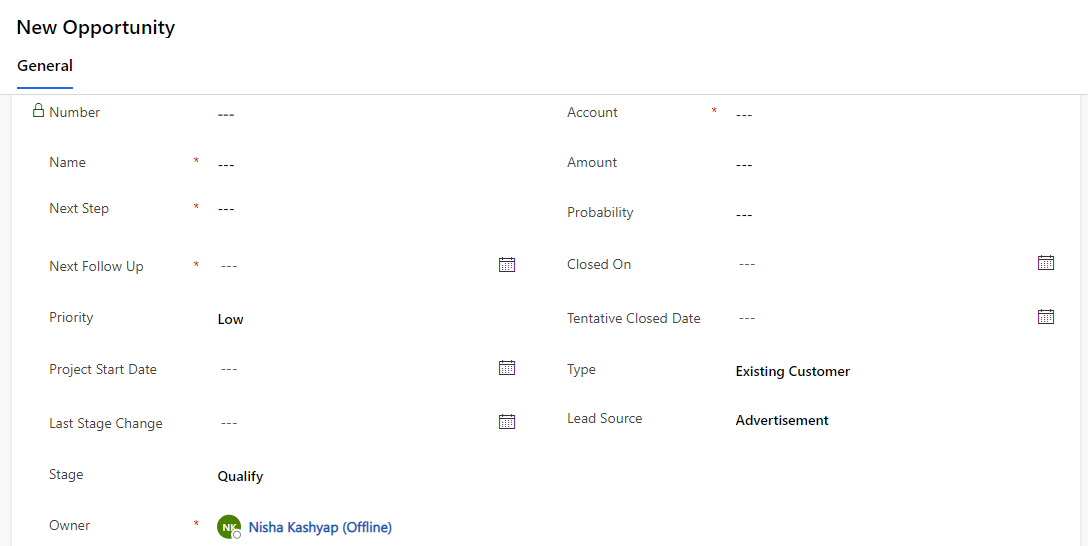

Field | Description |
|---|---|
Number | Auto generated number. |
Name | Specify the name of opportunity. |
Next Step | Specify the next step of opportunity. |
Next Follow Up | Specify the next follow up date. |
Priority | Specify Priority of the opportunity. |
Project Start Date | Specify the Project Start Date. |
Last Stage Change | Last stage change will be added when stage is changed. |
Stage | Stage will be added opportunity. |
Owner | Owner of the opportunity. |
Account | Specify the Account in the opportunity. |
Closed On | Closed date will be visible there. |
Amount | Specify the Amount. |
Probability | Specify the Probability. |
Tentative Closed Date | Specify the Tentative closed date. |
Type | Type of the opportunity. |
Lead Source | Specify the lead source. |
Create Project
The "Create Project" button will become visible once the stage is successfully won.
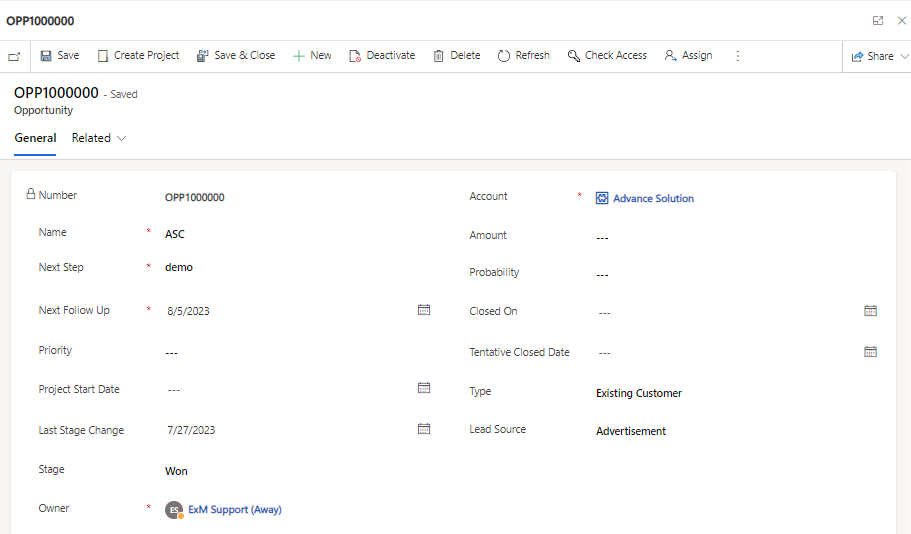
After clicking on the "Create Project" button, you can proceed to directly create a project.

Notifications
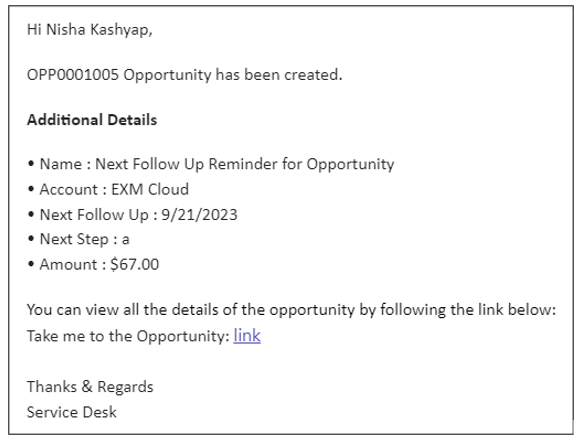
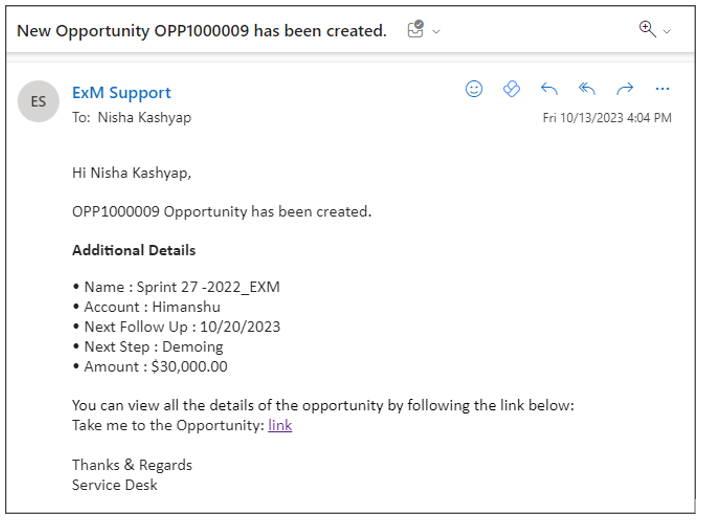
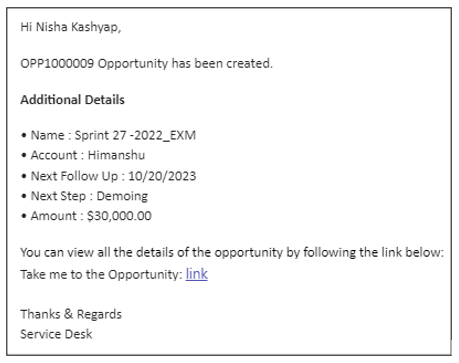
Notification for the creation of an opportunity.
Email Notification
Teams Notification
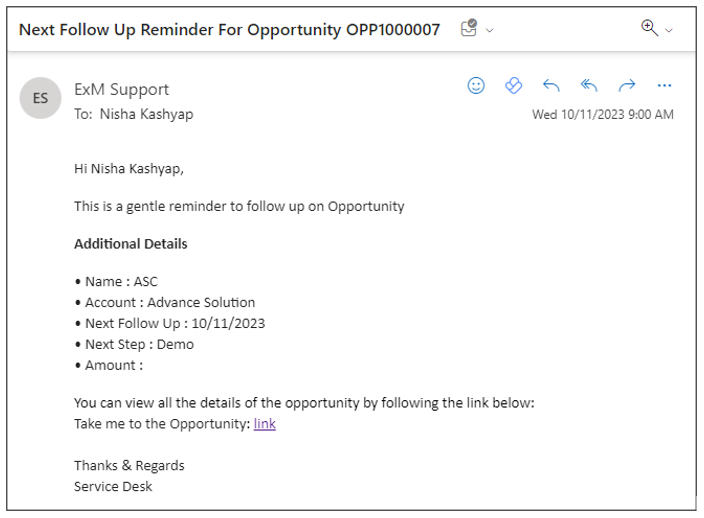
Reminders are scheduled to be sent on the "Next Follow-Up" date, as well as three days and five days prior to the next follow-up date.
Email Notification
Teams Notification