
The Task entity facilitate effective task management within a project. They enable project managers and team members to organize, track, and communicate task-related information, ensuring that project activities are properly planned, executed, and monitored.
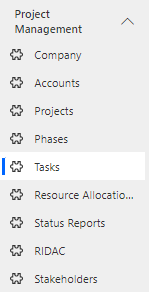
Navigate to Project Management > Tasks in the left navigator.
Click on button on the top ribbon of the view. A form will appear, fill the required details and save the form.

Field | Description |
|---|---|
Name | The name or title of the task, providing a clear and concise identifier for the task |
Phase | The project phase to which the task belongs, indicating its placement within the project's overall timeline and structure. |
Billable | Indicates whether the task is billable to the client or project, helping to track financial aspects of the task. |
Type | The categorization or classification of the task |
Status | The current state of the task |
Description | A detailed explanation of the task's objectives, scope, and requirements, offering a clear understanding of what needs to be accomplished |
